Pixpa Review 2026: Is It Good For Artists?


Disclosure: Some of the links in this post may be affiliate links. If you click on the link and make a purchase, I will receive an affiliate commission at no extra cost to you. As an Amazon Associate I earn from qualifying purchases.
Is Pixpa good for artists?
Pixpa favicon

Pixpa Review for Artists

Overall Rating
4.7
4.7/5
Website Builder
4.5/5
Templates
5/5
Client Galleries
5/5
eCommerce
4/5
Blogging
4.5/5
SEO & Analytics
4.5/5
Customer Support
5/5
Pricing
5/5

Is Pixpa good for artists?

Pixpa is an all-in-one platform for building portfolio websites, online stores, and client galleries. It’s specifically tailored to artists, photographers, and other visual creatives who are looking for a budget-friendly solution to showcase and sell their work online.

Getting started is simple, even with no previous web design experience. Thanks to its intuitive drag-and-drop builder, Pixpa lets you create a professional-looking website without any coding knowledge. You can focus entirely on producing content and presenting your work and let Pixpa handle the rest for you, including hosting and security of your site

Pixpa is definitely a good choice for artists, but is it also the right website builder for your needs?

To help you make an informed decision, I’ve tested and reviewed Pixpa across all important aspects, from website builder and templates to eCommerce features and pricing plans. 

With that said, let's dive straight into this Pixpa review for artists and see what you can expect!

Website Builder

4.5/5
4.5/5

Pixpa Review: The Website Builder

Is Pixpa good for artists with no web design experience?

Pixpa is designed to make it easy for any creative to build a website for their art. You don’t need any previous web design or coding experience to get started on Pixpa.

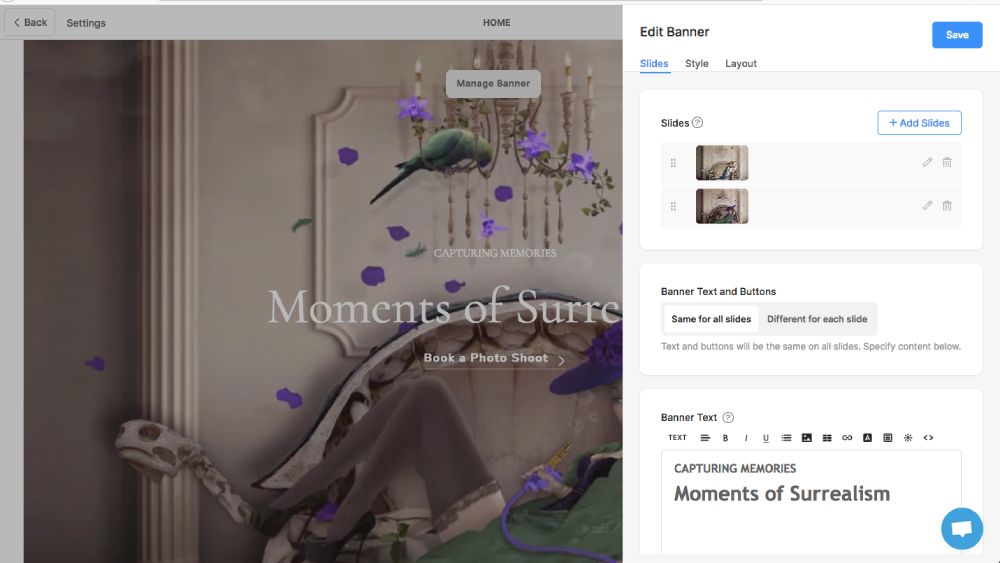
You can create your website using the visual drag-and-drop editor. It’s user-friendly and intuitive, allowing you add, rearrange, and edit elements with some clicks of your mouse.

Within the page builder, you can choose from 100+ editable content blocks that cover everything from standard text, headlines, and images to more advanced elements like image sliders, video embeds, calls to action, and so on.

Is Pixpa good for artists with no web design experience?
The page builder allows you to choose from 100+ editable content blocks that cover everything from standard text, headlines, and images to more advanced elements like image sliders and video embeds.
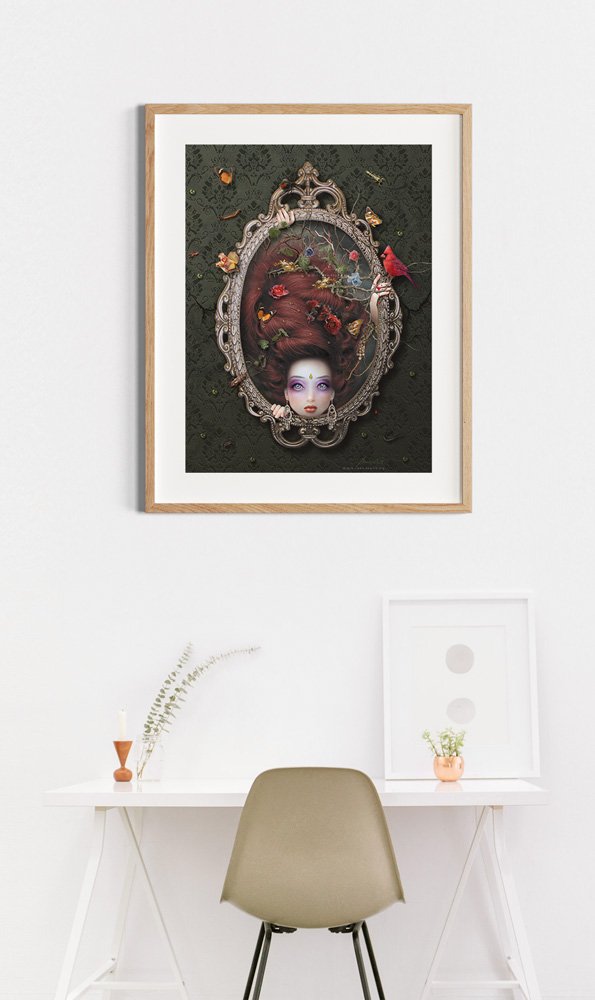
The image is “Pastime” from my Surreal Stories Collection.

Pixpa’s editor is section-based, meaning you can drag elements into predefined content blocks, which helps keep the layout clean and visually consistent.

That said, the editor isn’t as freeform as builders like WordPress or Squarespace, but that’s intentional. It helps you create professional-looking pages with less effort and in less time.

All pages created with Pixpa are mobile-friendly out of the box. You can control the visibility of sections for desktop and mobile, and adjust font sizes and padding to fine-tune mobile layouts.

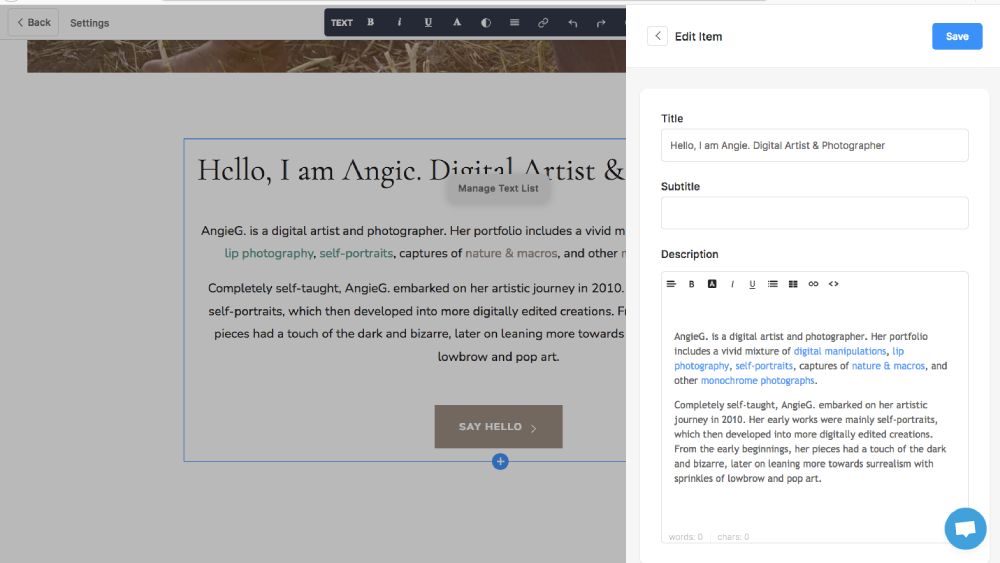
The built-in text editor offers rich formatting options and even AI-powered writing tools, such as grammar correction, rephrasing, and translation, directly within the editor.

You can customize all elements, including fonts, colors, spacing, and overall visual style, while viewing your changes in real time.

Pixpa drap-and-drop editor
You can customize all elements, including fonts, colors, spacing, and overall visual style, while viewing your changes in real time.

Templates

5/5
5/5

Pixpa Review: Website Templates for Art & Photography

Is Pixpa good for artists to showcase their portfolio?

Templates are the centerpiece of your website. They determine the look and feel, and the functionality. Unlike some other platforms, all Pixpa templates are free, and you can add a blog or an online store to any template without restrictions.

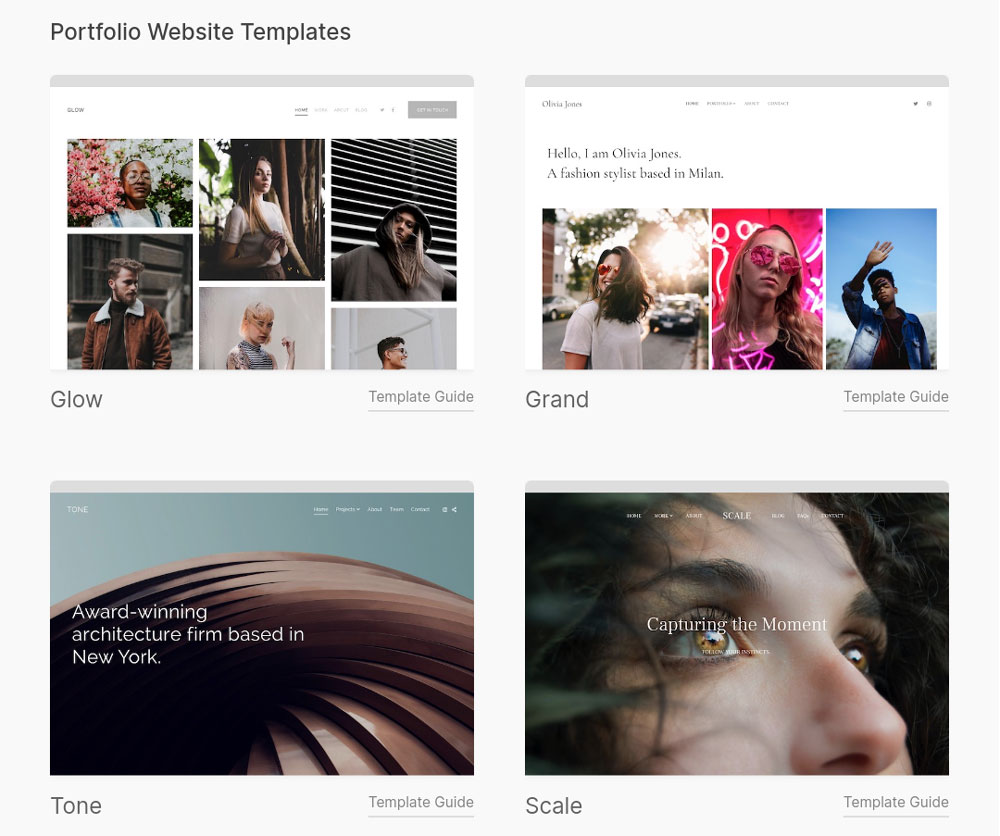
At the time of writing, Pixpa offers over 200 templates that focus on design and putting your artwork in the limelight. All templates are modern, clean, and visually appealing, making your site look good both on desktop and mobile devices.

You can start with any template and easily switch to another later if the design no longer fits your needs. As opposed to Squarespace, Pixpa allows you to change templates even after you’ve added content. If you don’t like the new template, you can revert back just as easily—your content will always adjust accordingly.

Pixpa portfolio website templates
Pixpa offers over 200 templates that focus on design and putting your artwork in the limelight.

what is the best Pixpa template for artists?

Pixpa has plenty of templates for photographers, artists, illustrators, fashion, and beauty, but also for business and service providers. Therefore, it shouldn’t be hard to find one that fits your artist website. Basically, you can choose any template you like and adapt it to your personal needs! 

Here are some great Pixpa templates you can take a look at when you’re looking to create your website on the platform: 

Crimson Pixpa template
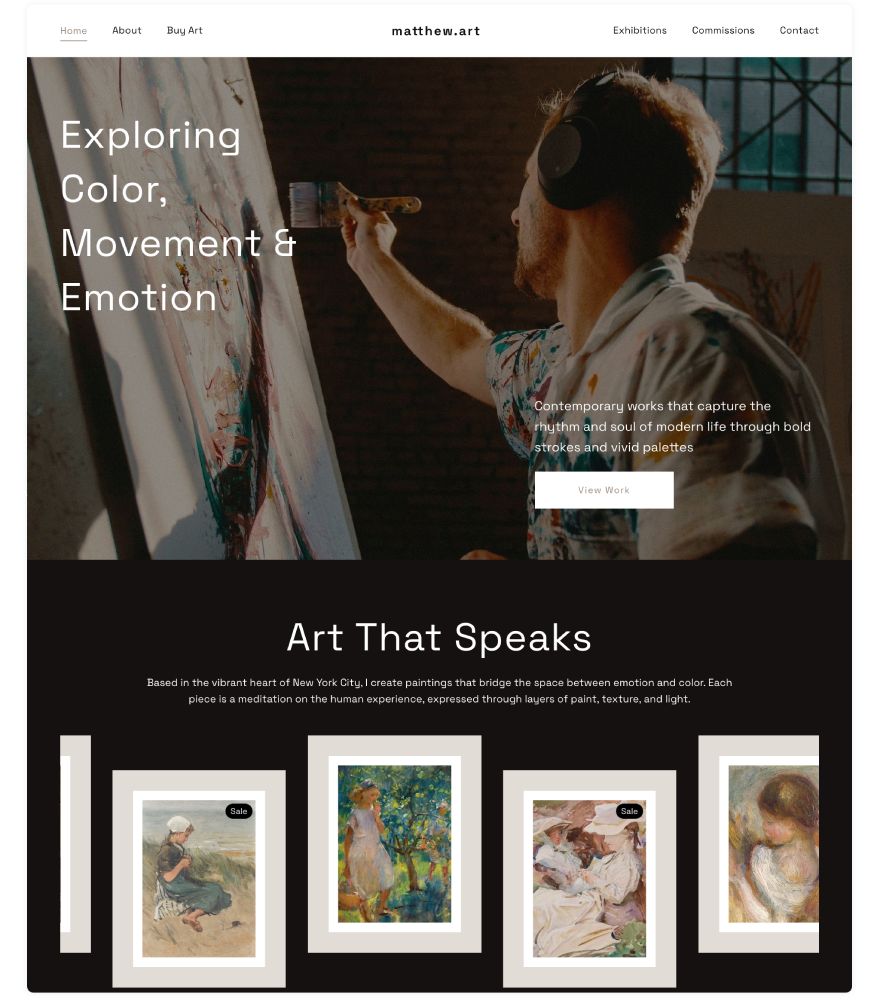
The Crimson Pixpa template is a stunning choice to showcase your art portfolio and sell your work.
Share on pinterest
Pinterest
Pixpa review: is it a good website builder for artists?

Client Galleries

5/5
5/5

Pixpa Review: Client Proofing Galleries

How good are Pixpa's client galleries?

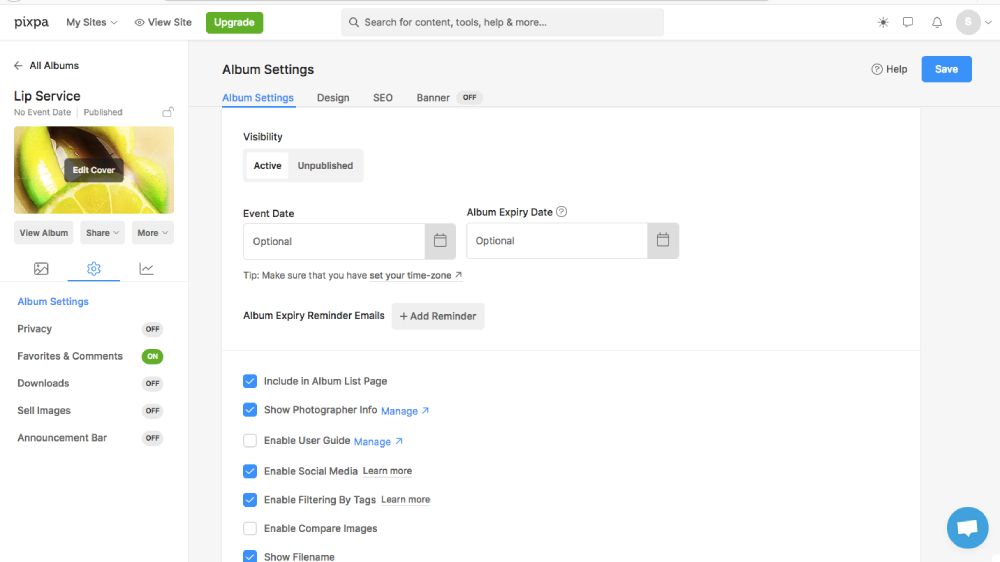
One of Pixpa’s standout features is its client galleries. These galleries let you share projects and images with your customers. Clients can review the images, mark their favorites, leave comments or feedback, and even purchase directly from the gallery.

You have full control over who has access: you can make galleries public or private, password-protected, or require email registration. You can also set automatic expiry dates for access.

Recently, Pixpa has introduced a couple of new options to share client galleries. These include:

  • Direct email invitations
  • Simple album links
  • QR codes for instant access
Pixpa client galleries
One of Pixpa’s standout features is its client galleries that let you share projects and images with your customers.
The image is “Lemon” from my Lip Service Collection.

eCommerce

4/5
4/5

Pixpa Review: eCommerce Features

Is Pixpa good for artists to sell their work?

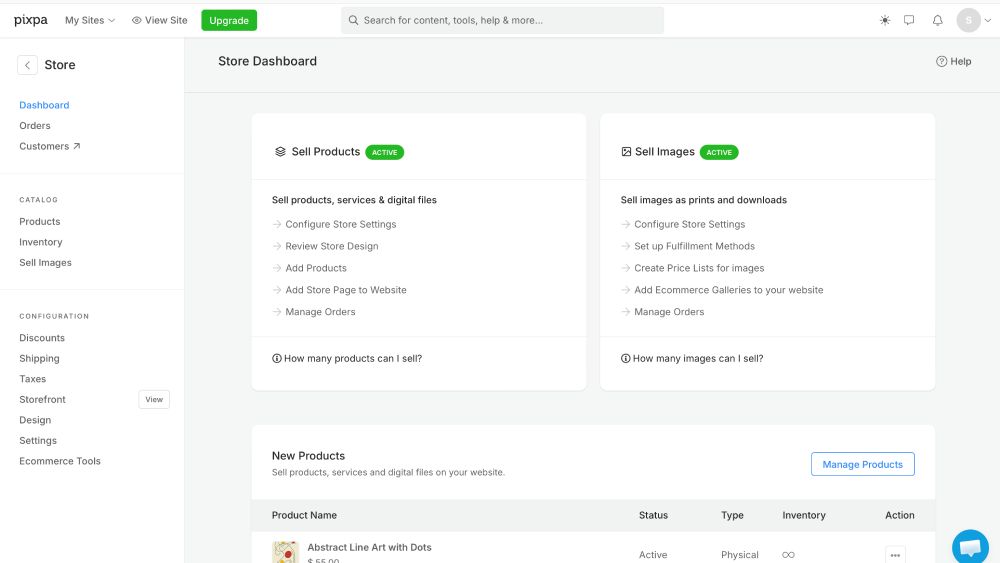
Pixpa makes it as easy to launch an online as building a website. Your store is up with one click, and then you can start to add products, set pricing, and design your storefront without any coding skills. You can basically sell any type of product through your Pixpa store, including physical items, digital downloads, and services.

Even though Pixpa is so affordable, it comes with amazing eCommerce features. You can start selling on all plans, even on the most affordable Basic plan

Pixpa’s dashboard gives you a clear overview of your orders, payment statuses, and customer details, making it easier to manage fulfillment from purchase to delivery. If you don’t want to take care of order fulfillment yourself, you can integrate print-on-demand providers like Printful or Printify that will automatically dropship your art prints to the customer.

Is Pixpa good for artists to sell their work?
You can basically sell any type of product through your Pixpa store, including physical items, digital downloads, and services.

Managing your store is straightforward. You can easily add or edit products, add descriptions, prices, shipping options, and so on. However, more advanced eCommerce features are only available on the higher plans, starting at $9 per month (billed biannually). 

Those plans allow you to organize your products into categories and create product variants to offer different sizes, formats, or personalized choices. Moreover, you’ll be able to create discount codes and apply them to specific products, categories—or your entire store to attract more buyers for your art. 

In other words, Pixpa combines product management, order processing, and promotional tools into one system, helping you run your online store super-efficiently while focusing on your creative work. Of course, the platform isn’t as advanced and sales-focused as Shopify, but considering its affordable pricing, Pixpa definitely overdelivers.  ʕᴖᴥᴖʔ

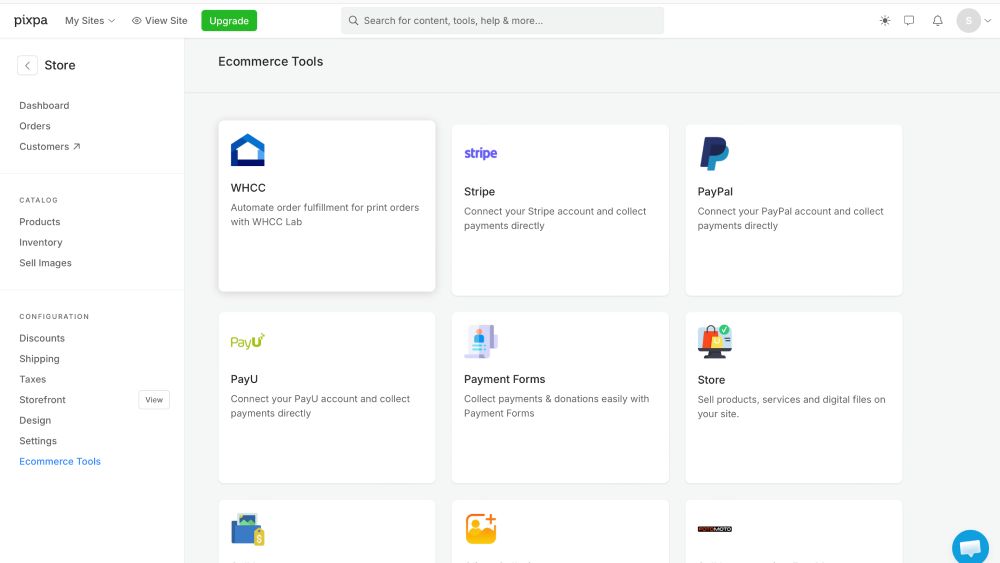
Naturally, Pixpa integrates with all major payment providers such as Stripe, PayPal, and Square so you can offer your customers a secure and convenient checkout experience. It also supports flexible shipping settings and automatic tax calculations based on the customer’s location, taking much of the financial calculation work off your shoulders.

Pixpa payment gateways
Pixpa integrates with all major payment providers such as Stripe, PayPal, and Square.

Blogging

4.5/5
4.5/5

Pixpa Review: Blogging platform

Is Pixpa good for artists wanting to start a blog?

Blogging is a powerful way for artists to increase visibility and grow their business.

→ 7 Reasons Every Artist Should Have A Blog [*Hint: Blogging Is Profitable*]

The good news is that Pixpa comes with a fully integrated blogging system on the Creator plan and higher. That means you can add posts directly to your website without needing a separate service or plugin. You can link blog posts to portfolio items or galleries and use your content to drive traffic to products, services, or client galleries where you want to sell.

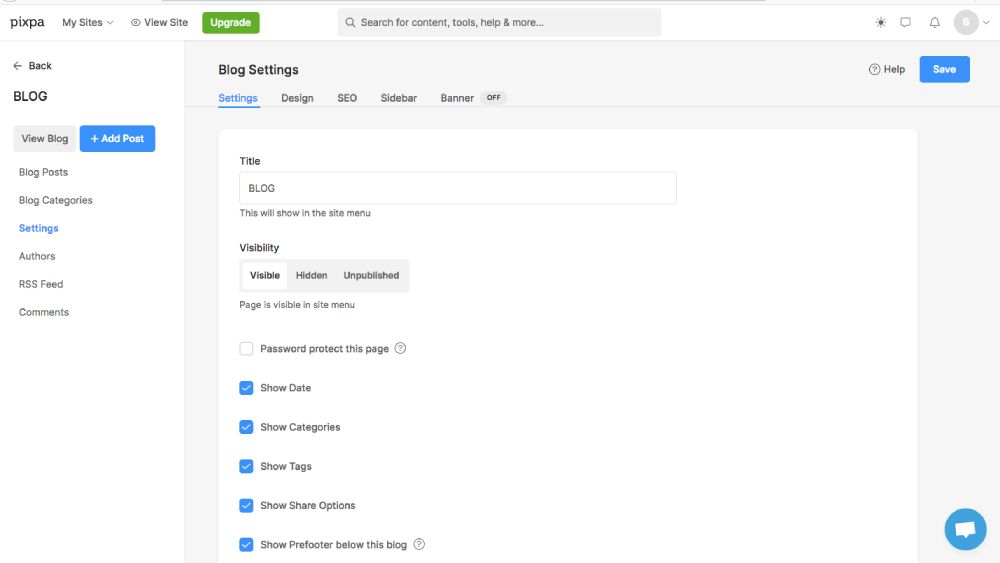
Pixpa’s blogging features are simple but solid. They provide you with all the essentials bloggers need, from post organization, to formatting, scheduling, SEO support, and media integration. Pixpa’s blog editor is the same as you use to edit your pages, but it includes some more features to edit your posts, such as quotes, lists, different headings, and calls to action.

You can choose to allow readers to comment on posts and enable social sharing buttons, so readers can share your content on platforms like Facebook, Twitter, and Pinterest, which can help expand your reach.

Pixpa blogging
Pixpa’s blogging features are simple but solid.

SEO & Analytics

4.5/5
4.5/5

Pixpa Review: SEO & Analytics

Is Pixpa good for artists to rank their website in Google?

Optimizing your website for search engines is important to get it found by those who are looking for your content. Apart from using the right keywords, search engine optimization (SEO) includes a number of technical and on-page aspects that help you drive traffic to your artist website.

→ SEO For Artists: 5 Game-Changing Tips To Get Traffic To Your Art Website

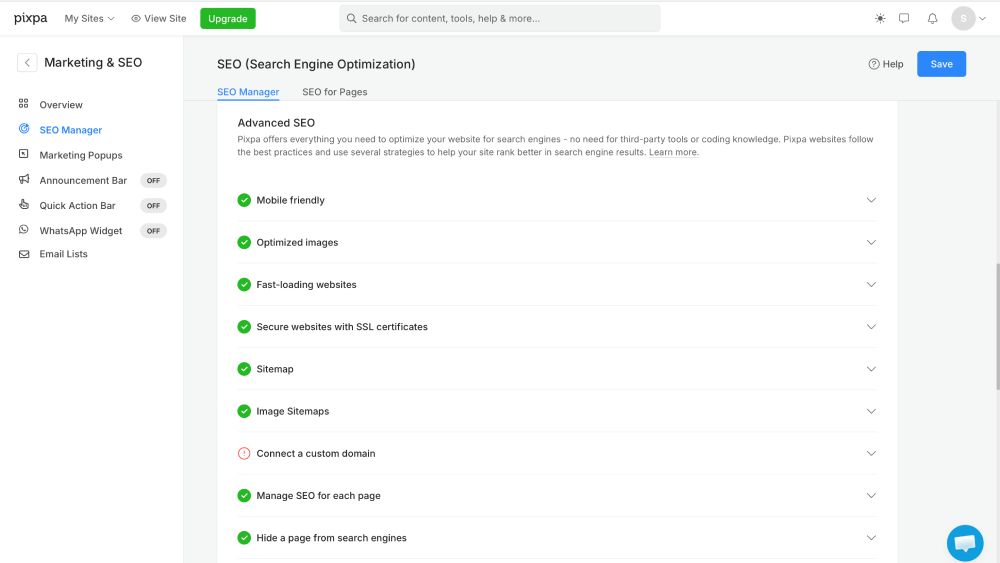
Luckily, Pixpa comes with a built-in SEO manager that helps you boost your online visibility. The manager makes sure that basics like your content, titles, meta descriptions, and image attributes are optimized. 

Advanced features include a global CDN, free SSL certificates, automatic sitemap generation, clean URLs, proper HTML markup, and favicon support; all of these contribute to a better indexing and search performance. 

To monitor your website’s performance, Pixpa integrates directly with Google Analytics. Tracking visitor traffic, demographics, and user behavior helps you refine your content and optimize your site for more traffic and an improved user experience.

Is Pixpa good for artists to rank their website in Google?
Pixpa comes with a built-in SEO manager that helps you boost your online visibility.

Customer Support

5/5
5/5

Pixpa Review: Customer Support

Is Pixpa good for artists when you get stuck on a technical problem?

Pixpa’s customer support is available 24/7 via live chat and email. Live chat responses are extremely fast and often come within minutes. The cool thing is you can also ask questions about photography, not only about web design and how to set up your site.

If you need hands-on help building your site, you can also hire a professional from Pixpa’s team to set things up for you as a paid service.

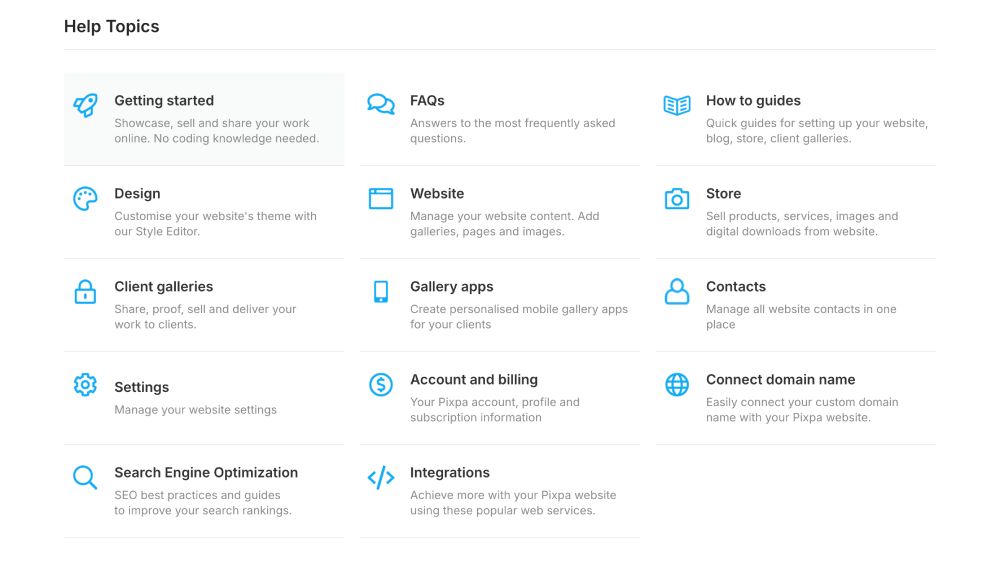
Apart from that, there’s also a comprehensive Help Center with step-by-step guides, tutorials, and articles in multiple languages to help you troubleshoot or learn features on your own.

Pixpa support center
Pixpa offers a comprehensive Help Center with step-by-step guides, tutorials, and articles in multiple languages.

Pricing

5/5
5/5

Pixpa Review: Pricing Plans

Is Pixpa good for artists in terms of value for money?

Pixpa is arguably the most affordable website builder for artists that offers the best value for money. 

It offers four pricing plans. All of them include eCommerce functionality, a free SSL certificate, a free domain for the first year, advanced SEO tools, and unlimited bandwidth. There’s also no commission on sales on any of the plans.

Here’s a breakdown of the differences:

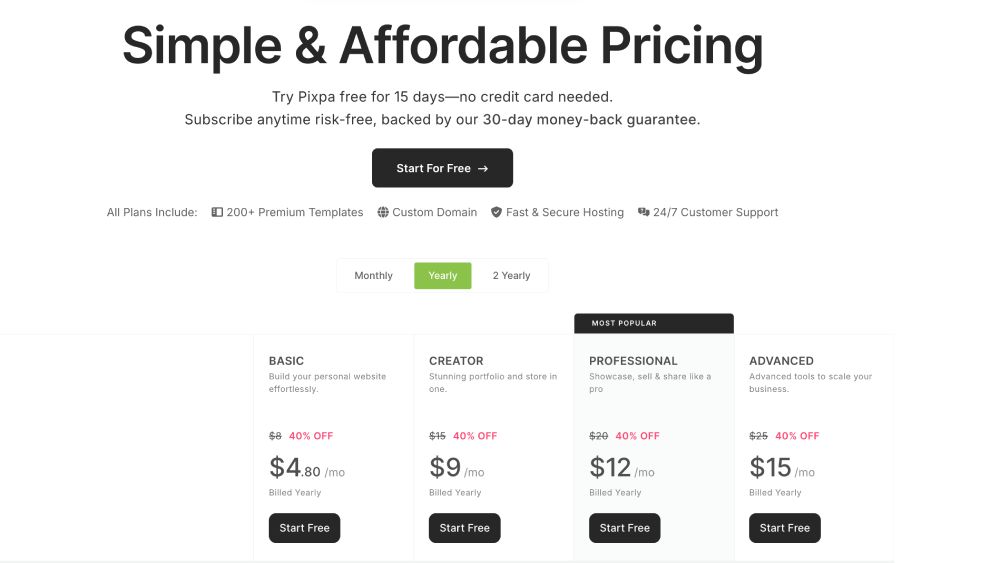
The Basic plan at $3.60/month (billed biannually) lets you create up to 10 web pages, upload up to 200 images, and sell up to three products. It includes 3GB of total storage. However, you won’t get blogging features.

The Creator plan at $6.75/month (billed biannually) offers 5GB of storage and allows you to sell up to 10 products. You’ll get the full range of blogging features and marketing tools like discount coupons and popups. Also included is automatic shipping rates calculation and unlimited web pages and image uploads.

The Professional plan at $9.00/month (billed biannually) includes everything in the Creator plan, plus 25GB of storage. You can sell up to 100 products, add product info sections, and add watermarks to as many images as you want. You also have to option to use announcement bars on your website and payment forms. 

The Advanced plan at $11.25/month (billed biannually) expands on the Professional plan with 100GB of storage, customer accounts, inventory management, abandoned cart recovery, and unlimited product listings. You’ll also get advanced marketing tools when it comes to discount coupons.

» You can save up to 55% on all plans with code “PXREF55”

If you want to test the platform before committing, Pixpa offers a FREE 15-day trial with no credit card required, as well as a 30-day money-back guarantee!

Pixpa Pricing Plans

Pixpa pricing plans
Pixpa is arguably the most affordable website builder for artists that offers the best value for money. 

Overall Rating

4.7/5
4.7/5

Pixpa review: the verdict

Is Pixpa good for artists overall?

Pixpa is an excellent website builder for artists, especially those who want an affordable, all-in-one solution without dealing with the technical stuff.

Pixpa combines portfolio design, eCommerce, blogging, client galleries, and SEO tools into one platform that’s clearly built with visual creatives in mind. The editor is intuitive and the templates are modern, image-focused, and mobile-responsive out of the box, letting you create a professional-looking site with just a couple of clicks.

What really sets Pixpa apart for artists is how well its features support the needs of creatives. You can showcase your work beautifully, sell prints and digital downloads, manage client proofing galleries, watermark your images, and start an art blog for visibility. All on one platform.

While Pixpa isn’t as advanced and customizable as Shopify or WordPress, it delivers everything most artists realistically need. And it does so at a very competitive price point.

So, is Pixpa the right choice for you?

Well, if you’re an artist, photographer, or visual creative looking for a budget-friendly, easy-to-use platform that balances aesthetics with functionality, Pixpa is absolutely worth considering.

It may not be the most powerful builder on the market, but for creatives who value simplicity, design, and value for money, Pixpa definitely overdelivers!

» Save up to 55% on all plans with code “PXREF55”

Pixpa favicon

Pixpa Review for Artists

Overall Rating
4.7
4.7/5

Whether you’ve already made up your mind to give Pixpa a try or whether you still want to get a more in-depth idea of how things are working on Pixpa, here’s a great video review of the go-to website builder for creatives!

AngieG. – The Person behind the Pictures
HI Y'ALL!  
My name is Angie and I’m a self-taught digital artist. On this blog, I am sharing my knowledge and educational resources to help you build a website for your art. My desire is to show you that you don’t need to be a coder to create a website. All you need is the desire to learn and the get-up-and-go to get started!
LET'S CONNECT:
SHARE THIS POST:

Leave a Reply