Animate Your Artwork: Best AI Image-To-Video Generator


Disclosure: Some of the links in this post may be affiliate links. If you click on the link and make a purchase, I will receive an affiliate commission at no extra cost to you. As an Amazon Associate I earn from qualifying purchases.

Animating artwork with AI is a nice perk for artists and photographers to draw attention to their work on social media or pep up their portfolio for digital galleries. After testing a dozen tools, I’ve hands-down found the best AI image-to-video generator that delivers impressive results, is easy to use, and super-affordable!

animate your artwork ai
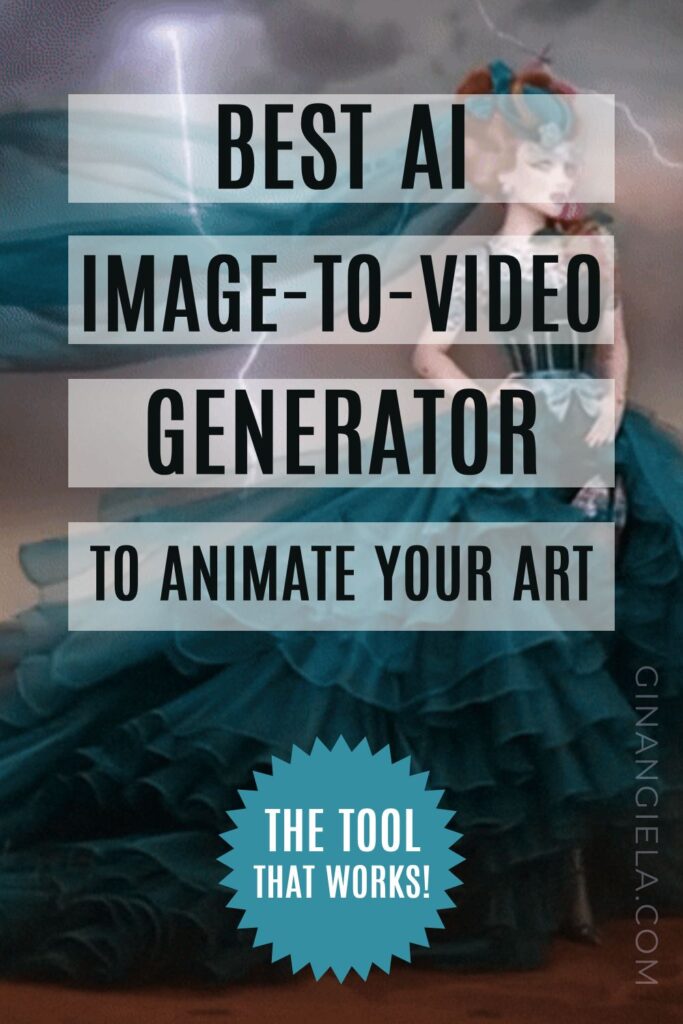
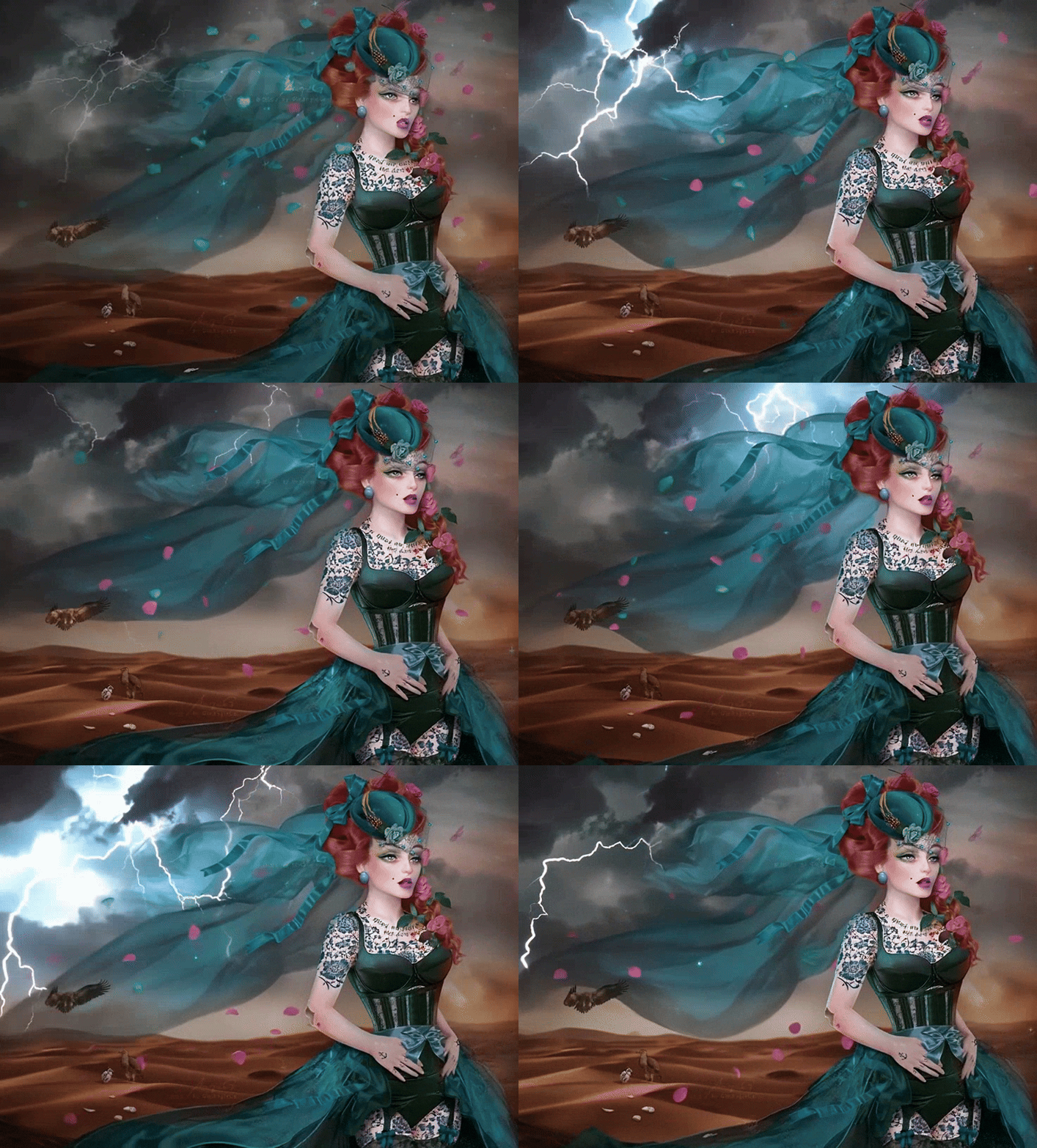
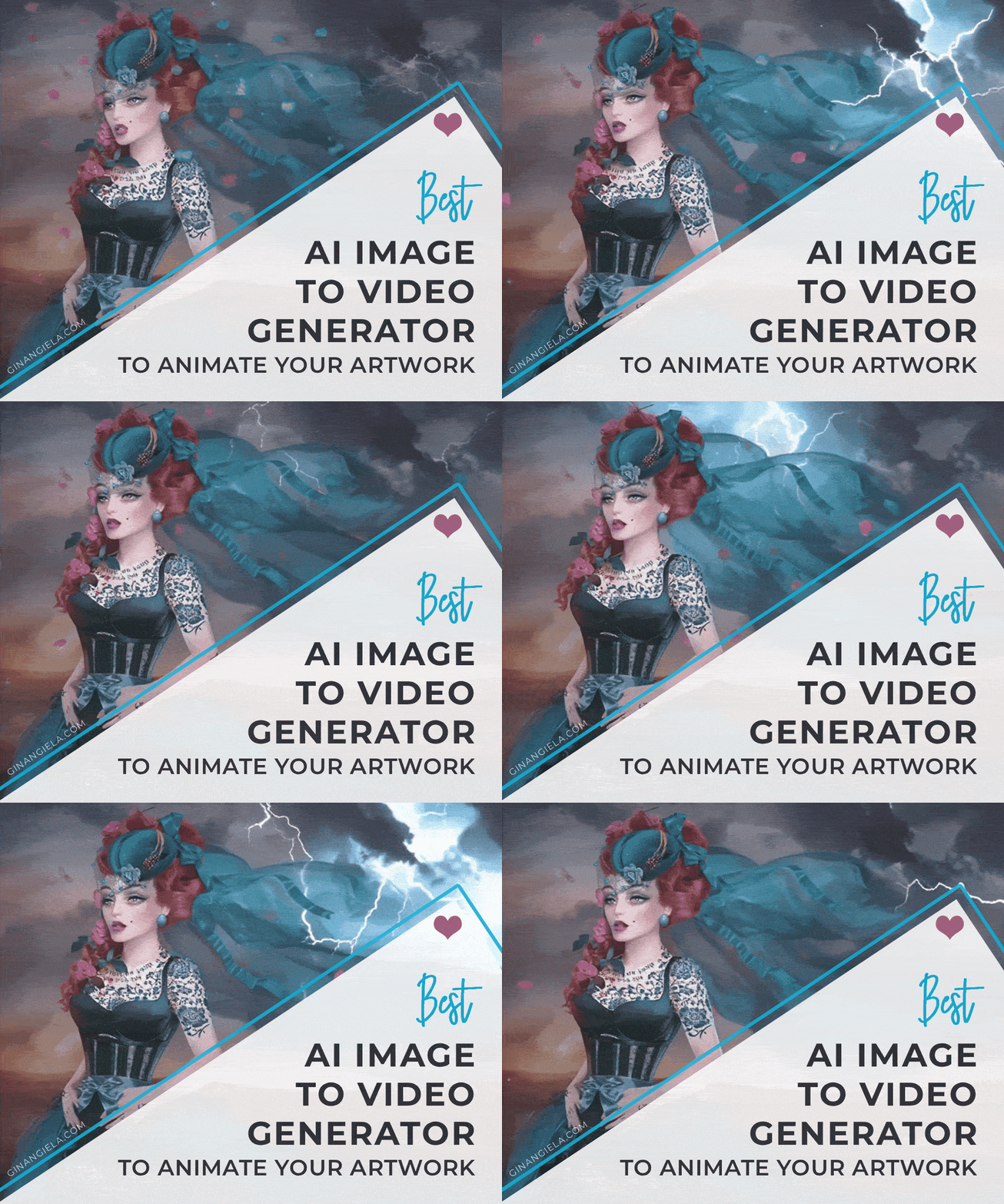
My digital artwork ‘Desert Rose‘ animated with PixVerse AI

If you are a photographer, traditional or digital artist, animating your static artwork can be a cool effect for grabbing attention on social media or submitting it to a digital gallery.

In the era of artificial intelligence, this isn’t a problem anymore and can be done with a click of the mouse.

The only problem is finding the best AI image-to-video generator that gives you great results, is easy to use, and has affordable pricing plans.

I’ve recently tested 12 AI video animators, and I can confidently say that I’ve found the best tool in terms of performance, ease of use, free credits, and subscription plans. 

In this post, I tell you everything about it!

How to animate your artwork:

 Our Newsletter  is packed with creative tips, free tutorials, art tool reviews, and looaads of inspiration!

Why animate your artwork with AI?

Artists and photographers might want to animate their static work for a number of reasons. One of the most common reasons is sharing it on social media. 

We’re living in the age of “TikTokification,” and moving visuals simply grab more attention than simple pictures. That’s just how things are these days. 

So, if you want to build a following on social media, it can be a good idea to animate your artwork with AI to engage your audience. 

But there are more use cases for animated artwork. Digital galleries, for example, like to display immersive, interactive art. Animating your artwork with AI can help you land a gig at such shows. 

In general, bringing movement to your art is just a nice effect that’s fun and interesting to view. You can use it to pep up your portfolio, or just get more eyeballs on your art overall. 

What makes a good AI image-to-video animation?

When turning your artwork into video, you’re bringing characters, objects, and environments to life from a single image. 

• Ease of use

All you want to do is upload your image, describe what you want to animate in your prompt, and click “Generate.” That’s how easy it is.

• True to original

The most important thing is that the generated video retains the visual identity of your original art. You want to preserve the artistic details, and you want the video to look true to the original setting.

• Strong prompt understanding

Then, you also want the animation to be in line with your prompts. For example, you just want a subtle animation of the background like leaves moving in the wind or ocean waves reflecting the sunlight. 

That said, you want the AI to understand it and not make your character dance wildly through the image. In other words, prompt understanding is very important in an AI image-to-video generator. 

• Free credits and affordable plans

Last but not least, a good AI video generator should always have a free plan or at least give you some free credits to test the waters. After all, you don’t want to commit to a paid subscription before seeing for yourself what the tool can actually do. 

When I tested AI generators, I came across quite a few tools that required me to subscribe before I even could generate a single visual. Needless to say I left right away before spending my money on something I can’t tell how good is. 
The AI image-to-video generator I eventually sorted out has all of that:

  • It’s super easy to use, even for beginners.
  • It largely understands your prompts and animates your artwork accordingly.
  • It gives you a number of free daily credits, enough for basic generations and testing.
Share on pinterest
Pinterest
how can storytelling improve art

Best AI Image-to-Video Generator

PixVerse AI Review

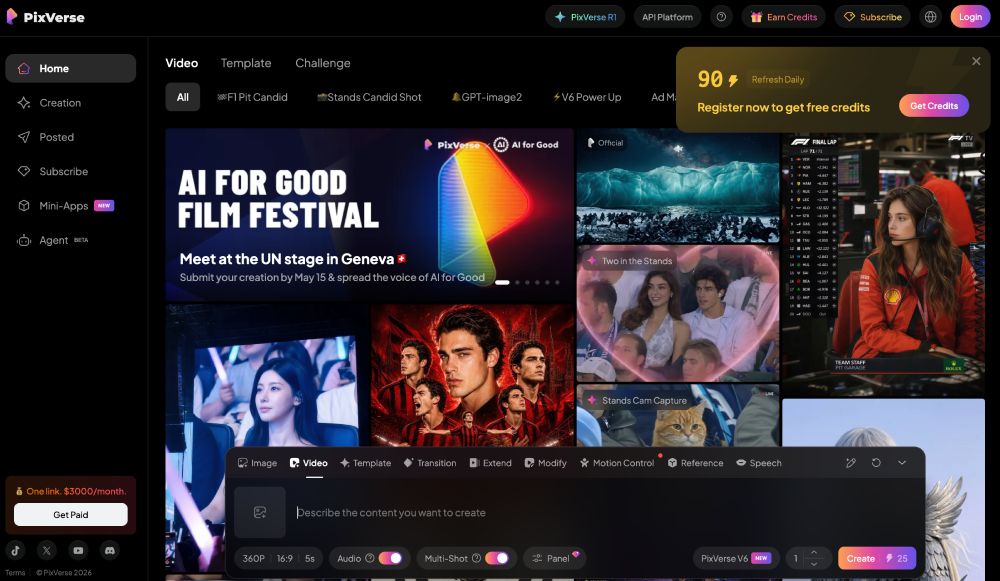
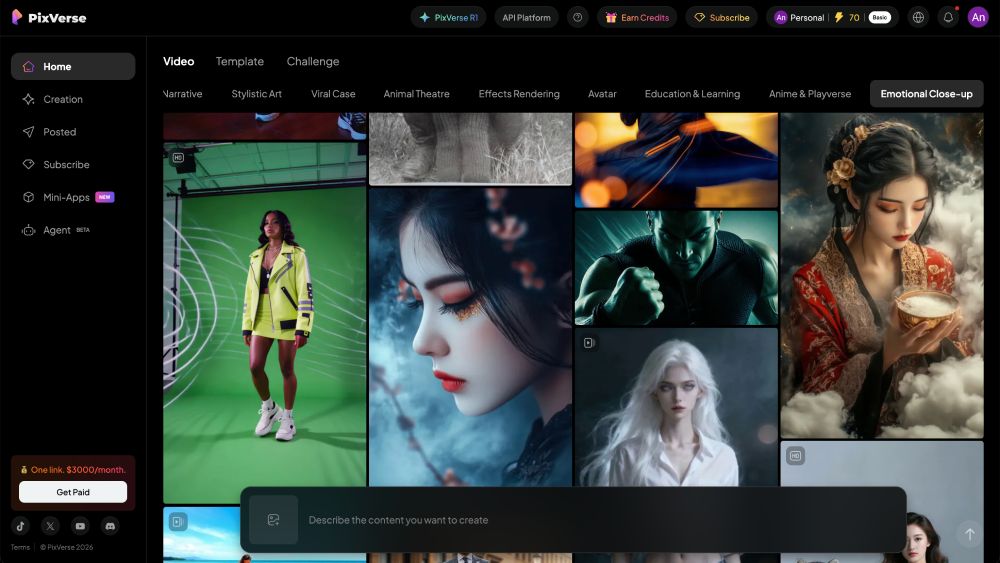
When you first register for free on PixVerse AI, you get 90 free credits that you can use on image and video generation. You can create short videos from text prompts, images, or reference images.

best AI image to video generator
(Screenshot via pixverse.ai)

To animate one of your artworks, simply click on “Creation” on the left-hand side and select “Video” in the input area at the bottom. 

There, you can upload the artwork you want to animate and enter a prompt to describe what exactly you want the AI to animate. 

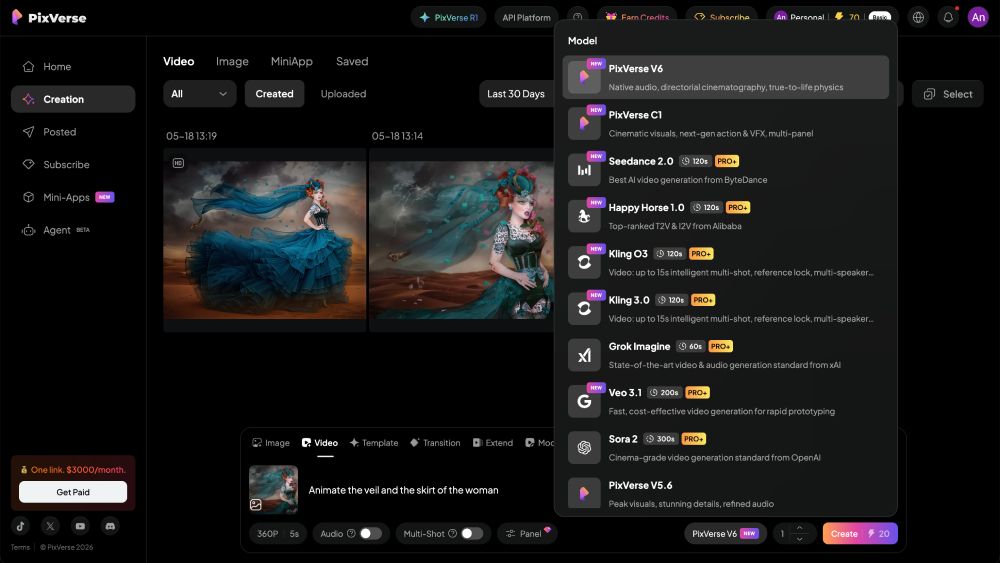
For my review, I uploaded my artwork “Desert Rose” and kept the prompt intentionally simple and straightforward: “Animate the veil and the skirt of the woman.”

At the bottom bar, you can select the video model you want to use. The free version lets you use different PixVerse models. On the paid plans, you’ll also get access to advanced models like Seedance 2.0, Kling, Grok, and Veo.

I went with the latest PixVerse V6 model for this test.

PixVerse ai image animation
(Screenshot via pixverse.ai)

Rendering speed was really fast. Animating my artwork only took a few seconds (on the free plan!) and the result was absolutely stunning. 

It was even accompanied by some dramatic royalty-free music that matches the scene:

My digital artwork ‘Desert Rose‘ animated with PixVerse AI

The videos you generate on the free plan include watermarks and are lower resolution. But you can also use your free credits to upscale generated videos, which is amazing. 

From all the AI video generators I tested, PixVerse is one of the few platforms that actually allows this on the free plan!

My digital artwork ‘Desert Rose‘ animated with PixVerse AI (converted to gif)

PixVerse AI Video Generation Review

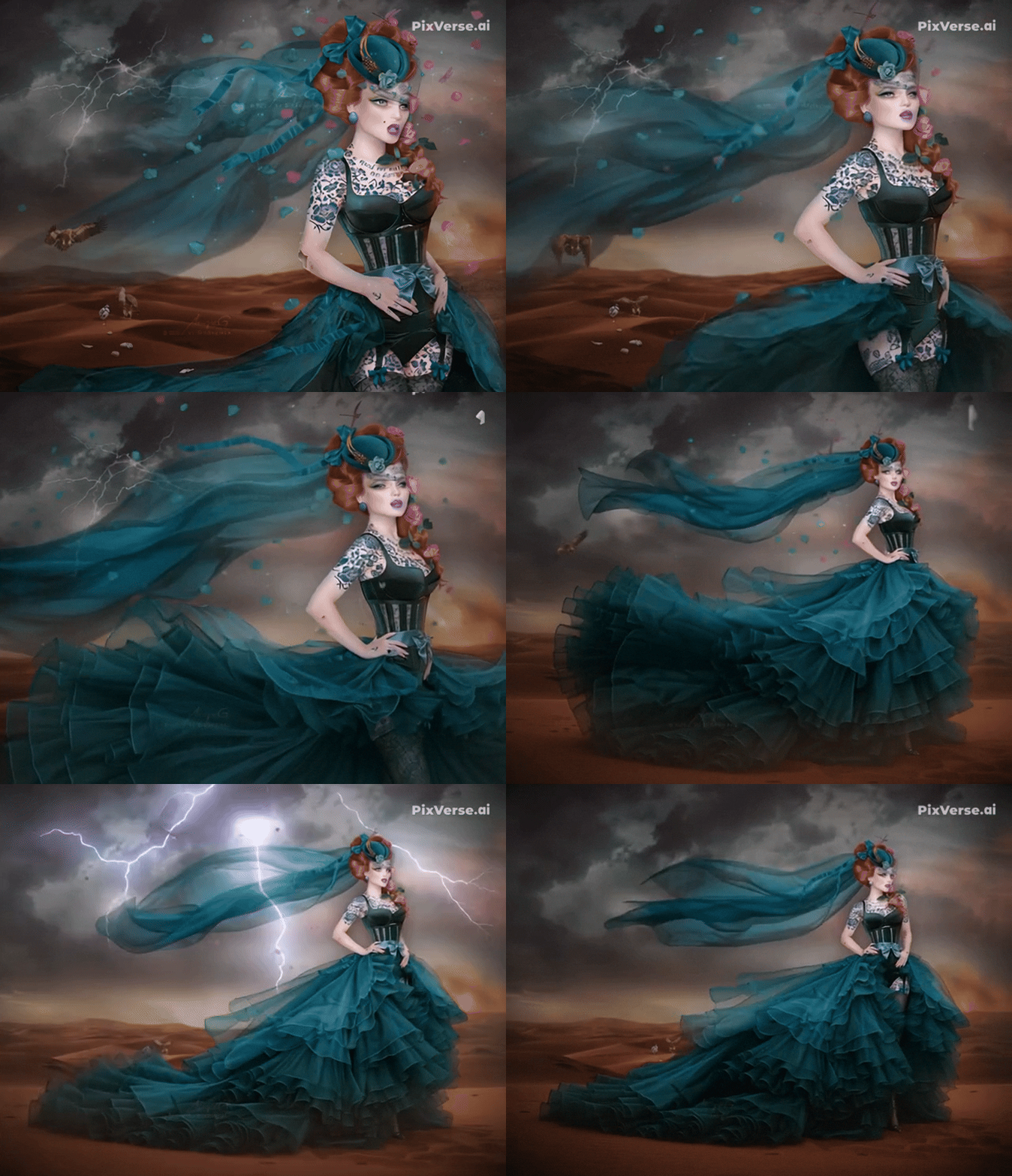
The animation PixVerse AI generated is remarkably faithful to the original artwork. Facial features, the hat shape, corset details, earrings, and even the intricate tattoo design remain consistent throughout the animation.

Even though I didn’t mention it in the prompt, the app also animated the lightning and the vultures in the background, which makes the scene feel much more alive and cinematic.

What impressed me most was the zoom-out effect and the way the AI extended the skirt into a dramatic ruffled train. But it perfectly matches the style and setting of the artwork.

There are only two small glitches I would point out. First, the animation of the blinking eye looks slightly unnatural, although it’s barely noticeable in the standard version and mainly visible in the upscaled render below.

Second, the hollow section in the character’s porcelain chest was partially interpreted as hair movement—though to be fair, that’s a really complex visual detail for an AI model to understand correctly.

Another fantastic thing is that PixVerse AI even lets you upscale—and download—animated videos on the free plan.

All you need to do is press the button “Upscale” in the right-hand sidebar and the app will begin upscaling:

My digital artwork ‘Desert Rose‘ animated and upscaled with PixVerse AI

While the regular downloadable video already has a decent resolution of 640 × 496 pixels, the upscaling will provide you with a high-resolution video file of a whopping 3270 × 2534 px.

All details are much sharper and colors are more vibrant. However, the sharper details also bring out the glitch more in the eyes that I mentioned above.

That said, you have the option to fix glitches either by simply clicking “Retry” or by generating a completely new video with a different or more precise prompt. (Of course, every video generated will use up your free credits!)

I also tested the app by refining my prompt to only animate the veil and the skirt. It worked:

My digital artwork ‘Desert Rose‘ animated with PixVerse AI (converted to gif)

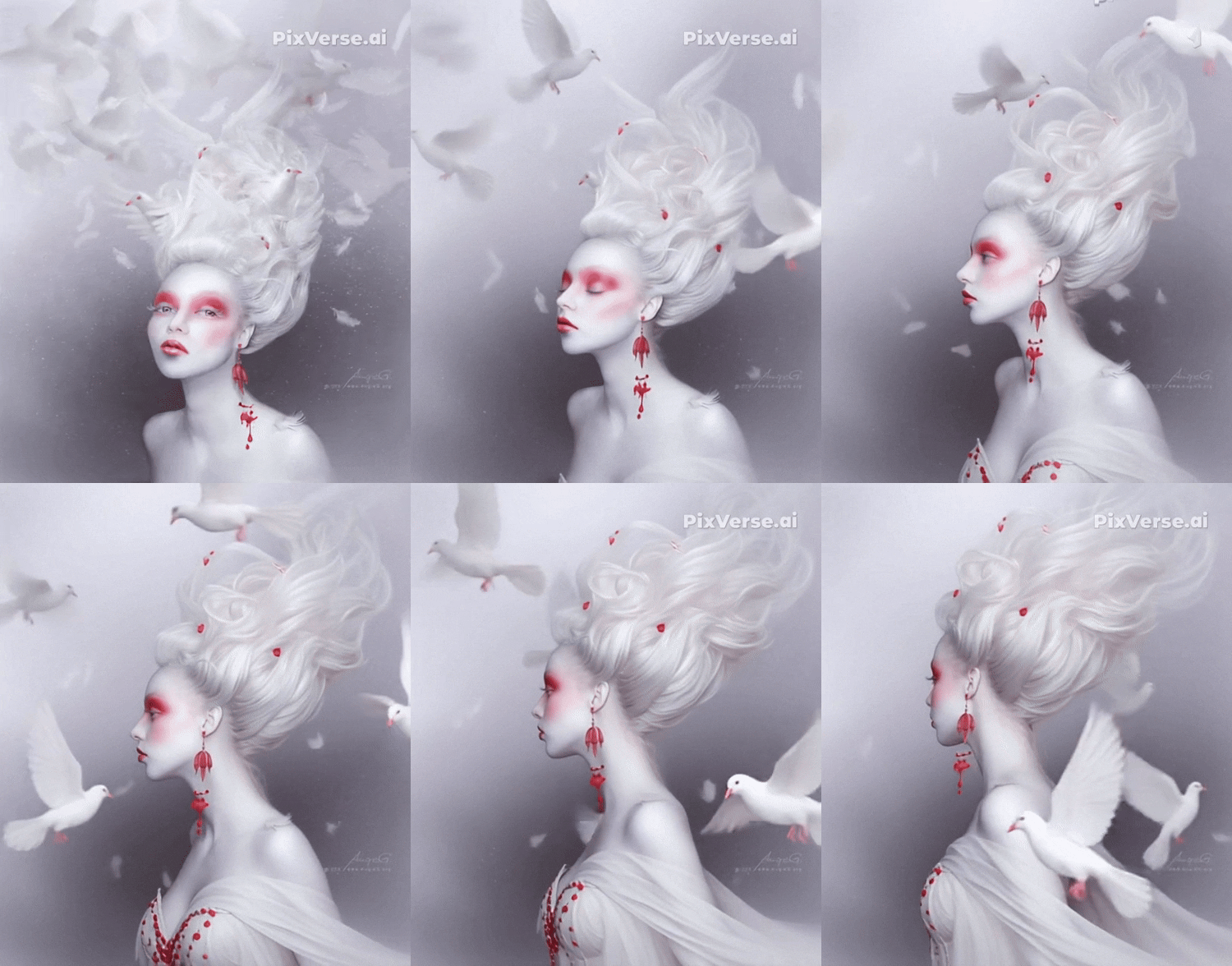
Since I already found the first result so stunning, I gave it another try. This time, I asked PixVerse AI to animate my artwork ‘Snow White & Rose Red‘ with the simplest possible prompt: “Animate.”

The output is absolutely amazing, in my opinion. This simple prompt generated such a complex and intricate animation—just think about what you can achieve with more detailed prompts!

PixVerse artwork video animation

My digital artwork ‘Snow White & Rose Red‘ animated with PixVerse AI (converted to gif)

PixVerse AI Pricing

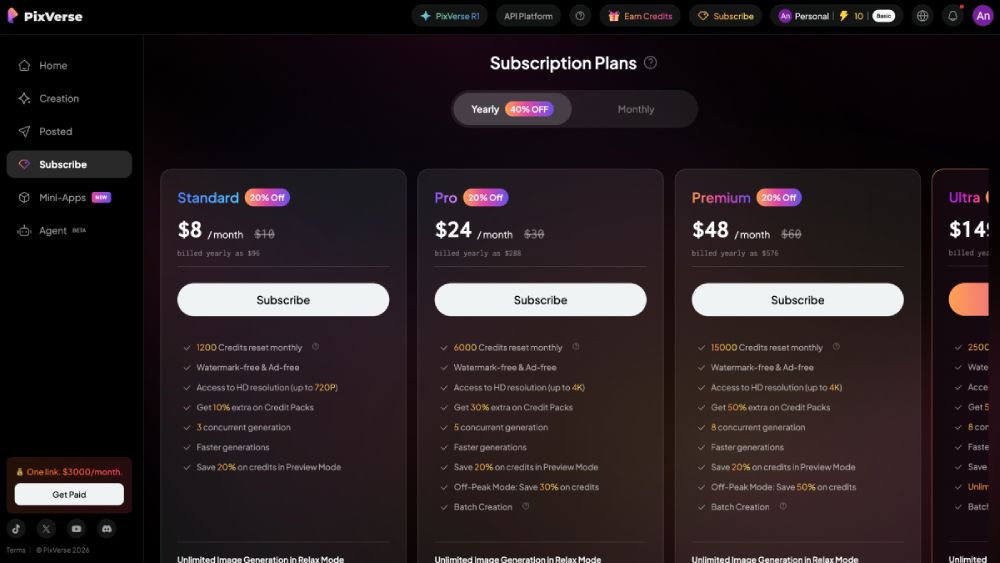
PixVerse AI uses a credit-based pricing system with both free and paid plans.

The free plan gives you a number of free credits every day that are enough for casually generating videos. You can even upscale and download the generated videos. However, you will have PixVerse’s watermark in the upper right corner.

The Standard Plan at $8 monthly (billed annually) removes the watermark and gives you faster generations. The higher premium plans give you access to more generation models in relaxed modes, faster speeds, and larger credit pools.

Verdict

PixVerse AI Overall Rating

PixVerse AI is one of the best AI image-to-video generators out there, especially for artists and photographers who want to quickly animate static artwork.

It’s very easy to use, produces animations that stay close to the original image, and generally does a great job interpreting prompts. Even simple prompts can generate amazing results. 

What really makes it stand out is the generous daily free credits that allow you generate videos with the basic PixVerse video models, and even download and upscale those videos without subscribing to a paid plan. That’s something a lot of competitors don’t offer. 

To remove the watermarks in the generated videos and get access to more advanced video models like Seedance 2.0, Kling, Grok, and Veo, the Standard plan at only $8 per month is an affordable option.

📽️  » Start using PixVerse free here
best ai image to video generator verdict

Image Credit: PixVerse AI

What I like about PixVerse AI:
What I don’t like so much:
📽️  » Start using PixVerse free here
AngieG. – The Person behind the Pictures
HI Y'ALL!  

My name is Angie and I’m a self-taught digital artist. On this blog, I am sharing my knowledge and discussing the best software and hardware for different artistic needs. My desire is to offer options for all creative stages and budgets so that everyone can follow their dream and create art!

LET'S CONNECT:
SHARE THIS POST:

Leave a Reply