There’s hardly any other platform that offers such a wide breadth of AI features as Artlist’s AI Toolkit: you can generate images, videos, music, and voiceovers—all in one place. I’ve tested the AI tools from the perspective of an artist, and in this Artlist AI Toolkit review, I tell you exactly how good it is and whether Artlist is worth a subscription or not!
If you’ve been following my content for a while, you know I already mentioned Artlist a number of times: when I tested the best image-to-video generators to animate artwork and in my tutorial on how to connect Artlist to Claude to create media directly in the chat.
Artlist is a great tool for artists to animate static artwork, for example for social media, create featured images for your art blog, pin images for Pinterest, or get B-roll, music, or sound effects for YouTube videos if you have an art-related YouTube channel.
In this post, I'm reviewing Artlist's AI Toolkit in particular, which offers lots of tools that can make your artist life easier.
The toolkit includes image and video generation, music generation, voiceovers, and sound effects. These are really useful features for creating content around your artwork.
You can create cinematic short-form videos for social media, give insights into your creative practice with voiceovers, and add sounds and music to your animated creations.
These are just a few examples. The possibilities to include Artlist in your creative workflow are endless.
So, let’s get into it!
Artlist AI Toolkit Review: Table of Contents
- Stay in touch!
Our Newsletter is packed with creative tips, free tutorials, art tool reviews, and looaads of inspiration!
What can Artlist AI do?
At the time of writing this review, Artlist’s AI Toolkit offers four main features: image, video, voiceover, and music generation.
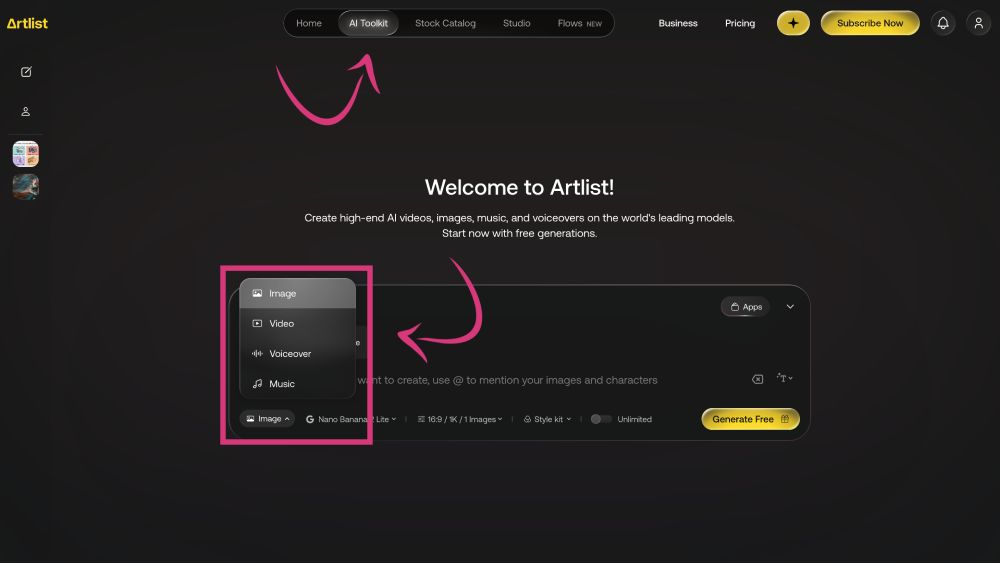
You can access the toolkit by simply clicking on “AI Toolkit” in the top menu bar on the Artlist website.
When you then click on “Image” in the bottom-left corner of the input field, you can access the different generation options.
Artlist’s AI Toolkit currently offers four main features: image, video, voiceover, and music generation.
• Image Generation
Let’s start with Artlist’s AI image generation because this might be one of the most interesting features for artists.
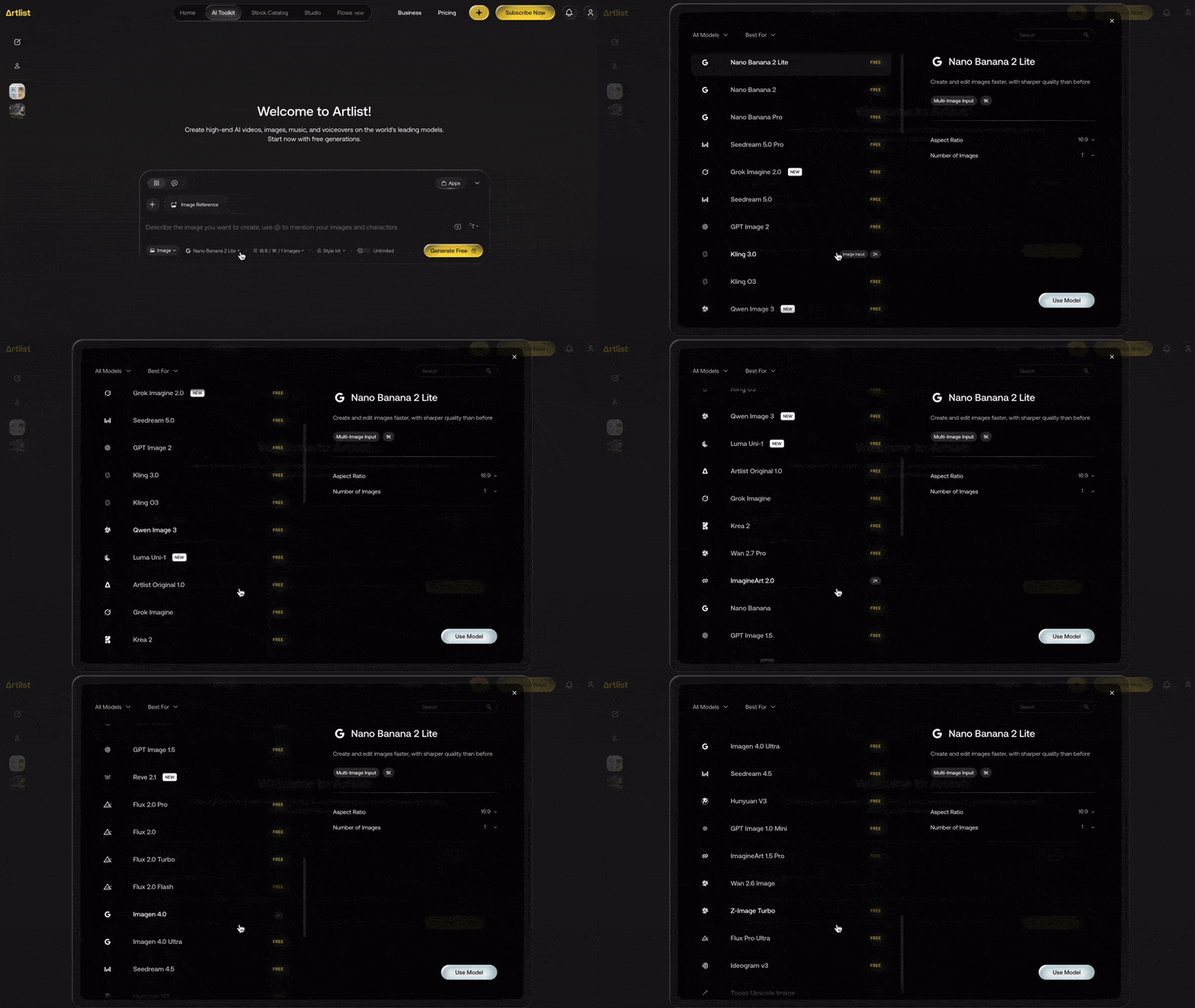
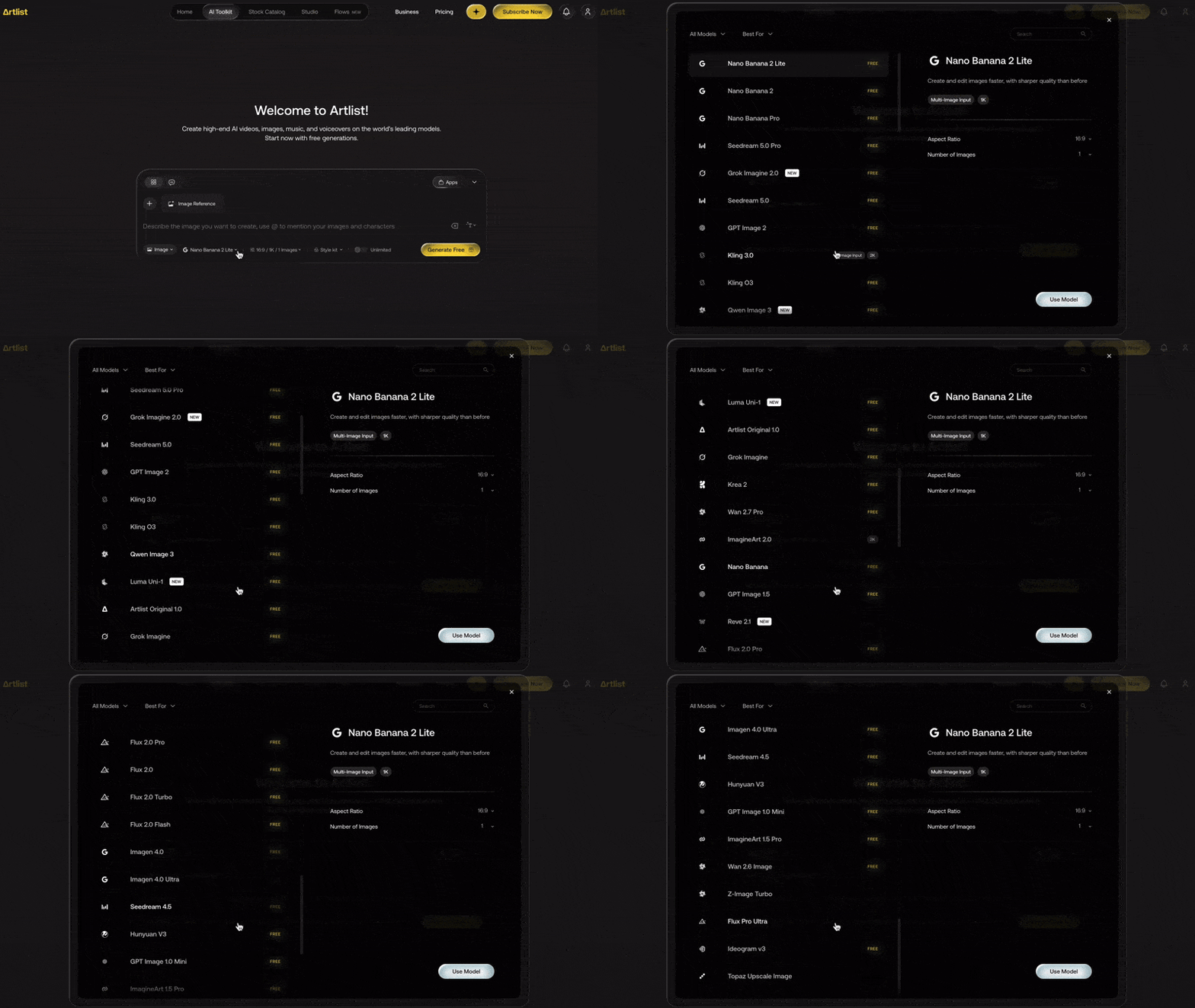
At the time of writing, Artlist features 30+ image generation models, including high-end models such as Nano Banana, Grok Imagine, GPT Image, Qwen Image, and Flux.
If you’re not sure what to use each model for, you can learn more in my post about the 10 best AI image generation models.
Artlist features more than 30+ image generation models.
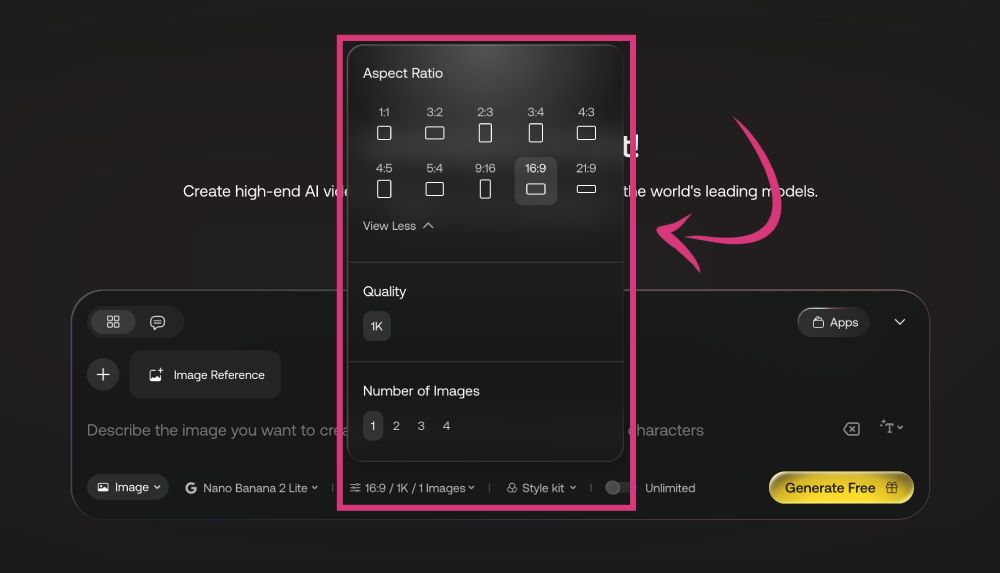
Beyond selecting an image model, Artlist lets you choose output settings like aspect ratio (depending on the model), quality (up to 2k on the paid plans), and the number of images you want to create with one generation (up to 4 images on the paid plans).
Artlist lets you choose output settings like aspect ratio, quality, and the number of images.
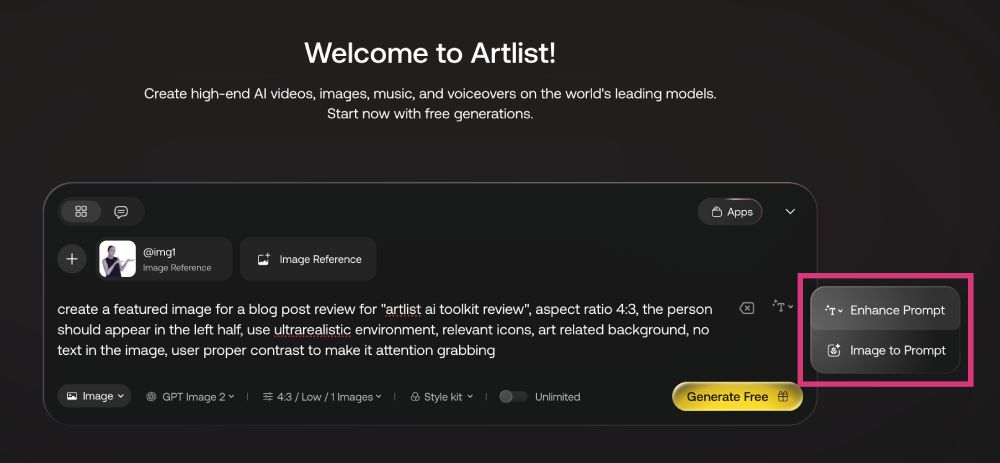
Artlist lets you create images based on one or more reference images, a prompt, or both. You can even use its included prompt enhancer to refine your prompt and get the best results!
Artlist features more than 30+ image generation models.
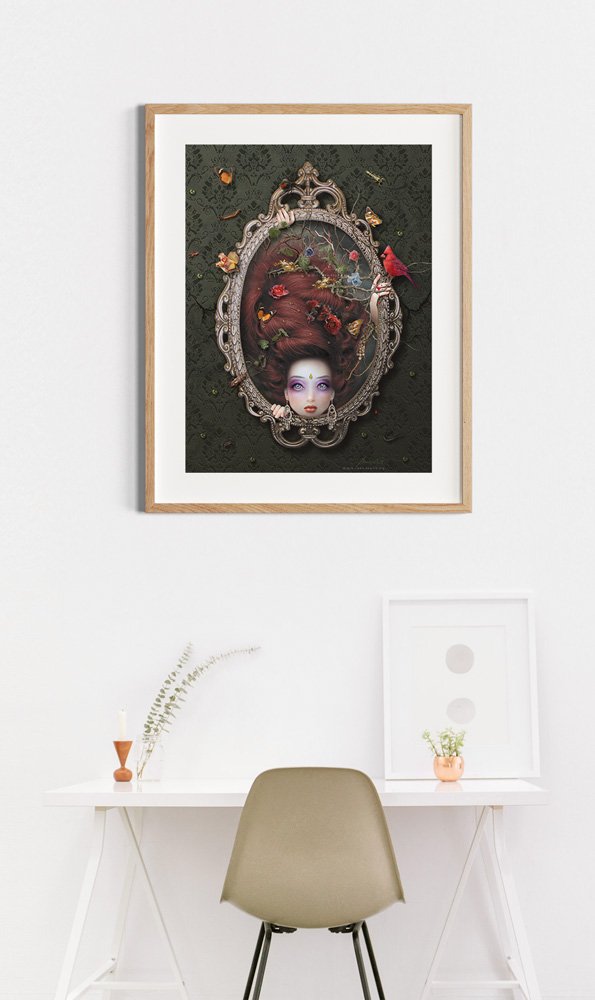
This is the image I created for this review using GPT Image 2 on Artlist. What do you think?
I think it turned out pretty cool, and it only took me a couple of seconds to generate!
Artlist features more than 30+ image generation models.
• Video Generation
Equally interesting for artists are the AI video features that you can use, for example, to turn your art into cinematic short movies.
Just like for images, Artlist features a whole bunch of video generation models, including the latest technology like Seedance 2.5, Veo 3.1, Kling 3.0 and O3, Grok Imagine 1.5, and Wan 3.0.
To get a better understanding of those models, check out my post about the 10 best video generation models.
Artlist features almost 50 video generation models.
Artlist features text-to-video, image-to-video, and video-to-video generation.
That means you can generate videos based on a simple prompt, or based on one or more reference images or videos you upload—with or without adding a prompt.
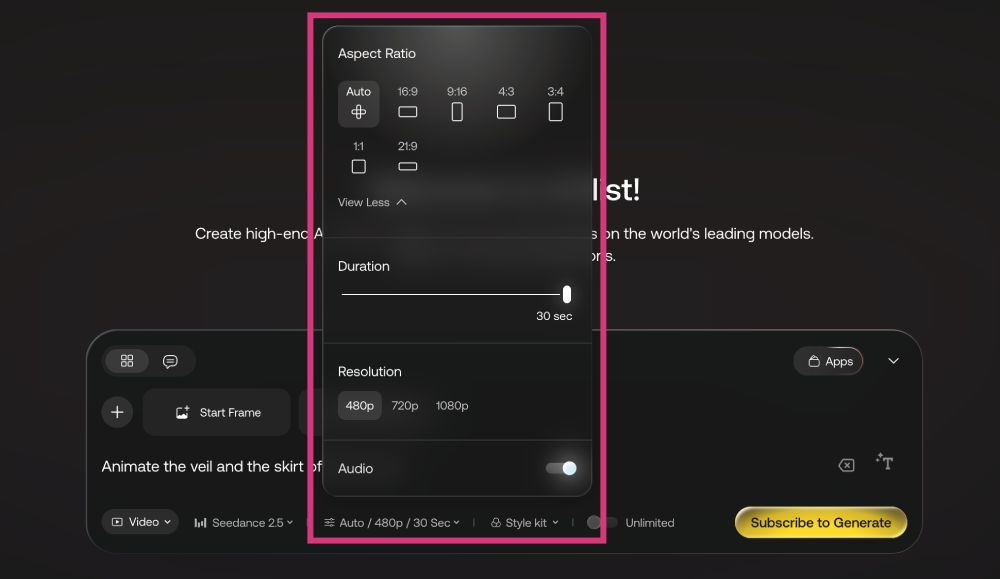
Depending on the model, you can select from different aspect ratios and output resolutions. If you’re using Seedance 2.5, the video duration can be up to 30 seconds!
Depending on the model, you can select different output settings.
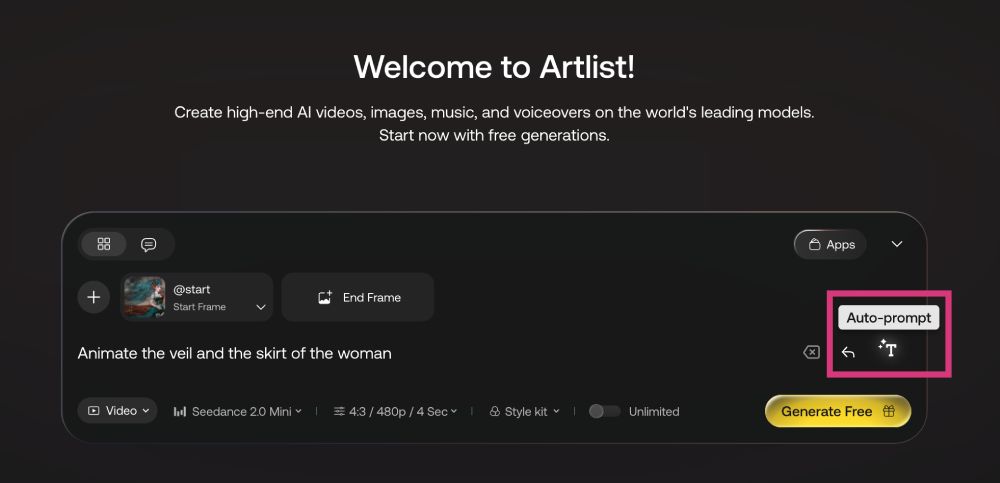
I already tested Artlist for my review of the 12 best image-to-video generators for artists. For that test, I asked it to “animate the veil and the skirt of the woman” in my artwork “Desert Rose.”
The prompt was intentionally simple to evaluate the tool’s prompt understanding. However, you can also click on “Auto-prompt” to make Artlist expand your input into a much more detailed prompt.
Artlist features text-to-video, image-to-video, and video-to-video generation.
I think the result came out pretty impressive, for such a simple prompt. I like that the facial expression of the woman fits the setting and that the face remains true to the original during the animation.
The lightning, dropping petals, and the flying bird are nice too, although I could complain that it rather looks like an owl than a vulture when animated.
Nevertheless, there were also a few glitches in the video, like a wobbling chest that expands and retracts, hands, hips, and hair moving unnaturally—along with the hole in her chest, which the AI interpreted as part of the hair. However, I have to admit that this is something really hard to get right for an AI…
Artlist features more than 30+ image generation models.
The good thing is that you can try many models on the free plan to find the one that you like best for animating your images. However, to download the generated videos, you’ll need to subscribe to one of Artlist’s paid plans.
» You can get 2 months free and unlimited generations when you subscribe here.
• Music
Artlist’s music generation is a fantastic feature for artists who need music for short-form social media posts, talking head videos, or background music for YouTube videos. To just give you a few examples.
The platform currently features two models: Lyria 3 and Lyria 3 Pro.
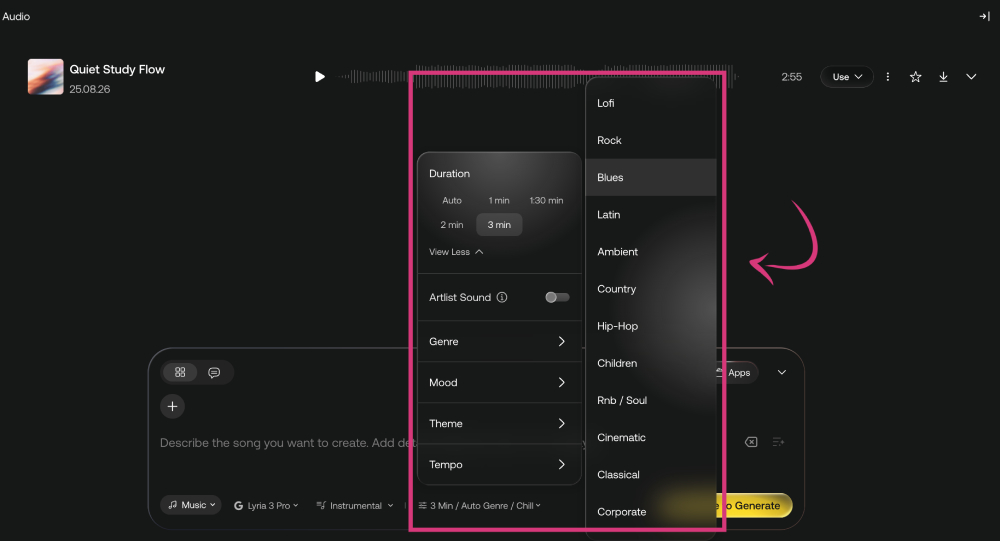
You can choose any audio length between 1 and 3 minutes, or leave it on auto. Additionally, there are lots of different styles to choose from.
For instance, you can select the genre from around 20 different styles, including rock, country, hip-hop, children, corporate, and classical.
Artlist offers around 20 genres to choose from.
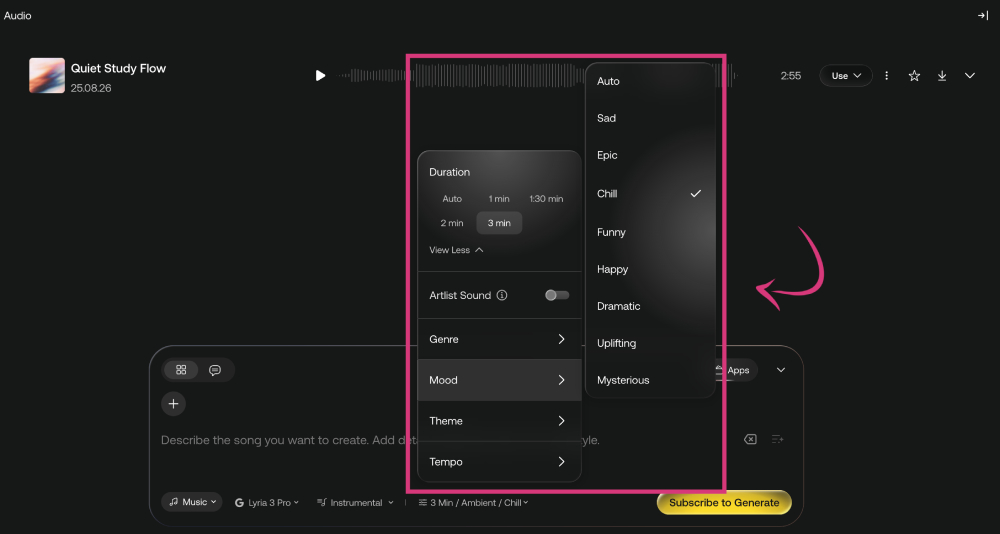
There are more settings for the mood where you can say whether you want your track to sound sad, happy, funny, dramatic, uplifting, and more.
You can choose from a handful of different mood styles.
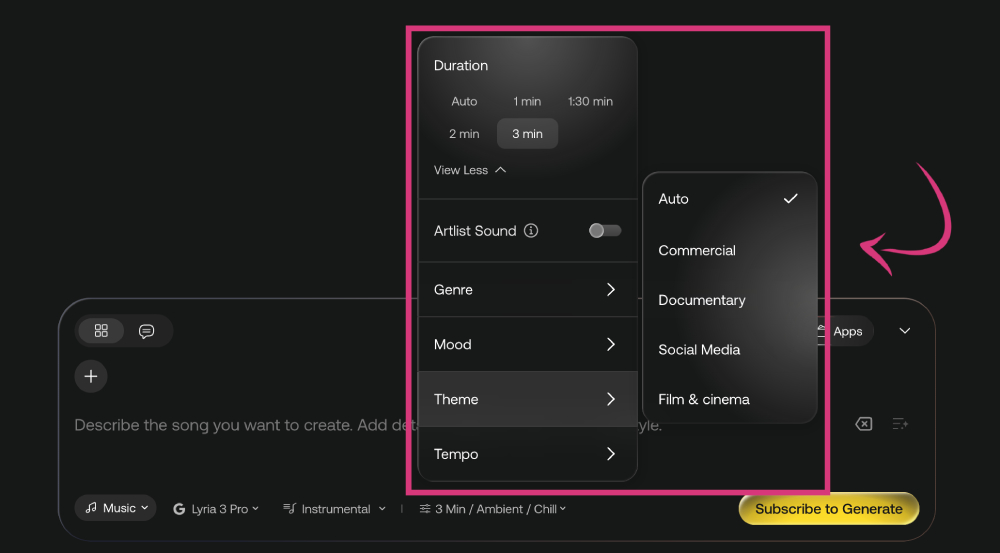
Artlist also lets you define a theme for the track you want to generate. Film & cinema can be a good choice to underlay an emotional artwork with deep music, while social media is ideal for Instagram or TikTok content.
Artlist lets you define a theme for the track you want to generate.
The music generation settings are really flexible and versatile; there’s something for every need.
Once your track is generated, you can listen to it on the dashboard, edit or remix it.
Downloading requires a subscription. If you like Artlist’s AI Toolkit, you can sign up here for unlimited generations and 2 months free!
• Voiceover
The last feature I want to mention in this Artlist AI Toolkit review is voiceover. I find this a particularly practical feature for social media content.
You could also use it as a fun way to create the voices of people talking about your art, of an art collector judging your work, or a gallery owner interested in exhibiting it. The options are endless.
Artlist’s voiceover generator works by you entering the text you want to be read out. Then you can select a model (Eleven Multilingual v2, MiniMax 02 HD, or Eleven v3).
After that, you can choose the language. When I scrolled through, it felt like all the languages of the world are available. ʕᴖᴥᴖʔ
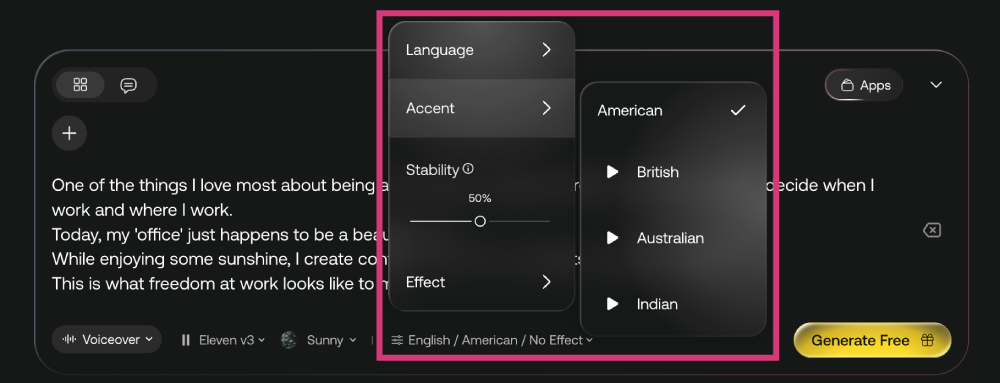
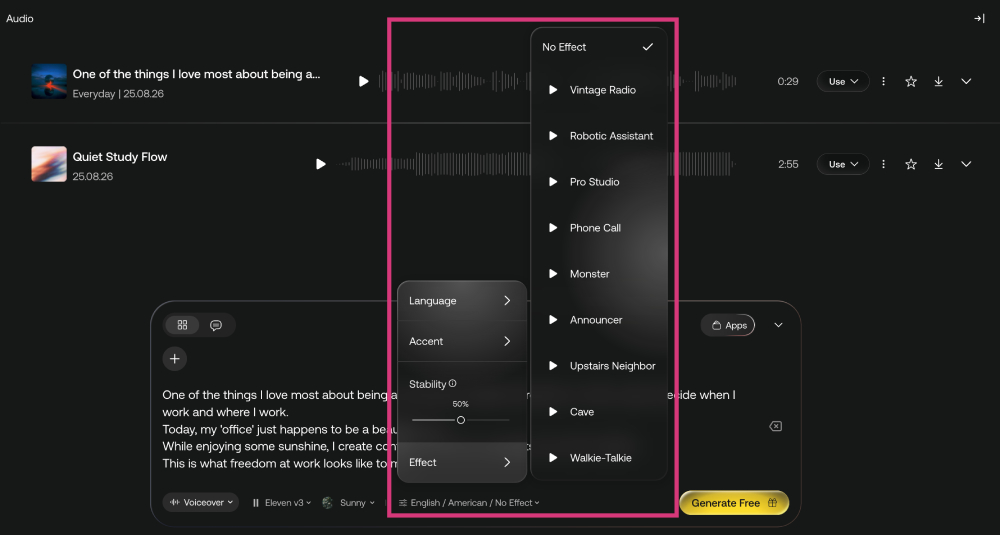
Next, you can define an accent (American, British, Australian, or Indian for English) and adjust the stability, which controls how expressive or stable the voice sounds.
Artlist lets you define an accent and adjust the stability.
But that’s not all.
Another thing you can customize is the sound effect. You can choose if you want the voice to sound like a phone call, announcement, walkie-talkie, and even like in a cave! There are so many fun effects, I’m loving it. (ᴖ‿ᴖ)
You can customize is the sound effect.
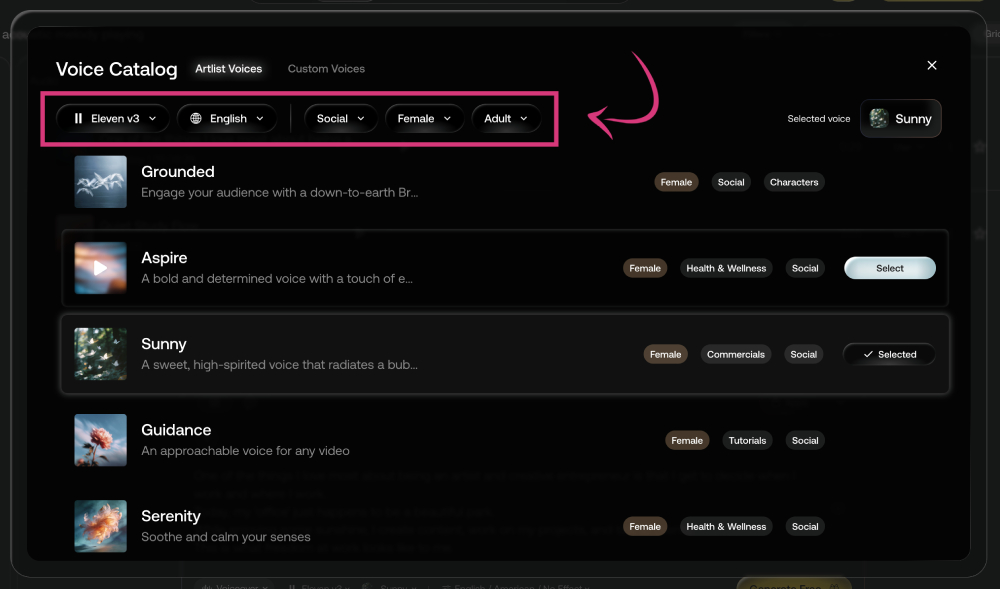
The Voice Catalog gives you access to a whole bunch of additional customization options.
In the top bar, you can change the model and language, and select the style, gender, and age of the voice. Then, you can choose from a whole range of different voices, tempos, and tones. It’s really amazing.
The Voice Catalog gives you access to heaps of customization options.
I created this voiceover for a short video I uploaded recently with just text overlays and background music.
I think Artlist’s voiceover adds a nice extra touch to it—and spares viewers reading along the text. How do you like it?
Voiceover created wih Artlist.
How much does Artlist AI cost?
Artlist’s AI Suite pricing plans (the ones that give you access to its AI Toolkit) are very affordable. You can save up to 40% when you sign up for an annual subscription.
All plans are credit-based, meaning you get a set number of AI credits each month that you can use across the tools included in the AI Toolkit, based on your specific needs.
How many AI credits do you get with Artlist?
The AI Starter plan currently sells for $11.99 per month and provides you with over 16k monthly credits. This is enough to generate more than 1.6k images, 200+ videos, 100+ songs, and more than 3 hours of voiceover.
For slightly less than double the price, the AI Core plan gives you the credits to generate more than twice all of that per month. Both plans give you access to more than 100 generation models.
Additionally, the Core plan offers unlimited generations with select models, including Nano Banana 2 Lite, Seedream 5.0 Pro, and Seedance 2.0 Mini.
You can get 2 months free and unlimited generations when you subscribe here.
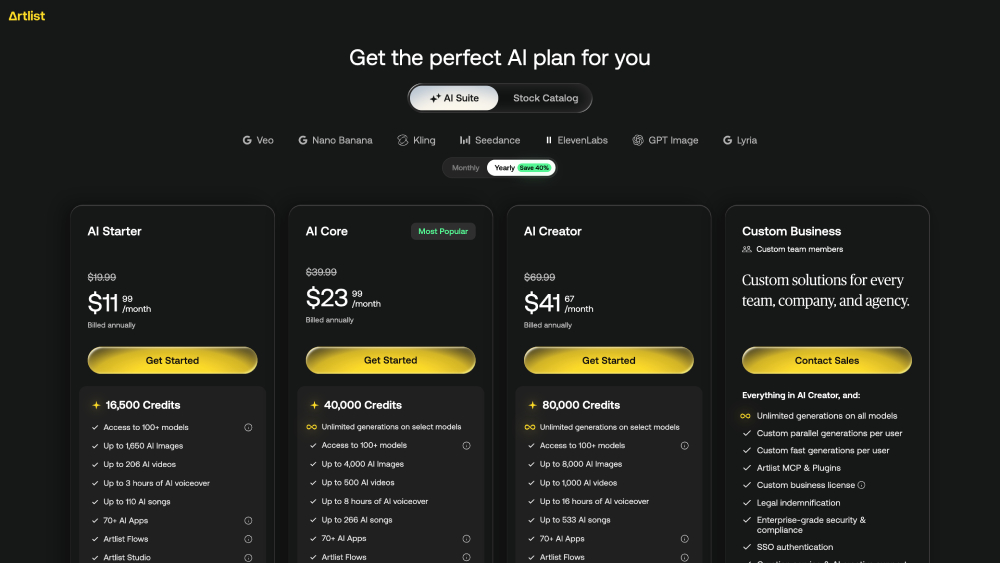
Artlist’s AI Suite offer four credit-based subscription plans.
• Is Artlist really free?
Artlist doesn’t have a free forever plan. However, when you sign up, you get a number of free credits, enough to generate up to 3 AI voiceovers, 2 AI images, 1 AI video, and 2 AI music tracks.
That’s a pretty fair deal because it allows you to test the features and decide whether you want to subscribe.
• What's better than Artlist?
In fact, there are very few platforms that offer the same breadth as Artlist’s AI Toolkit, including image, video, music, and voiceover generation in one subscription.
The only platform I know at the time of writing this post that offers a similar range of features is Adobe Firefly.
Adobe’s AI tool also features image, video, music, and speech/voiceover generation, as well as AI sound effects and video editing. Just like with Artlist, you also get cccess to third-party models, including Veo, OpenAI, Kling, Luma, Runway, and ElevenLabs.
• How to connect Artlist to Claude?
Artlist actually allows you to connect its AI Toolkit to Claude. That means you can generate content directly in the chat, from one interface, without switching platforms.
The best thing is that Claude will automatically select the best settings for your needs. You don’t need to know which model is best to generate a thumbnail for a YouTube video or to turn your artwork into a video.
Claude handles everything for you. At no extra cost.
If you’re interested in connecting Artlist to Claude, check out my YouTube tutorial below or read my blog post!
More about Software & AI Tools for Artists:
My name is Angie and I’m a self-taught digital artist. On this blog, I am sharing my knowledge and discussing the best software and hardware for different artistic needs. My desire is to offer options for all creative stages and budgets so that everyone can follow their dream and create art!