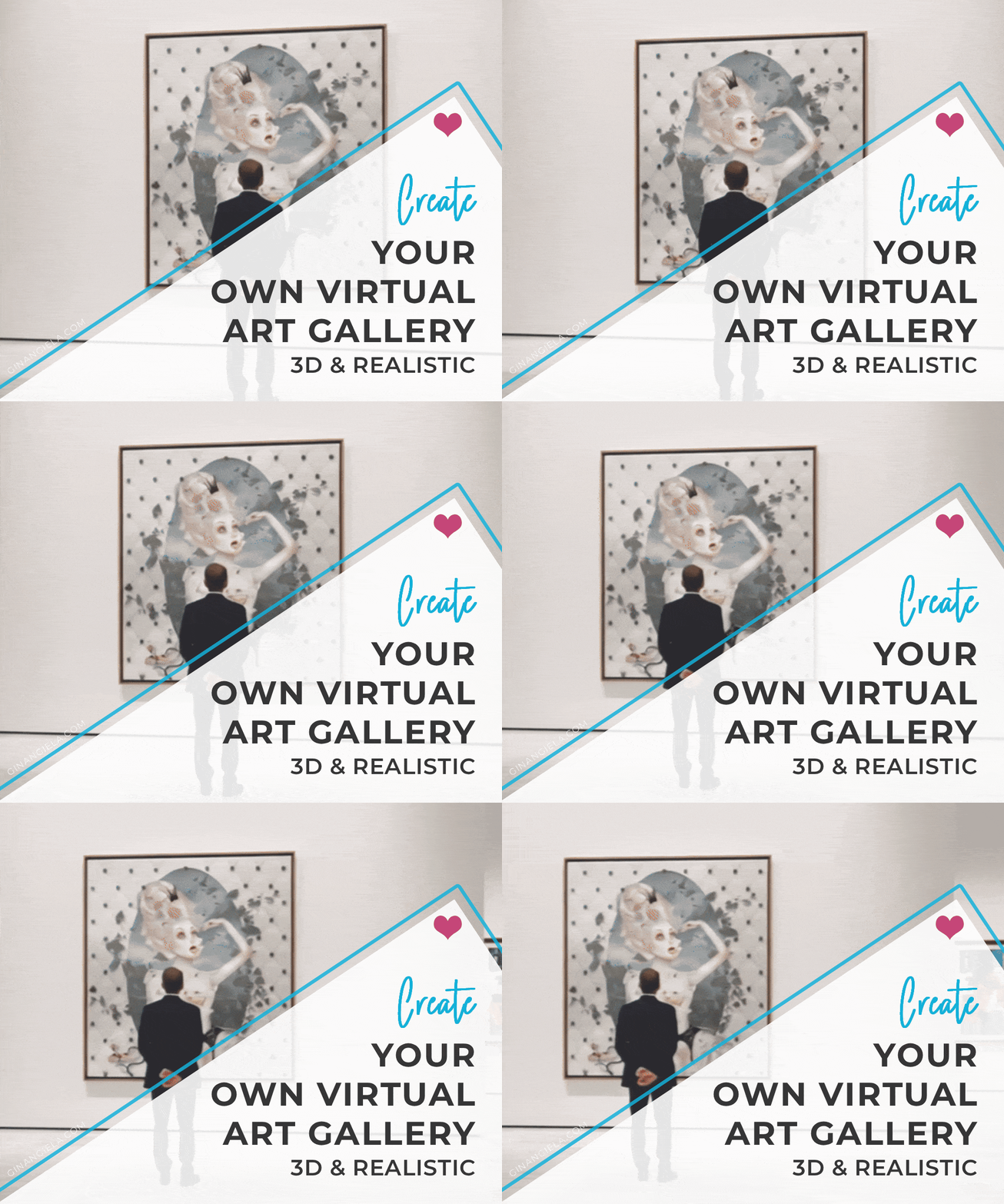
Create Your Own Virtual Art Gallery (3D & Realistic)


Disclosure: Some of the links in this post may be affiliate links. If you click on the link and make a purchase, I will receive an affiliate commission at no extra cost to you. As an Amazon Associate I earn from qualifying purchases.

Have you ever wanted to create your own virtual art gallery to exhibit your work? Well, artificial intelligence makes it possible! In this tutorial, I show you how to use RewarxStudio to generate a realistic video that features your artwork in a lifelike gallery, with sound and people, in just two easy steps. Let’s take a look at how it works.

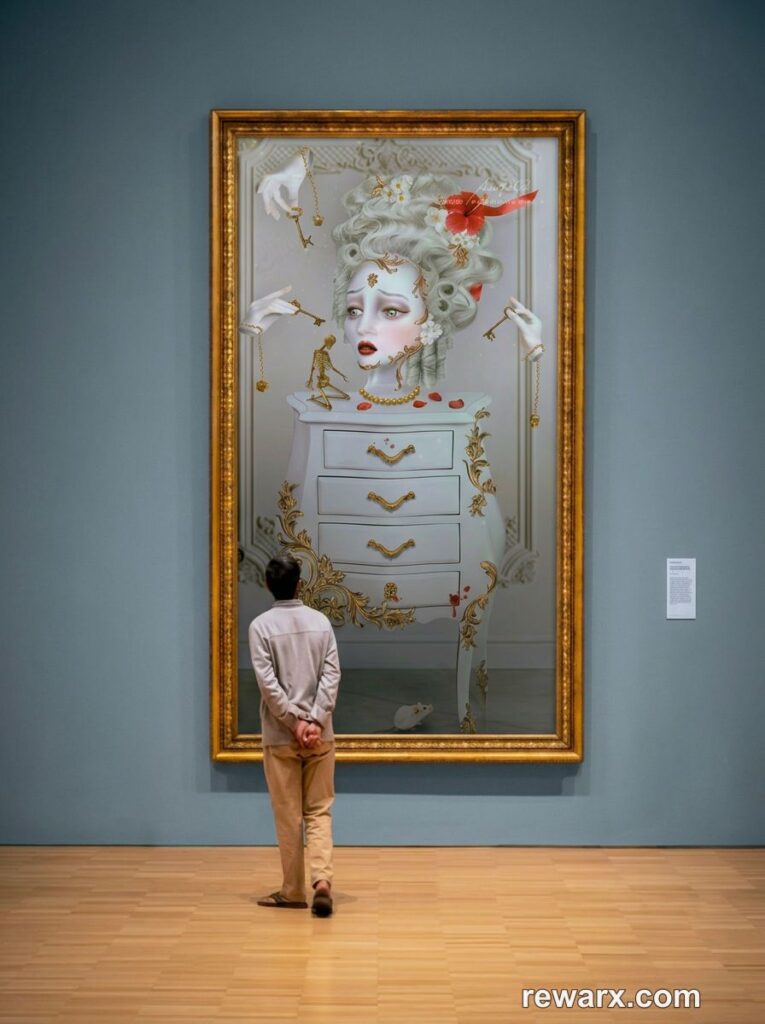
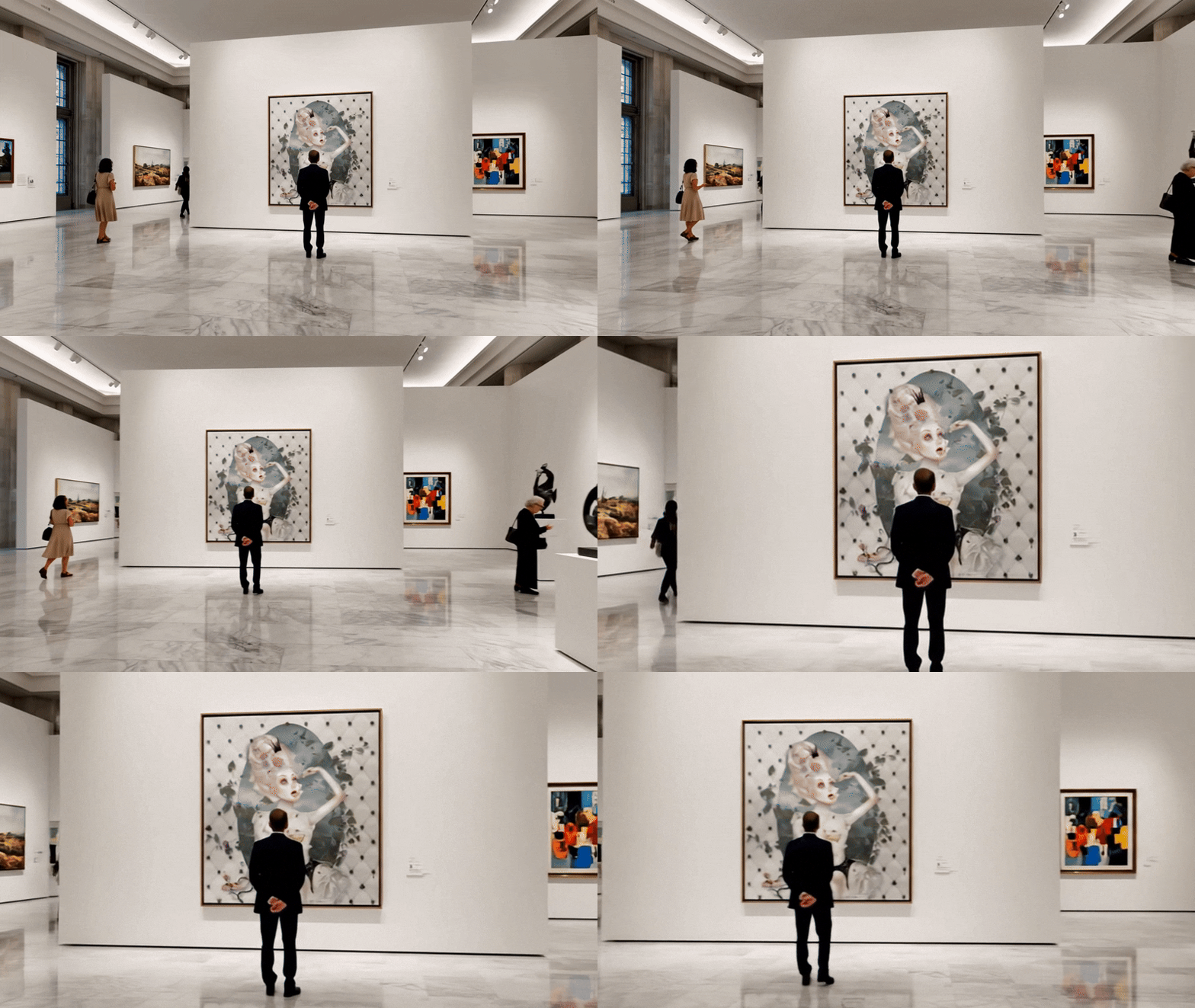
Queen Bee‘ in a virtual art gallery created with RewarxStudio

Create Your Own Virtual Art Gallery: Table of Contents

Not so long ago, getting your art into a gallery was the ne plus ultra for every working artist. But things have been changing dramatically in the art world—and that change is irreversible.

First, the internet has given artists the opportunity to take things into their own hands when it comes to showcasing and selling their work. Nowadays, artists don’t need a middleman to reach buyers and collectors. They can do it themselves, through social media, art sharing sites, and their own website.

Second, everything is moving increasingly toward the virtual world, and the gallery experience is no exception. Exhibitions and shows increasingly happen online, in virtual spaces rather than physical rooms.

Artificial intelligence pushed this even further. With AI tools now within everyone’s reach, you can build your own virtual art gallery from scratch, no expertise required.

You can present your work in a gallery-like setting, making it easy for viewers to imagine the pieces in a real exhibition. You can design custom exhibition spaces, add music and sound, and even simulate visitors discussing your hanging pieces.

It’s truly amazing.

You can share your virtual art gallery on social media and your website, feature it in newsletters, and connect with a community of art enthusiasts through immersive experiences with motion and sound.

In this tutorial, I'll walk you through creating your own virtual art gallery in just a few clicks—fully realistic and in 3D!

 Our Newsletter  is packed with creative tips, free tutorials, art tool reviews, and looaads of inspiration!

What is a virtual art gallery?

You can think of a virtual art gallery as the digital version of a traditional gallery space. Instead of going to a physical exhibition room, viewers can contemplate your work on a computer, tablet, or smartphone.

Anyone can view your artwork hung on a wall in a gallery setting—from anywhere in the world, at any time, regardless of opening times and visitor tickets.

Virtual art galleries can provide a complete, realistic experience, with background music, ambient sound, and even crowd chatter like what you would hear when walking through a real exhibition.

In short, a virtual art gallery recreates the immersive feeling for viewers seeing your work in a real gallery, all without ever leaving their home.

Why create your own virtual art gallery?

Creating your own virtual gallery not only has advantages for promoting your work. It’s also incredible fun to bring your creations to life! I always enjoy seeing how the AI turns my work into motion. Like when I recently turned my art into a movie with AI.

Seeing your artwork hang in your own virtual gallery, with people walking by, looking at it, and talking about it is equally exciting.

But a virtual art gallery also has very practical benefits when it comes to showcasing your work. You don’t need to rent gallery space, pay for installation, or cover shipping and insurance costs for physical work.

You also have full control over the entire presentation, including layout, lighting, music, and even gallery visitors. Viewers can revisit your art as many times as they want without traveling to a physical space—and some may never be able to do this in real life.

Once created, your virtual art gallery becomes a promotional asset that works all the time. You can share it across social media, your website, and newsletters, and it can even double as an evergreen portfolio piece that keeps catching eyeballs.

Even the process of building your own virtual art gallery allows for creative expression. You can design spaces that are impossible in real life, with unusual architecture and imaginative settings. You can add sound, ambient music, and even simulated visitor chatter to shape atmosphere just the way you want.

AI makes it possible. I’ve tested a number of different tools and found the one that lets you move your art in a stunning virtual gallery in a matter of seconds, without any technical skills or complicated prompts.

Create Your Own Virtual Art Gallery in 2 Easy Steps

RewarxStudio is basically bullet-proof. The results always turn out amazing—no matter how simple the prompt.

I already used it to generate wall art mockups in a previous post, and in this tutorial, I show you how to create your own virtual art gallery in just 2 easy steps!

STEP 1: Create a Gallery-Style Mockup Image of Your Artwork

First of all, you need a gallery-style mockup image of your artwork. For example, one like this: 

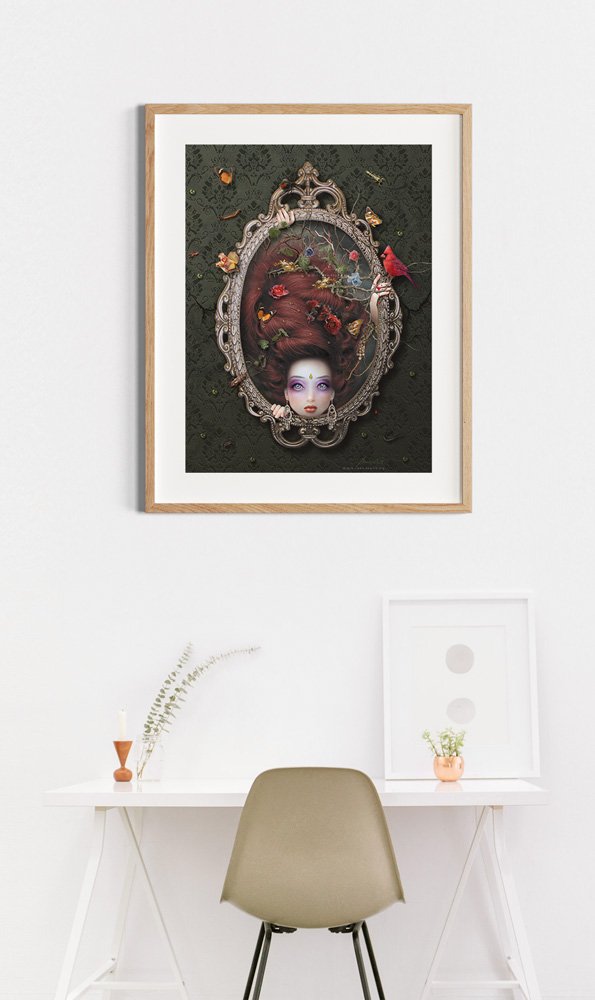
Art gallery mockup for “Keyla” generated with RewarxStudio based on an image by Mitchell Luo on Unsplash.

I created the above gallery wall mockup image for “Keyla” using RewarxStudio’s mockup generator.

The mockup generator is really easy to use and delivers excellent, ecommerce-ready results. All you need to do is sign up for RewarxStudio for free here.

Once you’ve signed up, you’ll receive a number of free credits, which are enough for creating a couple of mockups on the platform.

There are two options to create a mockup image with your artwork: you can use an existing template, or you can create a mockup from scratch.

Option 1: Use a Template to Create a Gallery-Style Mockup Image

The easiest way to create a gallery-style mockup image is by using a template. You can find free-to-use templates on platforms like Unsplash. That’s how I created my virtual art galleries. 

In my experience, templates work particularly well if you want to have gallery settings that include people. While RewarxStudio can also generate images with people, templates still turn out to deliver the most realistic results.

Just make sure to use copyright-free images when generating mockups from existing templates.

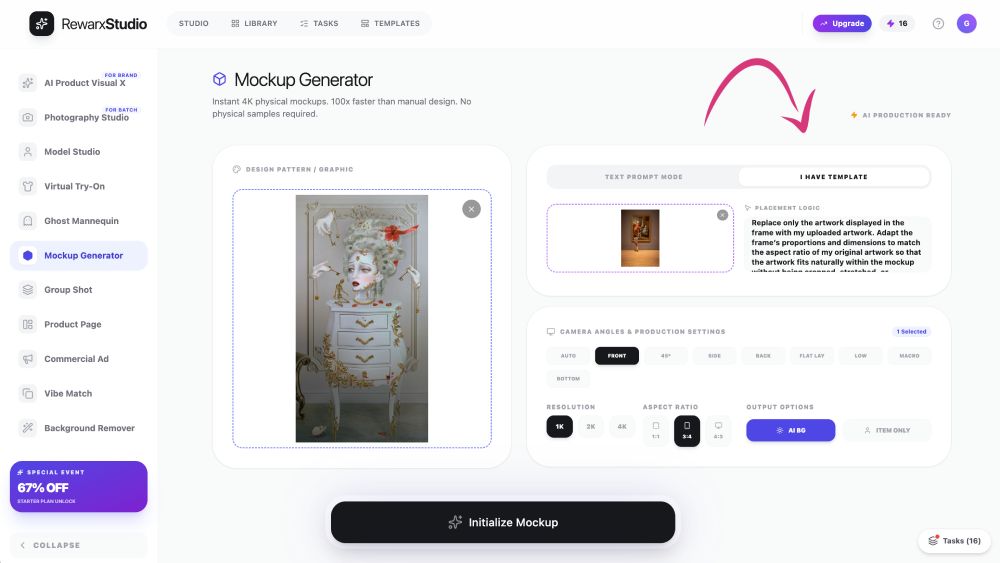
Then, go to RewarxStudio’s mockup generator and simply upload your artwork and the template, and enter a prompt that describes what you want to create. 

You can select output settings like camera angle, resolution, and aspect ratio.

With everything done, simply hit “Initialize Mockup,” and the platform will generate an amazing mockup within a few seconds.

RewarxStudio lets you create mockups from existing templates.

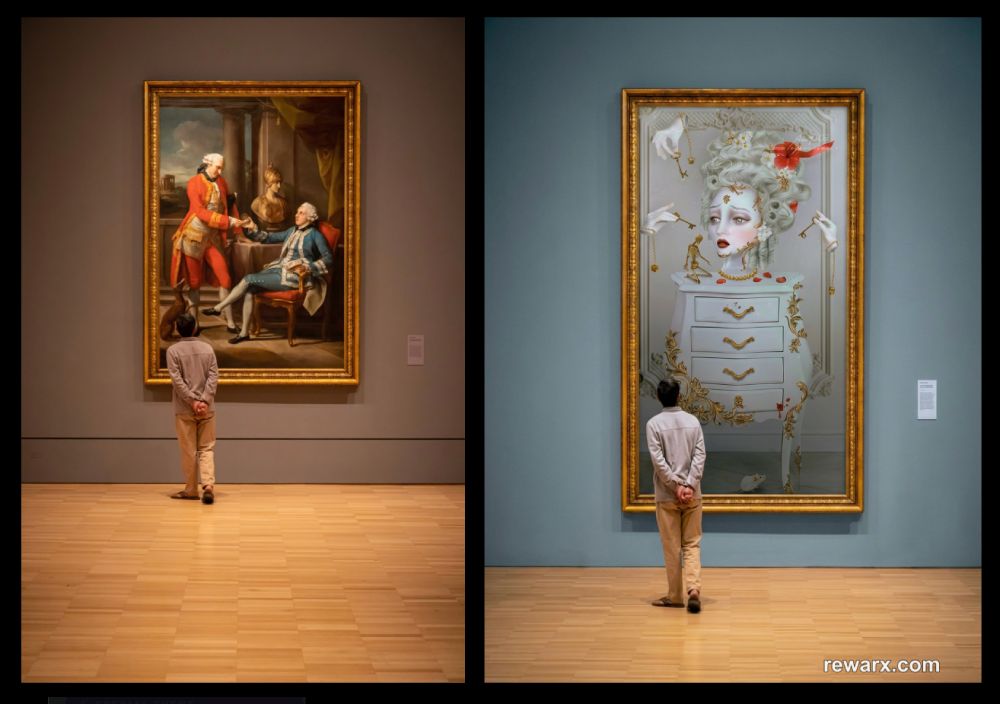
Comparing the original template and the generation result, you can see that RewarxStudio really does a great job of adapting the frame to the dimensions of the artwork and making everything look polished and realistic:

For comparison: the original image by Mitchell Luo on Unsplash and the wall art mockup created in RewarxStudio.

Option 2: Create a Gallery-Style Mockup Image from Scratch

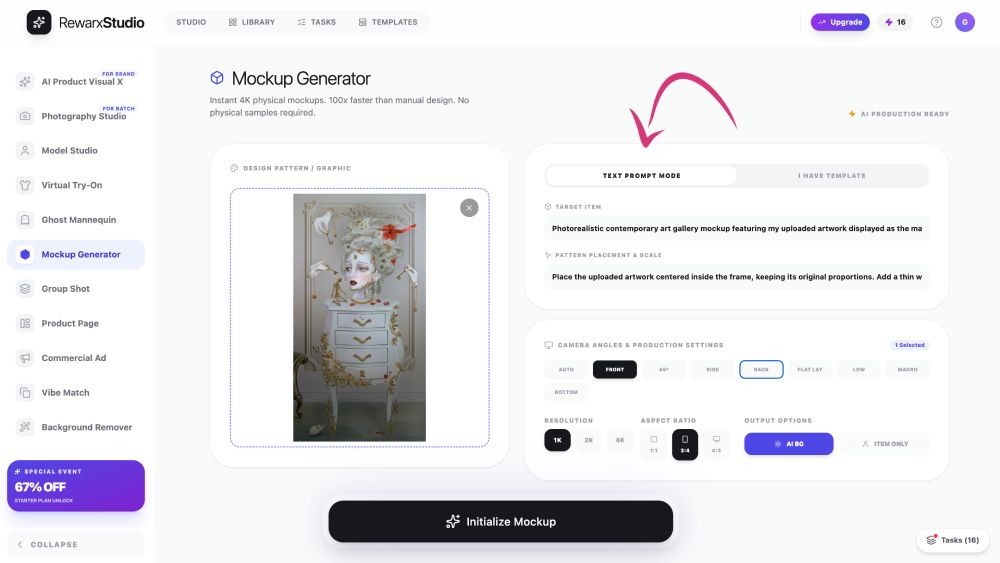
The second option is to generate a mockup from scratch. To do so, select the Mockup Generator in the left-hand menu, upload your artwork, and enter a prompt that describes the gallery setting you want to create. 

To achieve the best results, RewarxStudio’s prompt input field is split into two parts: Target Item and Pattern Placement & Scale.

In Target Item, you describe the object or scene of the mockup, while Pattern Placement & Scale tells the AI how to apply your uploaded artwork to the mockup.

I recommend using the following prompt in Pattern Placement & Scale to make sure everything turns out well aligned:

Place the uploaded artwork centered inside the frame, keeping its original proportions. Add a thin white mat.

» You can read my full wall art mockup creation tutorial here for some step-by-step guidance.

RewarxStudio lets you create mockups from scratch using detailed prompting.

STEP 2: Convert the Mockup Into a Virtual Art Gallery Video

Once your mockup is ready, you can go ahead and turn it into a virtual art gallery video. 

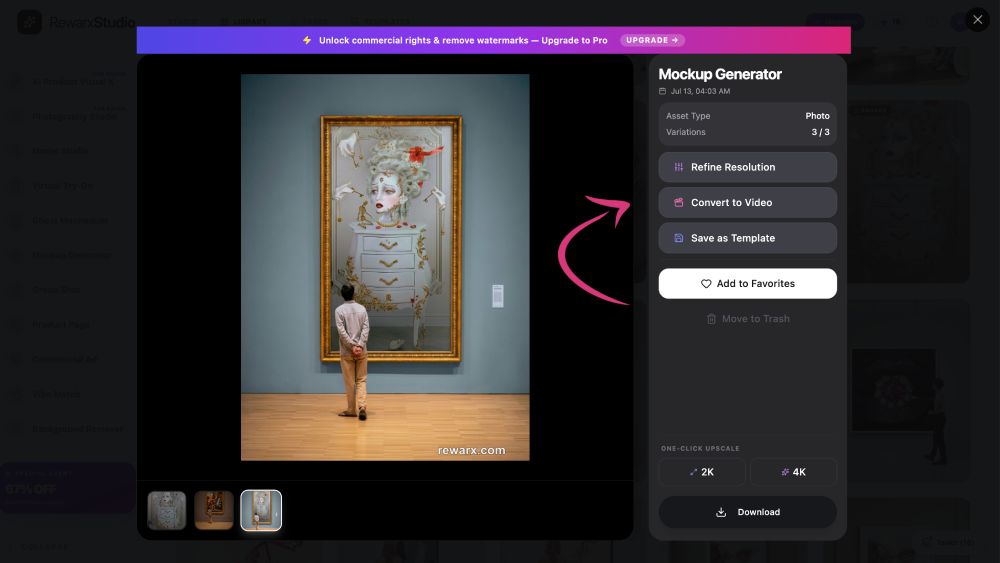
If you created the image in RewarxStudio’s Mockup Generator, you can simply click “Convert to Video,” and the app will take you directly to the appropriate user interface.

You can directly convert generated mockups into videos.

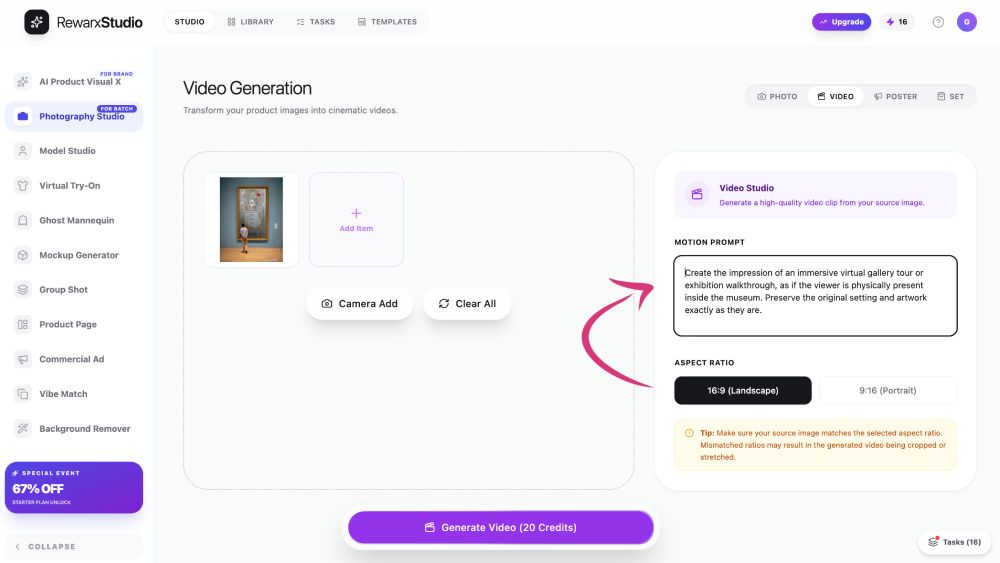
If you want to create a virtual art gallery based on a mockup you created elsewhere or don’t have in your RewarxStudio library anymore, you can select the Photography Studio in the left-hand menu. 

With the source image uploaded, you can go ahead and enter a prompt that describes the gallery setting you want to create. 

I used the following prompt for all the art gallery videos I created for this tutorial: 

Create the impression of an immersive virtual gallery tour or exhibition walkthrough, as if the viewer is physically present inside the museum. Preserve the original setting and artwork exactly as they are.

Next, you can select the output settings. Currently, you can only choose between two aspect ratios: 16:9 landscape and 9:16 vertical.

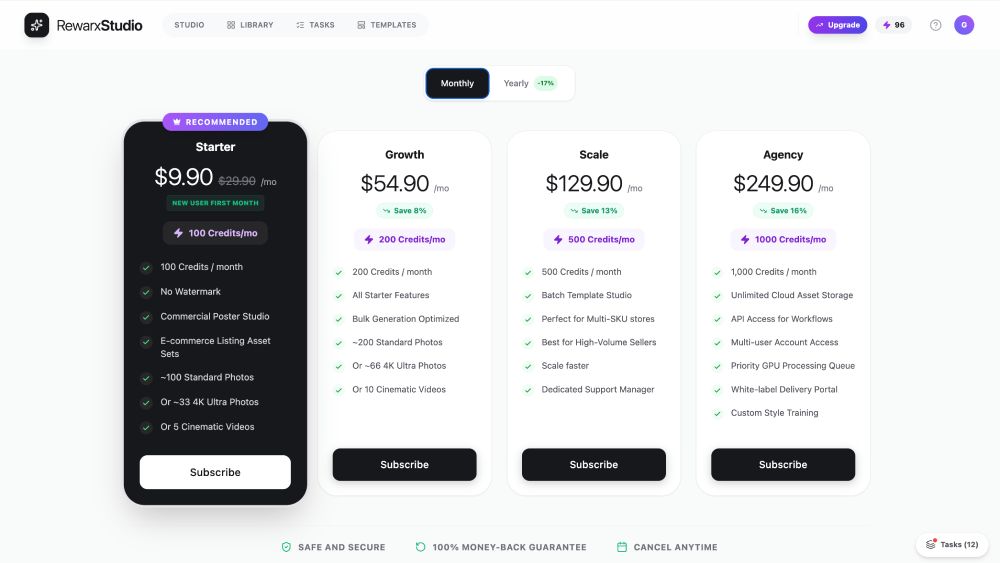
As the credits on the free plan are not sufficient to generate videos, I recommend signing up for the Starter Plan, which you can get for as little as $9.90 for the first month. (You can cancel anytime.)

The Photography Studio lets you turn images into animated virtual art galleries.

With everything done, you can start generating your virtual art gallery video for 20 credits.

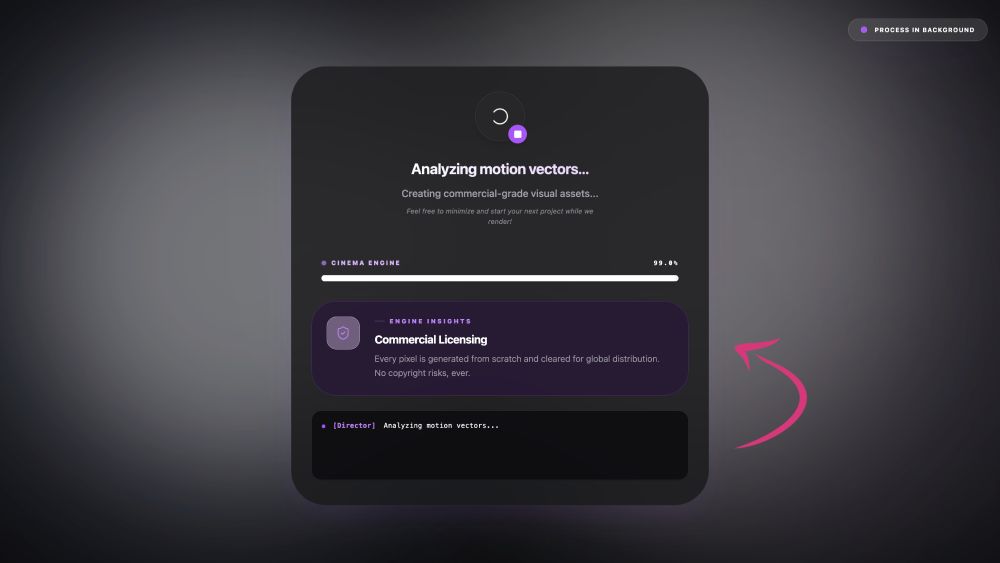
During the generation process, RewarxStudio analyzes the lighting in the scene and generates new shadows so the artwork looks like it actually belongs there.

The tool also uses a complex neural rendering AI model that fills in any data missing from the original image to create a lifelike video.

What I also like about RewarxStudio is that the final result is cleared for commercial use, so you don’t have to worry about copyright issues. That means you can also use the virtual art gallery videos to promote and sell your work.

All media created with RewarxStudio is allowed for commercial use with the premium plans.

Virtual Art Gallery Creation Results

Now, let me show you the virtual art galleries I created using RewarxStudio. I think the results turned out truly stunning!

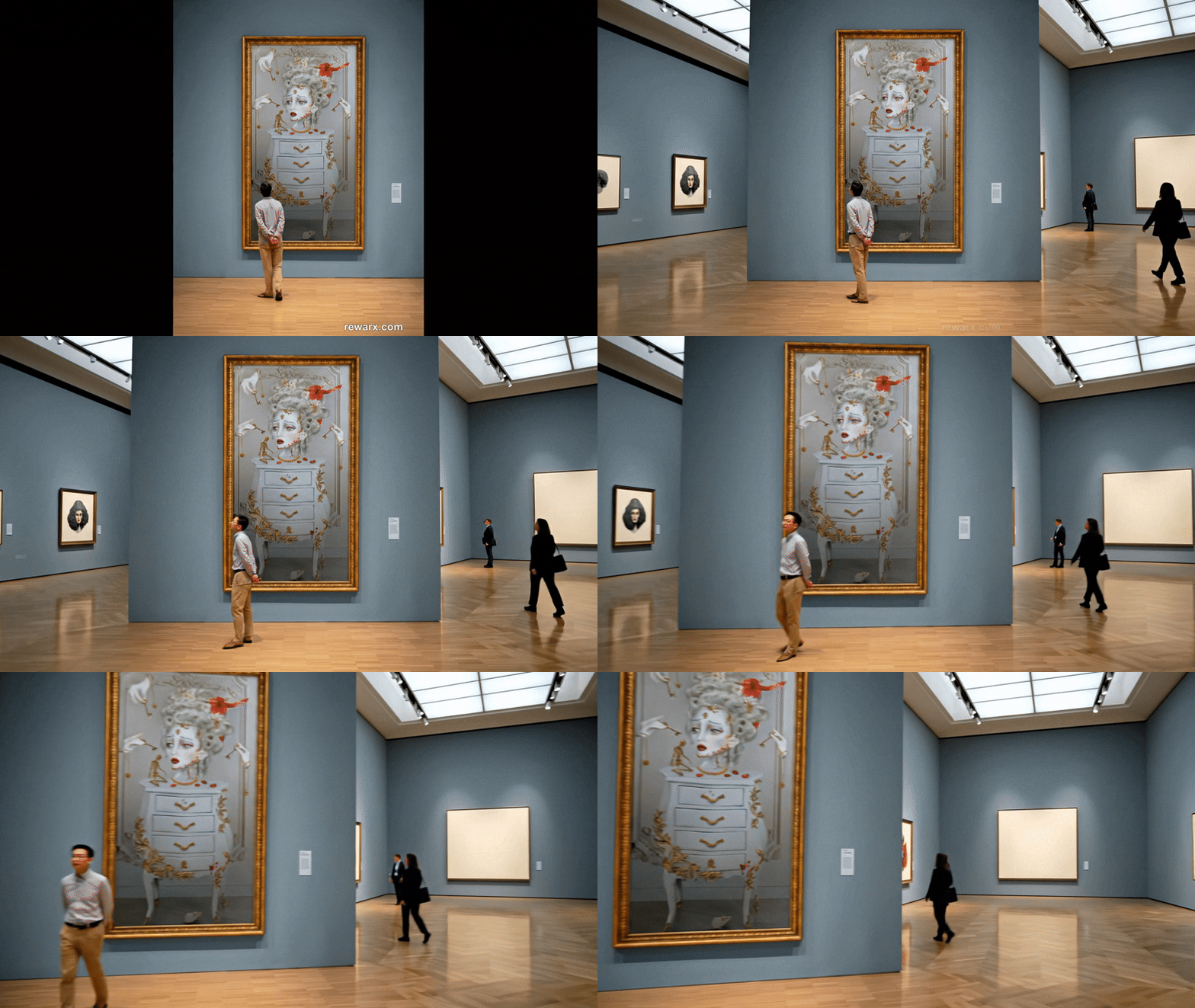
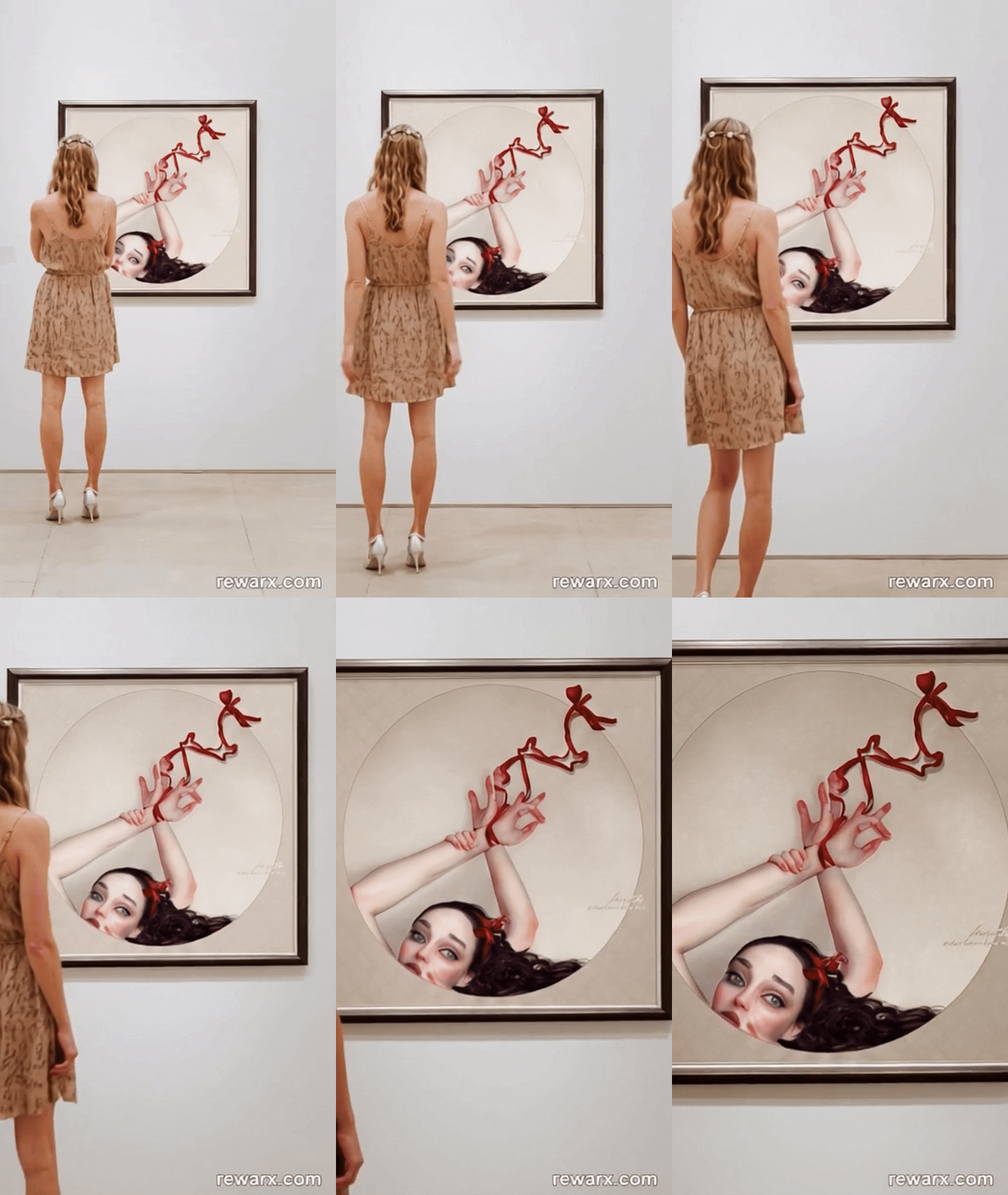
As you can see, the artwork itself is always in the limelight. It’s the first thing the camera captures in the virtual gallery. It’s amazing how RewarxStudio completed the entire gallery setting, from a simple uploaded image.

Lighting and shadows look absolutely true to life, just like the people you see in the virtual gallery.

Every detail feels well thought out, from the way the light falls across the frames to the way visitors seem to pause and take it all in.

Don’t forget to switch on the sound when you watch the video—RewarxStudio even added the sound of footsteps and people talking about the artwork, without me having to include that in the prompt!

📢 Video with sound:

Keyla‘ in a virtual art gallery created with RewarxStudio

Keyla‘ in a virtual art gallery created with RewarxStudio (converted to GIF)

📢 Video with sound:

Queen Bee‘ in a virtual art gallery created with RewarxStudio

Queen Bee‘ in a virtual art gallery created with RewarxStudio (converted to GIF)

📢 Video with sound:

Naufragée‘ in a virtual art gallery created with RewarxStudio

Naufragée‘ in a virtual art gallery created with RewarxStudio (converted to GIF)

RewarxStudio Pricing

When you first sign up for free for RewarxStudio, you get 10 free credits to test the platform. Those free credits are enough to generate a number of mockups. What’s great is that you can also upscale and download your generated mockups for free! 

If you like RewarxStudio and want to continue creating mockups and other content, you can subscribe to the Starter Plan. It only costs $9.90 per month and gives you 200 credits every month—enough to generate around 100 standard images, around 33 4k high-resolution photos, or 5 cinematic videos.

To get double everything, plus optimized bulk generation, there’s the Growth Plan at $54.90 per month. Both plans remove the watermark on downloaded content and allow it for commercial use.

📌 » You can start using RewarxStudio for FREE here.

RewarxStudio comes with affordable pricing plans.

AngieG. – The Person behind the Pictures
HI Y'ALL!  
My name is Angie and I’m a self-taught digital artist. On this blog, I am sharing my experience and educational resources to help you confidently showcase and sell your art, without needing any expensive marketing training. My desire is to empower you to leverage your potential and follow your passion!
LET'S CONNECT:
SHARE THIS POST:

Leave a Reply