TourBox Elite Plus Review: Game Changer For Digital Artists?


Disclosure: Some of the links in this post may be affiliate links. If you click on the link and make a purchase, I will receive an affiliate commission at no extra cost to you. As an Amazon Associate I earn from qualifying purchases.

Digital artists are all about streamlining their workflow. We want to access our most-used functions right at our fingertips: undo mapped to a pen’s side button, brush size adjusted by rotating a tablet dial. But actually, there may be a tool that saves you the hassle of reaching for your keyboard or mouse altogether. The TourBox Elite Plus is a professional controller that lets you access all features of your favorite editing software with just one hand. I’ve put it to the test, and in this in-depth review, I’ll tell you exactly what you can expect from the device!

TourBox Elite Plus Review

Digital artists like to be comfortable, right? We want quick access to the program features we use most. Ideally, we want to have them right at our fingertips.

That’s why drawing tablets and styluses come equipped with customizable buttons that allow us to conveniently access frequently used functions. However, tablets and pens can only have so many buttons because space is limited. 

That means you need to memorize keyboard shortcuts and reach over to your keyboard every now and then to access those functions that are not programmed into your devices’ buttons. 

It’s doable, but how would you like it if I told you that there’s a more comfortable way to work as a digital artist?

The TourBox Elite Plus is a customizable “creative console” designed for digital artists, photographers, video editors, and other creatives to make their lives easier.

It features a range of buttons, dials, knobs, and wheels you can assign actions to for faster editing workflows and to save yourself the hassle of constantly using keyboard shortcuts.

That’s what the TourBox Elite Plus is designed to deliver. But does it actually live up to those promises in practice, and is it the right device for your creative needs?

Well, I’m a digital artist myself and I took a deep dive into the TourBox Elite Plus, testing the device across multiple apps.

By the end of this review, you'll know exactly what to expect from the TourBox Elite Plus and whether it's worth getting for your creative workflow.

Without further ado, let’s jump straight in!

TourBox Elite Plus Review:

 Our Newsletter  is packed with creative tips, free tutorials, art tool reviews, and looaads of inspiration!

TourBox Elite Plus Review:

Unboxing & First Impressions

The TourBox Elite Plus comes in a compact package that’s hardly bigger than a lunchbox and includes the following items:

  • TourBox Elite Plus
  • Protective lid for the knob
  • Quickstart Guide
  • Safety Instructions
  • 2 AA batteries

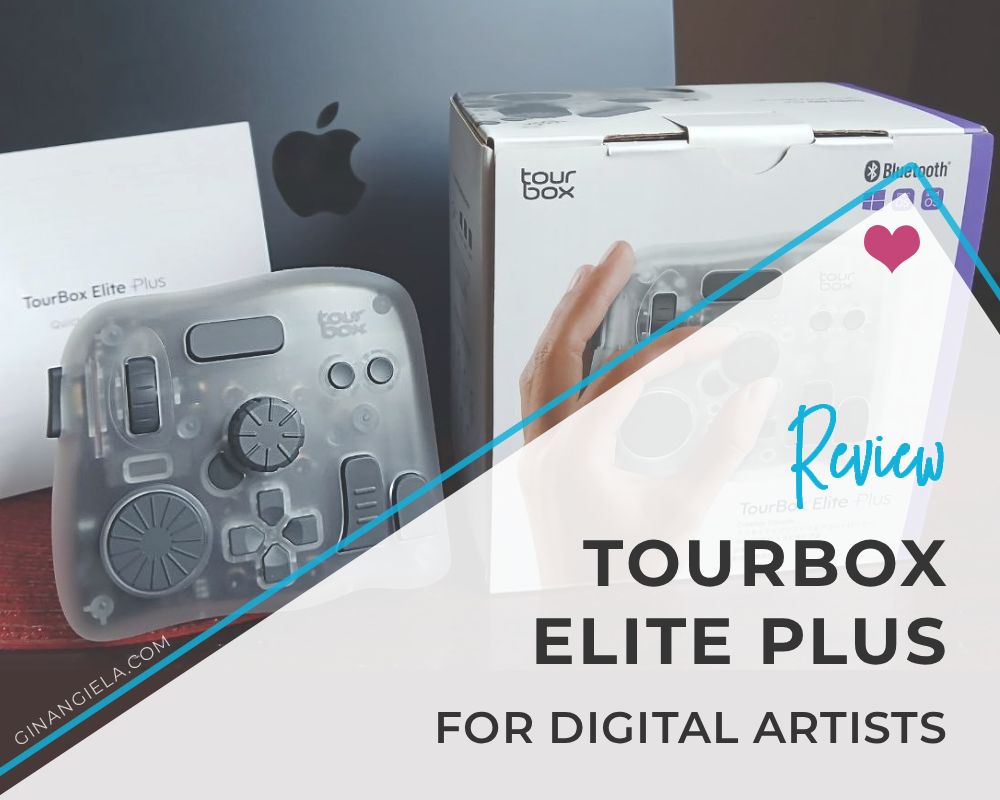
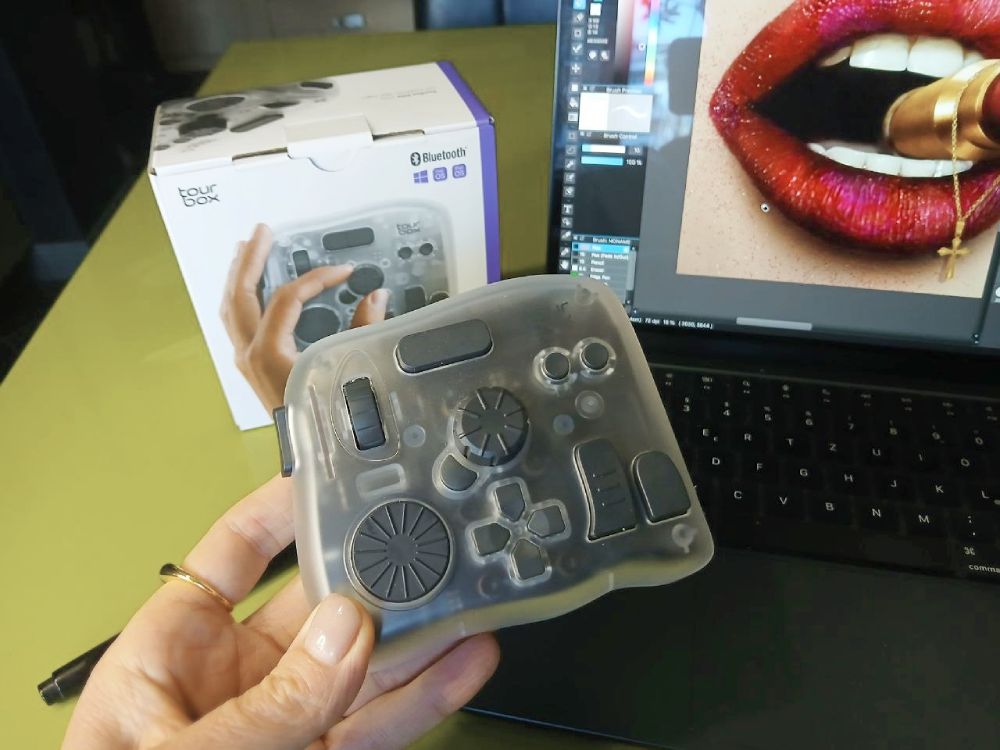
The TourBox itself is a compact device that easily fits in the palm of your hand.

The TourBox itself is a compact device that easily fits in the palm of your hand.

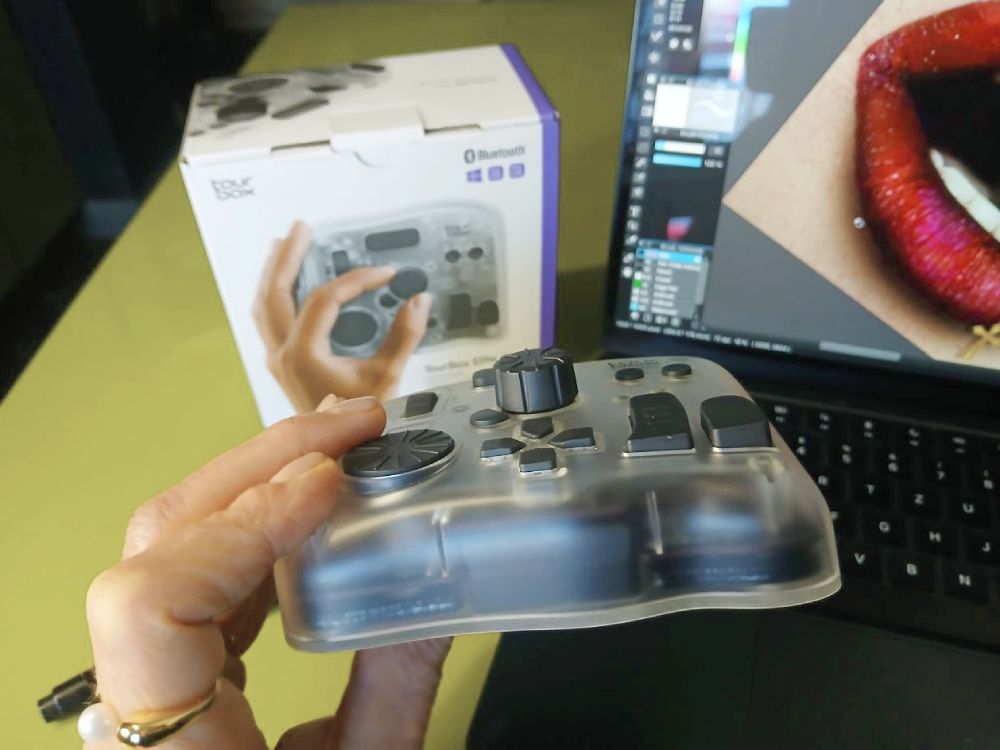
Measuring 4.57 x 3.98 x 0.04 inches, it’s hardly thicker than your TV remote. It weighs around 376 grams (13.3 oz) without batteries, and slightly more once the two AA batteries are installed.

It’s relatively heavy weight for such a compact device, but the weight helps keep it firmly in place during use, along with its rubber feet that prevent it from slipping around the desk.

Measuring 4.57 x 3.98 x 0.04 inches, it's hardly thicker than your TV remote.

The TourBox Elite Plus connects to your computer either via USB-C or Bluetooth. The dual connectivity is a welcome feature, as Bluetooth is especially convenient for laptop users like myself who have limited ports. 

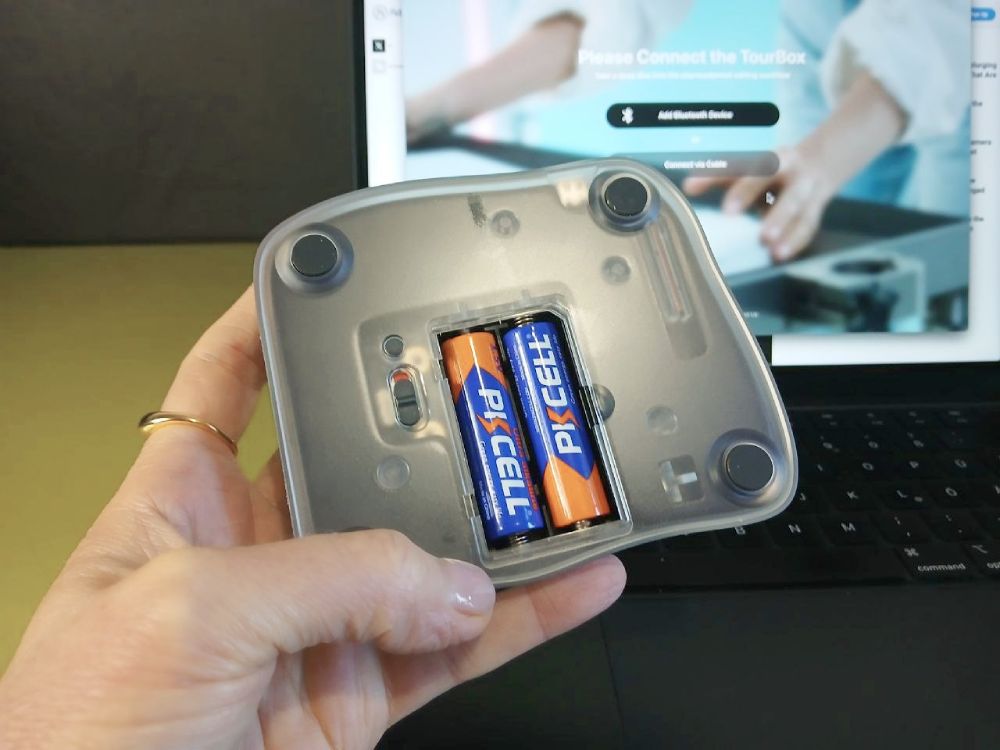
The device runs on two AA batteries that you insert on the back, and the manufacturer thoughtfully includes them in the device. You just need to remove the insulation sheet before first use. 

One minor drawback is that no USB-C cable is included in the package, but most of us probably already have a few lying around at home anyway.

The device runs on two AA batteries that are added on the back.

TourBox Elite Plus Review:

Features & Functionality

The TourBox Elite Plus is a square-shaped controller with softly rounded edges and a matte transparent finish. It’s made of textured plastic and feels dense and sturdy in the hand.

Admittedly, the transparent plastic doesn’t provide the best aesthetics, in my opinion, but the manufacturer also offers the device in pastel tones as part of its new Arctic Color Series, which I personally like a lot.

The TourBox Elite Plus is available in different pastel tones from the TourBox Store on Amazon.

The device features 14 programmable buttons and dials that look somewhat unsymmetrically arranged at first glance. But, believe me, the shape of the buttons and their placement are intentional and well thought out.

The different textures and heights help your fingers distinguish each control without needing to look down and identify them by touch alone after some practice. 

In particular, the TourBox Elite Plus features:

  • 1 scroll wheel
  • 1 dial
  • 1 knob
  • 1 side button
  • 10 clickable buttons

In total, you’re dealing with 14 physical control points that can be customized in the software. Each button can be assigned different functions depending on the app you work with and what’s convenient for you (single click, double click, long press, turn, hold, etc.).

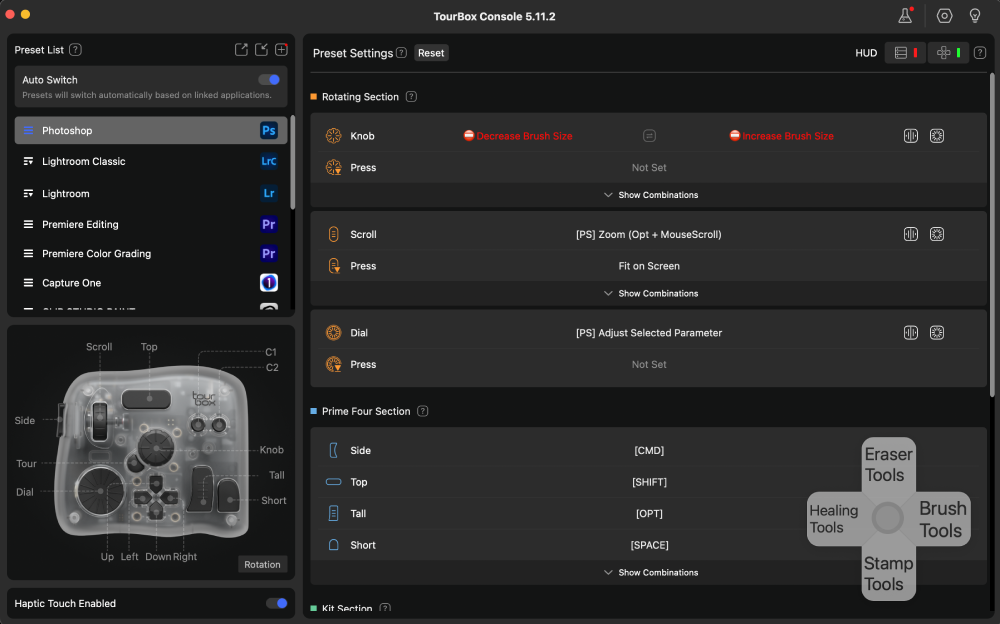
Each of the 14 buttons and dials can be mapped to different functions in the control center.

The great thing is that the TourBox is compatible with most major digital art software out there, including:

Plus, if you occasionally edit videos for Instagram or YouTube shorts like I do, you’ll be delighted to know that the TourBox also works with video editing software such as:

TourBox Elite Plus Review:

Setup & Connectivity

The TourBox Elite Plus works with Windows, macOS, iPad, and Android tablets. As for desktop devices, you can connect it either via Bluetooth or a USB-C cable, while tablet devices can only be connected via Bluetooth.

I used my MacBook when testing the TourBox and connected it via Bluetooth. I really liked the ease of connection. No cables needed, and the setup was really straightforward.

All you need to do is download the TourBox Console app from the manufacturer’s website at tourboxtech.com/downloads. (You’ll also find the download link in the Quickstart Guide.)

When downloaded, you can choose to connect the device via Bluetooth or cable. For Bluetooth connection, you’ll need to switch on Bluetooth on the back of the TourBox and long-press the Bluetooth pairing button. 

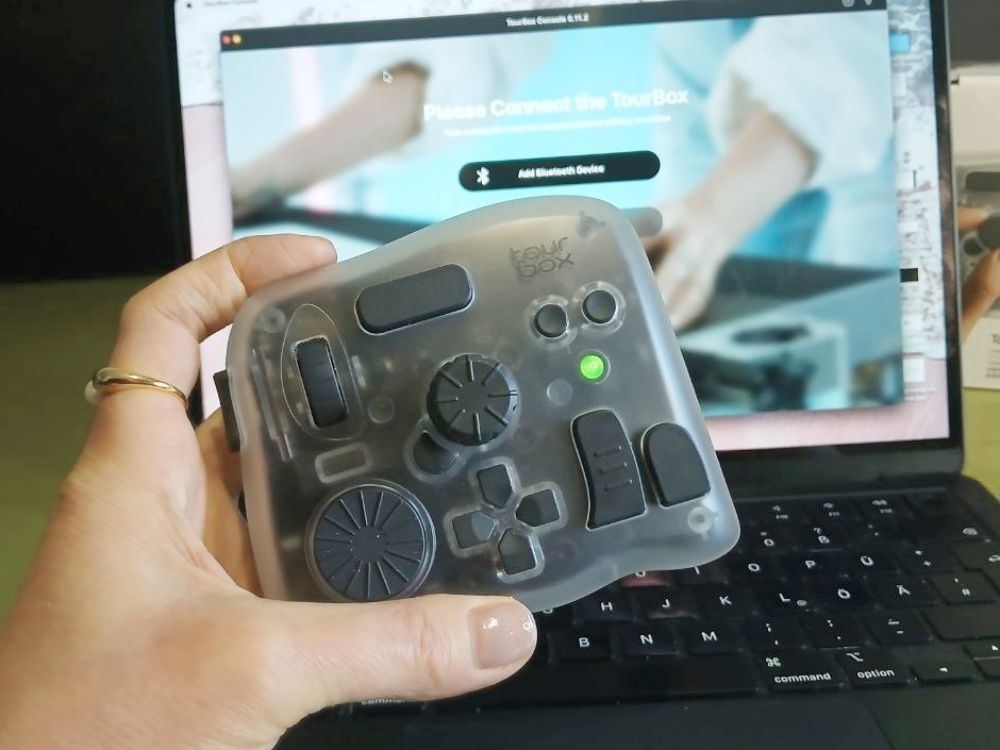
Then simply follow the instructions and approve the device on your computer. Once the connection is established, you’ll see a green light flashing on the top of the device.

Once the Bluetooth connection is established, a green light flashes on the top of the device.

After that, you can access the control panel and customize the TourBox’s buttons—or simply use the presets, which are already well designed, in my opinion. 

The good thing is that the software comes with preset configurations for the most common apps, including Photoshop, Lightroom, Clip Studio Paint, and MediBang Paint Pro. That means if you use any of these apps, chances are you don’t need to do much customization.

The buttons are most likely already configured in a way that gives you quick access to the most used functions of those programs, such as zooming in and out, scrolling, fit to screen, brush size, undo, redo, and so on.

I tested the TourBox Elite Plus across Photoshop, Lightroom, and MediBang Paint Pro, as well as DaVinci Resolve, and I found the premade configurations absolutely sufficient for a start. 

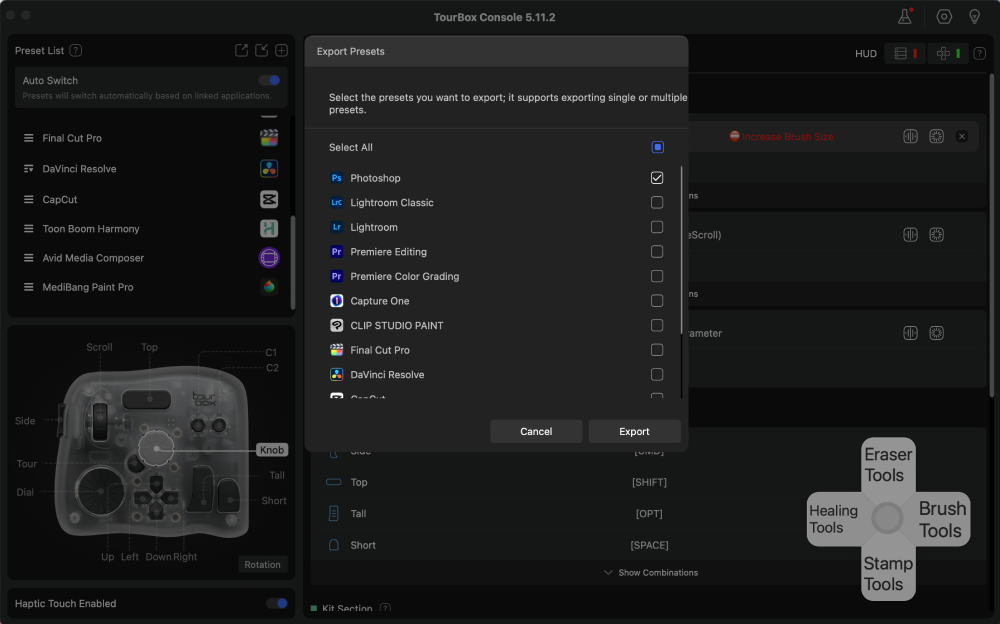
If you make any custom changes, you can also export your settings—or import presets from another device or user.

You can import and export presets for the many popular apps.

A nice bonus is that you can download presets for different apps from other users on the manufacturer’s website at tourboxtech.com/en/presets.

Those users have configured optimized workflows for specific creative tasks, which you can import directly into the TourBox Console and use in your own workflow.

You can download presets for different apps from other users on the manufacturer's website.

TourBox Elite Plus Review:

Creative Experience

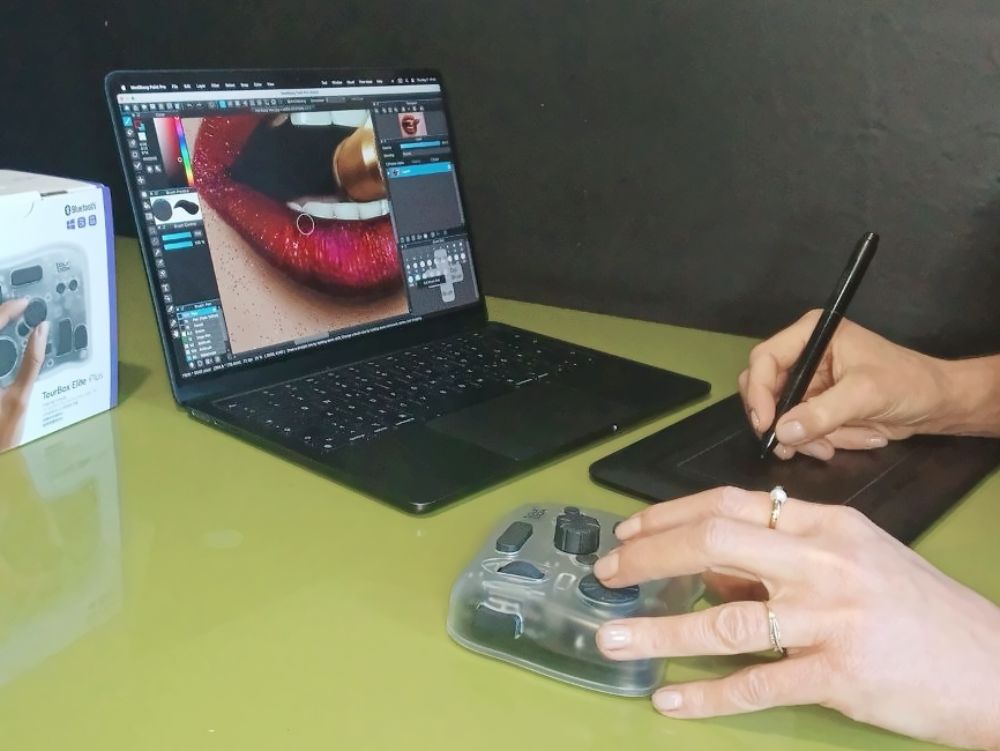
One thing I could immediately tell when I started working with the TourBox Elite Plus is that the device is ergonomic and thoughtfully designed. It sits comfortably in the hand, and every finger can naturally reach a button or dial without much effort.

People often call it a “left-hand controller” because you typically use it with your left hand while your right hand holds the mouse or stylus.

I’m right-handed, so it worked well for me in that setuo. However, I’m not sure how comfortable it would feel for left-handed users, though rotating the controller might help solve the issue.

That said, the biggest challenge wasn’t the TourBox itself, but simply getting used to an entirely new input method. There’s definitely a learning curve, especially when you’ve spent years using shortcuts and tablet buttons.

You simply can’t remember all 14 inputs at once, especially since each button can perform different actions depending on whether you single-click, double-click, or hold it down.

To make things simple, I started by making myself familiar with the functions I most use in my workflow, such as zooming, rotating the canvas, and adjusting the brush size, and so on.

These were relatively easy to get used to, and over time, muscle memory began to take over, making the TourBox feel increasingly natural to use.

The biggest challenge was getting used to an entirely new input method.

Once I became more familiar with the layout and started remembering which functions the buttons and wheels were assigned to, I noticeably sped up my workflow. In the beginning, there was definitely a fair amount of trial-and-error, but gradually everything became more intuitive.

Since I could now directly access the functions I constantly use while painting and editing with my left hand, the creative process felt smoother, more immersive—and also quite enjoyable. ʕᴖᴥᴖʔ I no longer needed to interrupt my workflow by reaching for the mouse just to zoom in or out.

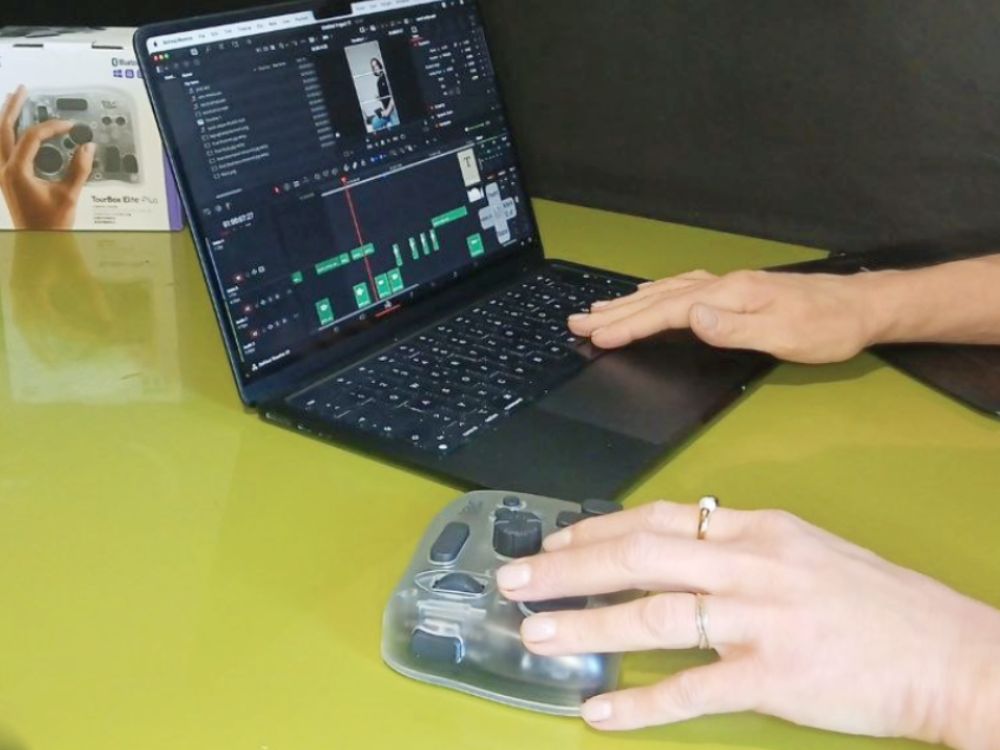
Plus, there was another workflow where I wanted to try the TourBox Elite Plus as well: video editing. I’m far from being a professional video editor. I randomly create short videos for Instagram Reels and YouTube Shorts; that’s about it.

Nevertheless, those videos can still take me quite a bit of time to edit in DaVinci Resolve. Using the TourBox made navigating the timeline, scrubbing through footage, and making cuts noticeably quicker.

Seeing how much control and customization the device offers, it’s easy to imagine that it would be a great tool for professional video editors who spend hours editing every day.

I tested the TourBox Elite Plus in yet another workflow: video editing.

TourBox Elite Plus Review:

Final Verdict

TourBox logo

TourBox elite Plus Review

Overall Rating
4.5
4.5/5
Setup
5/5
Connectivity
5/5
Functionality
5/5
Learning Curve
3.5/5
Pricing
4/5

The TourBox Elite Plus is a well thought-out device, packed with features for creatives like digital artists, photographers, retouchers, and video editors.

It’s made for professionals, and it comes with a learning curve. With 14 programmable buttons, wheels, and dials (many of which support multiple input types like single clicks, double clicks, long presses, and rotational actions), it takes a bit of practice to get used to the device.

Once you become familiar with the layout and controls, however, the TourBox Elite Plus can definitely speed up your workflow. It will save you the time and hassle of constantly reaching over to your keyboard for shortcuts and tools.

One of the device’s biggest strengths is its impressive level of customization. Virtually every input can be mapped to different actions in the TourBox Console software, allowing you to tailor the controller precisely to your workflow and personal preferences.

The TourBox Elite Plus is a fit for most users, as it is compatible with most operating systems (Windows, macOS, iPad, and Android devices), with both Bluetooth and USB-C connectivity available depending on the platform.

Still, the TourBox Elite Plus is rather a tool for experienced creatives who take their craft seriously. It takes practice and requires an investment. But for artists and editors who spend hours working in creative software every day, it can become a genuinely valuable productivity booster.

The TourBox Elite Plus retails for around $300 from the TourBox Store on Amazon. If you don’t need iPadOS or Android support, the standard TourBox Elite is also worth considering as a slightly more affordable alternative with largely similar functionality.

For users on a tighter budget, the TourBox NEO is another solid option. It offers the same core workflow experience and customization features but drops premium extras like Bluetooth connectivity and haptic feedback.
Top-tier device for professional digital artists and editors.
Pastel-colored designs in frosted blue, violet, white, and indigo.
Same functionality as the Plus model, but without iPad and Android support.
Budget-friendly option without Bluetooth connectivity and haptic feedback.
TourBox Elite Plus Review by Digital Artist
AngieG. – The Person behind the Pictures
HI Y'ALL!  

My name is Angie and I’m a self-taught digital artist. On this blog, I am sharing my knowledge and discussing the best software and hardware for different artistic needs. My desire is to offer options for all creative stages and budgets so that everyone can follow their dream and create art!

LET'S CONNECT:
SHARE THIS POST:

Leave a Reply