Best Web Hosting For Artists With WordPress Sites In 2026

  • Post category:WordPress
  • Post last modified:January 23, 2026


Disclosure: Some of the links in this post may be affiliate links. If you click on the link and make a purchase, I will receive an affiliate commission at no extra cost to you. As an Amazon Associate I earn from qualifying purchases.

You want to create a website for your art using WordPress, and now you are looking for the best hosting in 2026? Look no further! In this post, I show you how to get the best web hosting for your artist site—step by step. It’s affordable, secure, and reliable! Whether you’re just starting out with a small portfolio or you already have a large WordPress site with shop and sophisticated hosting requirements, you can be sure that this is the best pick for your needs!

Best web hosting for artists with WordPress sites
What you can read about in this post (click to expand)
    Add a header to begin generating the table of contents

    As you are here, I think you already know how important it is for artists to have their own website. Your website is the only place on the Internet that really belongs to you.

    An account that you create on social media and art sharing sites doesn’t truly belong to you. You’ll always be at the odds of those platforms. They can change their algorithms and community rules any time, affecting your reach and freedom to post your art.

    Besides, such platforms may restrict or suspend your account whenever they deem your artwork inappropriate. My recent experience with Instagram showed clearly that social media can actually kill your art career…

    Apart from that, there are many other good reasons why an artist should have a website

    With a self-hosted WordPress site, you have the greatest control over your website site possible. You also have the greatest creative freedom and the broadest range of functionality.

    You can present your art and yourself as the artist just the way you want.

    I’m using WordPress for my own artist website (the one you’re on right now) and I can full heartedly say that it’s hands-down the most scalable, most versatile and most affordable option out there! 

    WordPress itself is completely free. All you need to pay for is hosting—and that you can get for a couple of dollars a month. 

    That makes WordPress the perfect choice for budding artists, because you don’t need a huge investment to get started. It gives every creative the chance to get their in front of thousands of eyes for a cup of coffee a month. 

    With that out of the way, let’s talk about the best web hosting for artists with WordPress sites in 2026!

    This step is KEY to creating a strong foundation to build your art business on.
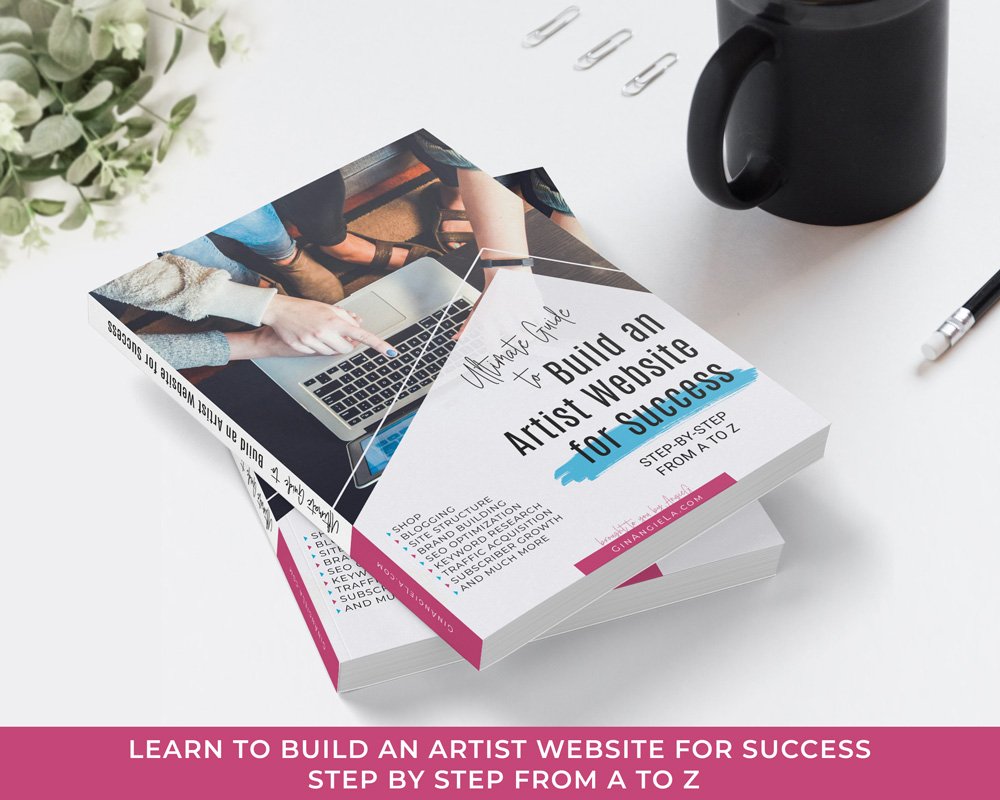
    Learn how to build an artist website that brings in the right traffic, grows your email list, and gets your work in front of thousands of people. This eGuide shows you how to do it—step by step from A to Z!
    ✓ 215 pages   ✓ Lifetime access   ✓ Beginner-friendly

    How do I create an artist website for free?

    If you want to create an artist website for free, then WordPress is definitely the best bet for you! 

    WordPress itself is completely free, and many of the themes and plugins don’t cost anything either.

    WordPress is perfect for both showcasing and selling your work. You can start with a simple a portfolio site and later on add eCommerce functionality to sell your work. All you need is a plugin called WooCommerce and your site becomes a full-fledged online store!

    To learn to install and use the plugin, read my full WooCommerce tutorial.

    Since WordPress is extremely scalable, you can add additional features along the way as you need them.

    However, one thing you should get right from the get-go is choosing a WordPress theme with sufficient functionality—especially if you plan to sell online.

    It’s true that you can change themes whenever you like. But making everything look good in your new theme is a hassle you can spare yourself if you start directly with a theme that works for you.

    Some of the best and most performing eCommerce-ready WordPress themes for artists are: 

    For more details and a greater selection of eCommerce themes, check out my review of the 12 Best WordPress Themes For Selling Art.

    Share on pinterest
    Pinterest
    best web hosting for artists using WordPress

    Which is the best hosting provider for WordPress in 2026?

    There are heaps of hosting providers out there that specialize in WordPress hosting. However, that doesn’t mean that all of them provide the best web hosting for your artist website. Why not?

    Because the best hosting provider for your WordPress site always depends on your current needs.

    Let me give you some examples. 

    If you have just launched your site and don’t have much traffic yet, you don’t need dedicated WordPress hosting. Shared hosting for a basic portfolio site is totally sufficient at that point in time. 

    Likewise, you don’t want to be paying for 200GB of web space, if your site only uses 20GB. 

    That being said, the best hosting provider for your WordPress site will offer a range of plans for different needs and high scalability, so you can upgrade to a higher plan as your artist website grows.

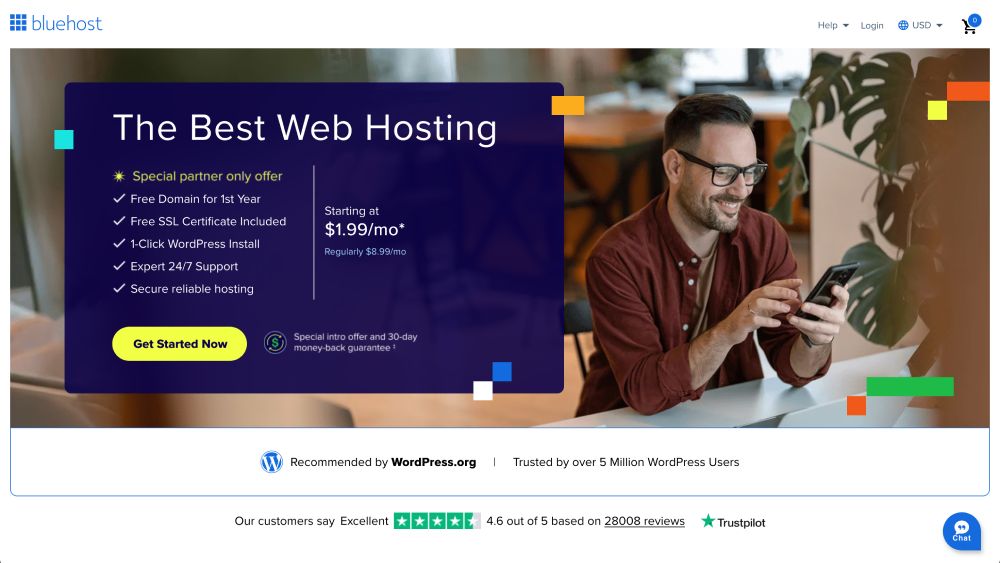
    In my opinion, Bluehost provides some of the best web hosting for artists in 2026—for a number of reasons:
    • It’s easy to set up and use.
    • You get a FREE domain name for the first year.
    • They provide one-click WordPress setup.
    • They offer 24/7 technical support that’s really quick to reply.
    • They have a 30-day money-back guarantee.
    • Bluehost is really inexpensive—the Personal plan starts at a couple of dollars per month and is perfect for beginners (special partner-only offer through this link).
    • You will be in great company along with many other artists who use Bluehost for portfolios, online shops, and art blogs, both large and small.

    How to get hosting for your WordPress artist website

    Since I kicked things off by talking about how easy it is to create your artist website with WordPress, it’s about time to prove my claims. ʕᴖᴥᴖʔ

    So let’s jump into the practical part: I’m now going to show you, step-by-step, how to set up your complete site in just a few minutes. 

    1. Head over to the Hosting Provider

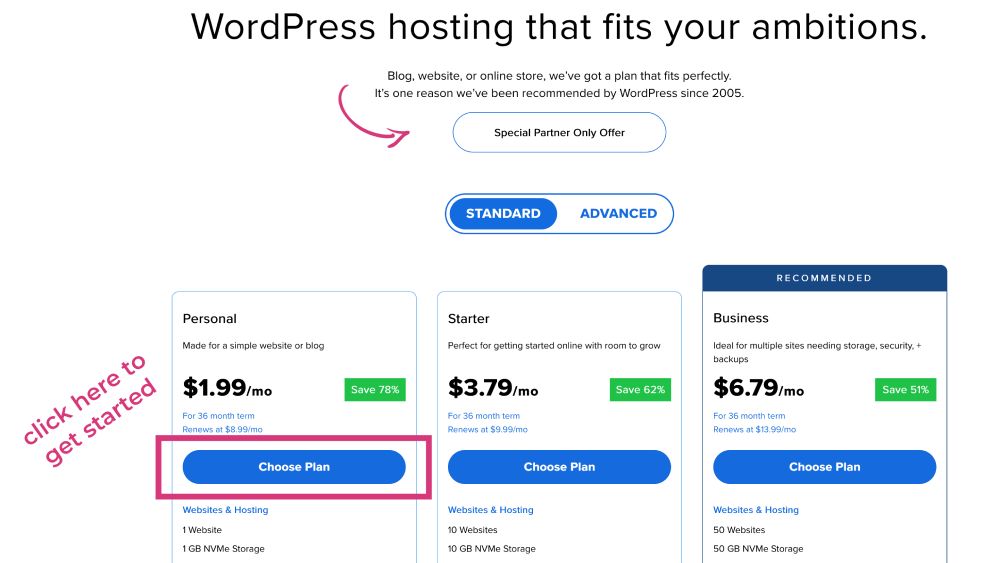
    Head over to Bluehost’s website and use this link to access their special partner-only offers. From there, you can choose from three different plans, all of which are all very affordable. 

    If you’re just starting out, the Personal plan should be completely sufficient. But you can choose whichever plan suits your needs best; just scroll down to take a look at the full range of features. The setup process is always the same, regardless of which plan you eventually go for. 

    Once you’ve made your decision, simply click on “Choose Plan.” 

    2. Choose a Domain Name

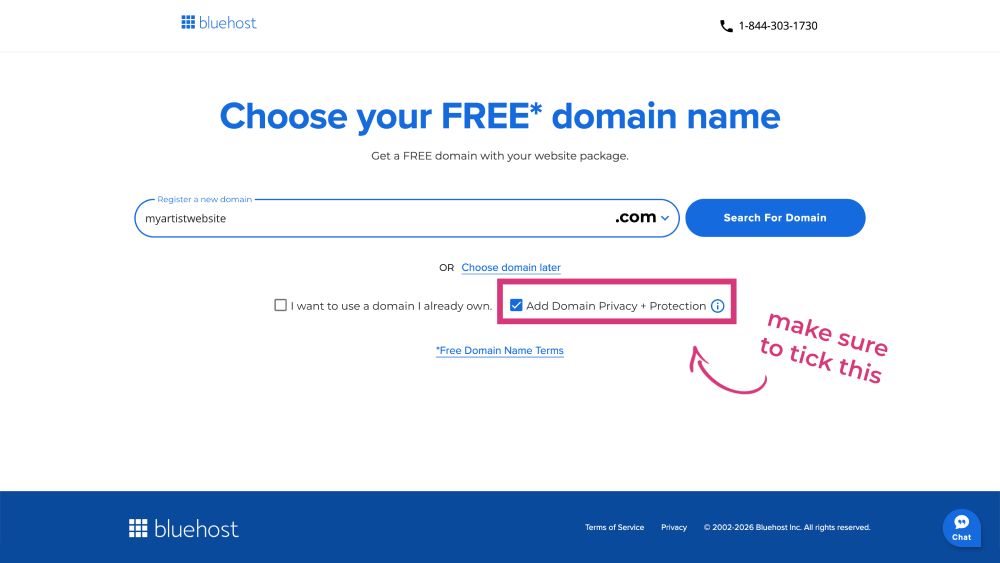
    In the next step, you have three options: you can either choose a new domain name for your site, transfer your existing domain (if you already have a website hosted elsewhere), or skip this step for now. 

    If you wish to get a new domain, simply type in your favorite choice and see if the domain is still available. In case the domain is already taken, Bluehost will give you a list of related suggestions.

    It’s best to take a .com domain that includes your artist name—or your real name, for that matter. If it’s not available, try adding “art,” “painter,” “illustration”—or whatever fits your genre.

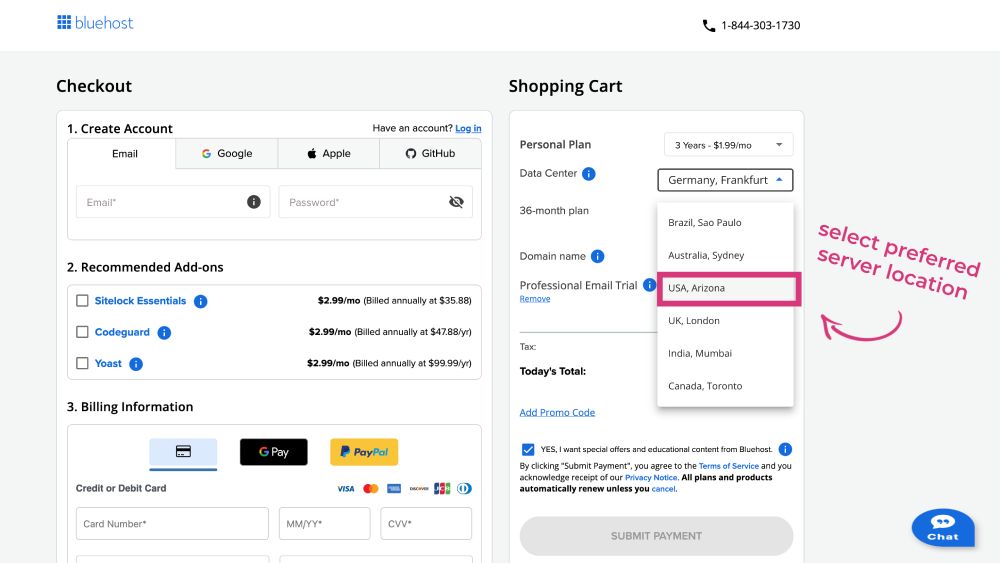
    3. Select a Data Center & Check Out

    Next, you’ll be taken to the checkout page. Here you can choose the duration of your plan: 1 year, 2 years, 3 years… The longer you commit, the lower the monthly rate will be.

    Then, you should also make sure to pick a data center that is close to where your main audience is located. For example, if you know that most of your readers are from the West Coast, choose a data center near that area. This ensures that your website loads as fast as possible when readers visit it.

    You can have a look at the recommended add-ons, but, in my opinion, you don’t need any of those at this point in time. 

    When you have selected everything you want and deselected everything you don’t need, you can choose your preferred payment method and proceed to the checkout. 
    Checkout Bluehost

    4. Install WordPress

    Once you’ve made your purchase, you will receive an email from Bluehost with your order confirmation and login details to access your dashboard. 

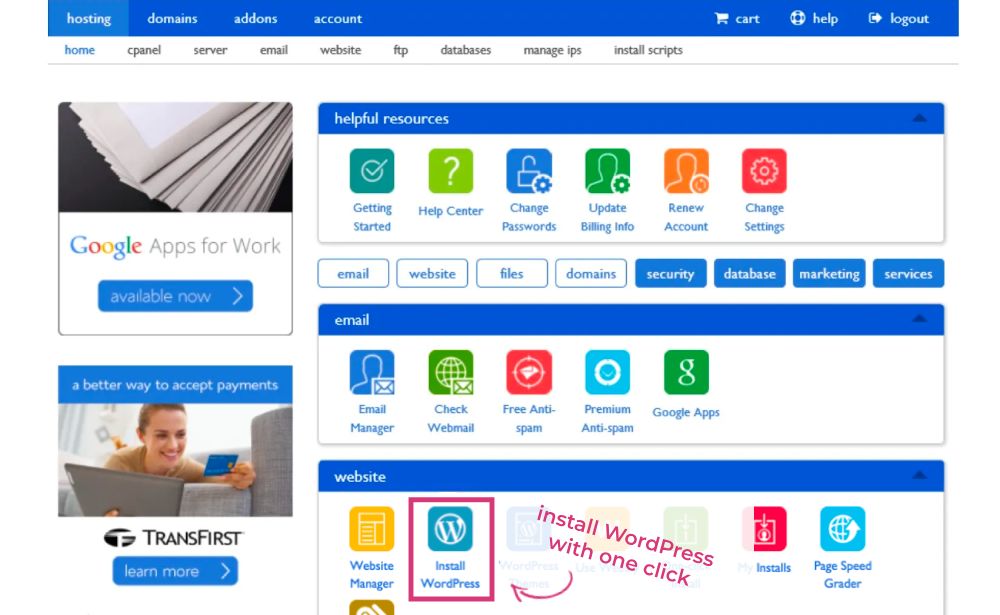
    There, you should see an icon under “Website” to install WordPress—it doesn’t take more than one click and your WordPress site is ready to use!

    The installation wizard guides you through every step: you can choose which domain you want to install your WordPress site on (as you’re new to Bluehost, you’ll likely only have the one domain you selected at the beginning), and enter a title for your site (such as Abstract Paintings by Jane Doe). 

    Lastly, you enter your login credentials (username and password)—and that’s basically it!

    Bluehost will run the installation process and when it’s complete, you can log in to your newly created WordPress dashboard using your chosen username and password. 

    5. Choose a WordPress Theme

    Once you’re in your WordPress dashboard, the first thing you should do is install a theme. A theme is basically the look and feel of your site. 

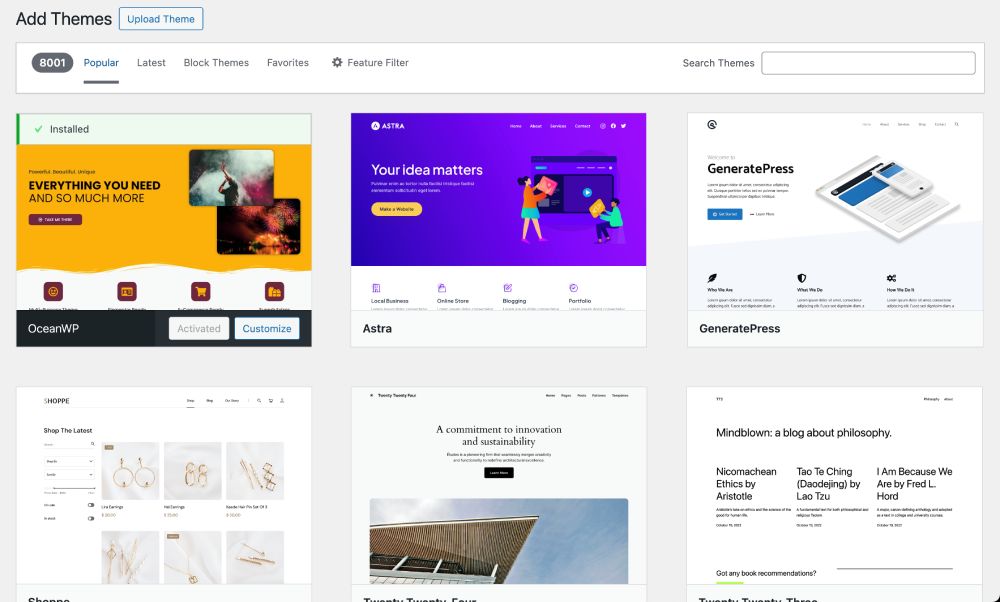
    On your dashboard, navigate to Appearance, and then to Themes. From there, you can choose a theme for your artist website. 

    Your theme should be visually appealing, functional, and eCommerce-ready if you want to open a shop—now or later on as your site grows.

    In my opinion, OceanWP, Astra and Divi are some of the best WordPress themes for artist websites. I myself use OceanWP and I’m loving it.

    You choose whatever fits your liking and requirements. You can also try out different WordPress themes, as WordPress lets you change themes whenever you like. Then select the one you like best.

    Install WordPress theme

    6. Install WordPress Plugins

    Plugins are the secret sauce that let you add more functionality to your WordPress site. Here are some essential plugins that I recommend using and that I also use myself.

    1. Page builders

    Page builders, as their name suggest, allow to build and design your site’s pages and posts. WordPress has its own page builder that you get automatically with every install. But it’s rather basic. Page builders give you much for design freedom, and artists will appreciate their beautiful gallery widgets to showcase their work. 

    Elementor and its addons are among the most popular options (and their basic versions are completely free):

    2. SEO plugin

    An SEO plugin helps you optimize your site for search engines. It helps you rank high in the search results (or even get into Google’s featured snippet!) so people can actually find your content and click on it.

    The best SEO plugin for WordPress is RankMath. The plugin analyzes your posts and pages on a number of factors and shows you on a scale from red to green how well they’re optimized for search engines.

    → SEO Works For Artists — And Here’s How To Do It

    Website Visibility Boost for Creatives
    Is Your Website Invisible Online?
    You don’t need to figure it out alone. I’ll guide you through every step.
    Book a free 20-Min Call to see how.

    3. Email opt-in

    An email opt-in helps you collect your readers’ email addresses and grow your mailing list. As you know, your email list is your direct link to your audience, so you shouldn’t miss the chance to build a list right from the start. These are the best platforms to build your email list:

    → Email Marketing For Artists: How To Start & Build An Email List

    4. eCommerce plugin

    I already mentioned WooCommerce above as the best and easiest way to add an online shop to your WordPress site. With just a couple of clicks (and at no cost at all), you can start selling your artwork, both digital and physical products, and even services.

    → Ultimate Guide To Selling Art On WordPress – WooCommerce For Artists

    5. Social sharing options

    Naturally, you want people to share your content. You put in a lot of work and value, and it would be a pity if this went unnoticed. To let people share your content to Facebook, Reddit, Pinterest, or WhatsApp with a friend, you need a social sharing plugin.  

    Monarch Social Sharing lets people share to over 20 social networks and offers the option to customize the design and location of the sharing buttons so they integrate nicely with your artist site.

    6. Backup plugin

    Last but not least, you should use a backup plugin. Even though Bluehost is reliable and has regular backups included in each of their plans, it can’t hurt to add an extra layer of security to your site. 

    I use WPVivid Backup. The plugin is easy to use and lets you create an automatic backup schedule with backups of your database and content being regularly sent to your Google Drive or similar storage platforms.

    best web hosting for artists using WordPress
    best web hosting for artists using WordPress
    best web hosting for artists using WordPress
    AngieG. – The Person behind the Pictures
    HI Y'ALL!  
    My name is Angie and I’m a self-taught digital artist. On this blog, I am sharing my knowledge and educational resources to help you build a website for your art. My desire is to show you that you don’t need to be a coder to create a website. All you need is the desire to learn and the get-up-and-go to get started!
    LET'S CONNECT:
    SHARE THIS POST:

    Leave a Reply