Every artist needs a website for their art. But what is the best website hosting for artists? Well, first and foremost, the best host for your artist website depends on your personal needs. Do you want to showcase your portfolio? Do you want sell prints? In this post, you’ll find a round-up of the 5 best paid and free website builders for different requirements. All you need to do is choose the one that fits your artistic needs and budget and you are good to go!
You are looking for the best website hosting for artists? Fantastic! Then you already know how important it is to have your own artist website!
This post will give you a selection of the best paid and free website builders for artists. They are all easy to use, don’t require any coding skills, and already hosts thousands of artist websites!
Are you looking for the best hosting for your WordPress website? Then check out the top web hosting providers for artists with WordPress sites.
We artists cannot just rely on social media and art sharing sites to promote our work. Those platforms have first and foremost their own interests in mind. They can change their algorithms and community rules any time, which may affect your reach negatively.
Besides, the account you create on such sites doesn’t really belong to you. That means those platforms may restrict or suspend your account whenever they deem the art you post inappropriate.
There are many other good reasons why an artist should have a website, but without further ado, let’s talk about the best website hosts for artists!
As someone who has created their own artist website from scratch (the one you’re on right now), I have taken a look at the best website builders in the market and sorted out the best paid and free options.
I’ve evaluated those website builders according to ease of use, user-friendliness, array of features, and value for money.
So, here we go:
Top 3 Best Website Hosts for Artists at a Glance
- Why To Buy
- Geared towards creatives
- Beautiful artist templates
- Good ecommerce features
- WordPress.com
- Why To Buy
- Lots of themes for art & photography
- Easy to use, even for beginners
- eCommerce functionality available
- Why To Buy
- Top ecommerce platform
- Beautiful templates for art stores
- Lots of apps and plugins
Best Website Hosting for Artists: Table of Contents
- Stay in touch!
Our Newsletter is packed with creative tips, free tutorials, art tool reviews, and looaads of inspiration!
What Website Should an Artist Use?
The website you should use as an artist always depends on your personal needs. What exactly do you want to do with your website?
- Do you just want to showcase your portfolio?
- Do you want to run a blog alongside showcasing your art?
- Do you want to sell your work? If so, only digital files or also physical prints?
All website builders on this list allow you to create a website that is fully functional, customizable and responsive (meaning it will look good on both desktop and mobile devices).
If you want to sell your art, then it’s important that the website builder offers ecommerce functionality and marketing tools, such as coupon and discount codes.
On the other hand, if you want to start a blog, you want to be sure that you’ll get SEO optimization tools to make your site rank in search engines like Google and others.
Of course, the pricing shouldn’t overshoot your budget! If you are just starting your art business, you want to look for affordable or free website hosting for artists to get started.
More established artists, with an existing base of customers buying their art, will appreciate a website builder with advanced ecommerce features—and be gladly willing to pay the price!

What Is the Best Website Host for Artists?
The best host for your artist website offers exactly what you need at this point in your career—not less and not more.
It doesn’t fall short in providing you with the features you need to present your art in an aesthetically appealing way. Additionally, you should be able to add functions as your art business grows.
On the other hand, you don’t want to be paying for functions you don’t use at this point in time. If you are toying with the idea of opening an art store at a later stage, you want to choose a website host with sufficient scalability—in both functionality and payment plans.
That being said, let’s dive straight in to this review of the best website hosting for artists in 2026!
Best Website Hosting for Artists in 2026
(Paid & Free Website Builders)
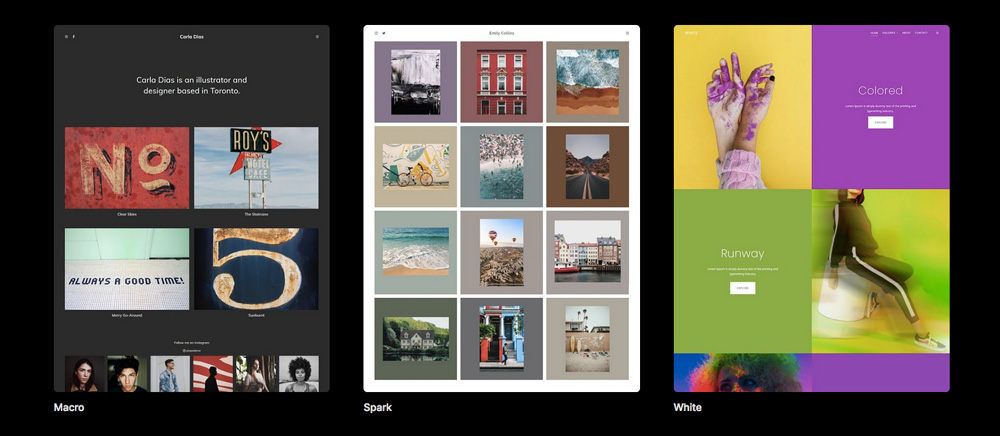
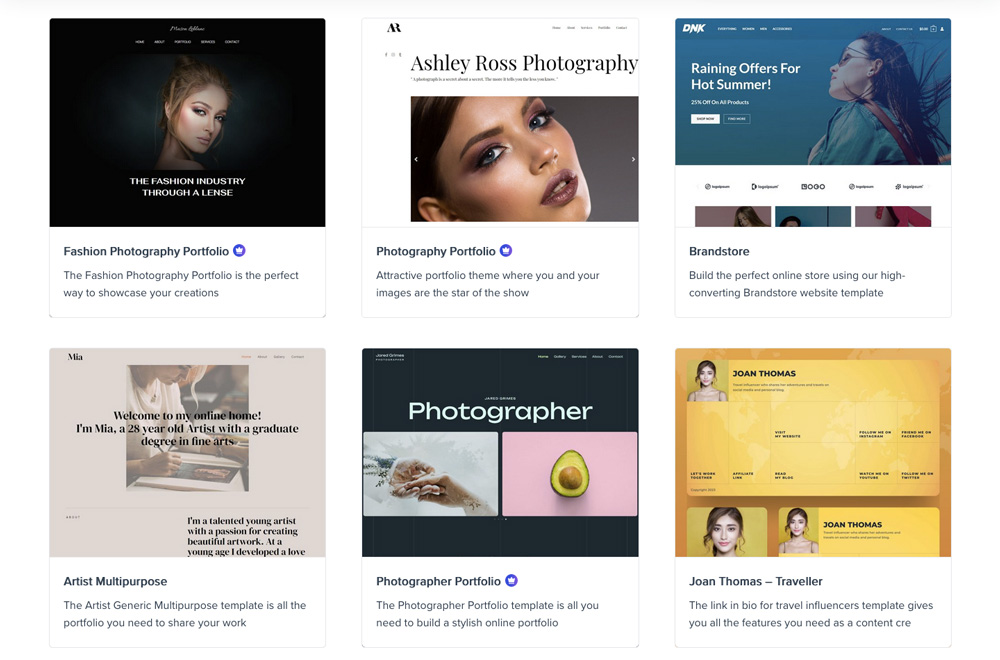
Pixpa is a budget-friendly option that focuses specifically on artists. The functional and appealing templates come with client galleries, image compression tools, the option to add meta data to images, and much more what artists need.
WordPress.com is another favorite that is easy to use and highly versatile in terms of functionality. There is a plethora of premade themes for art, photography, portfolios, and other art-related areas that you can use to quickly set whatever kind of artist website you need.
Shopify is one of the best eCommerce platforms out there. It comes with everything you need for selling your art out of the box, included advanced eCommerce and marketing features, payment gateways, extensions, and beautiful templates for art stores.
Round-up of the 5 Best Website Hosts for Artists in 2026
1. Pixpa
- Why To Buy
- Budget-friendly website builder
- Geared towards visual creatives
- Lots of extra features for artists
- Why To Avoid
- Not so customizable
- Pricing Plans
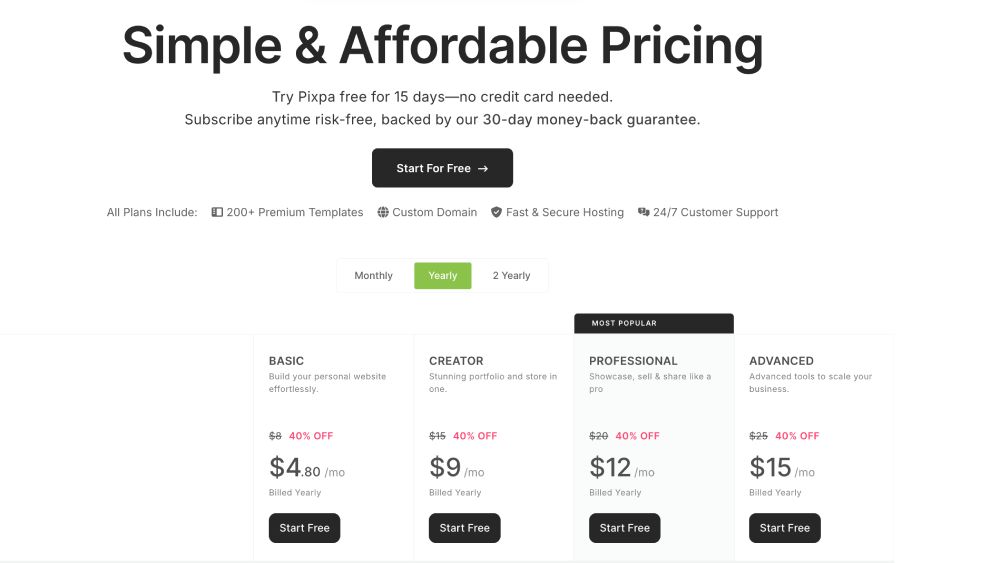
- Basic Plan $4 / mth.
- Creator Plan $7.50 / mth.
- Professional Plan $10 / mth.
- Advanced Plan $12.50 / mth.
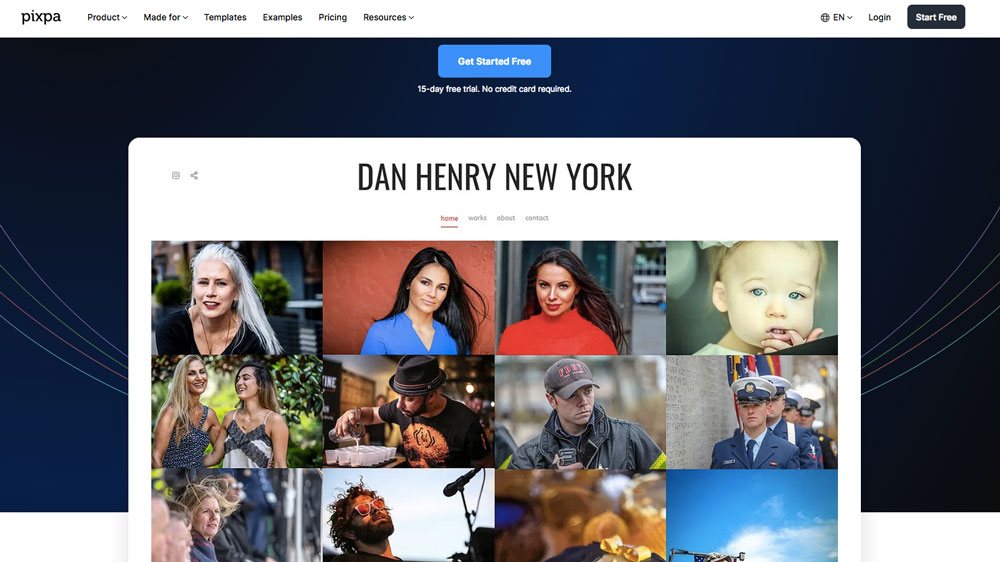
Pixpa is another to top choice for artists, because, just like Squarespace, its target audience is visual creatives. Pixpa makes it easy to build websites for artists to show their work. That’s why their main audience consists of photographers, illustrators, fashion designers, stylists, and other visually-focused professions.
It currently has 150+ templates that are easy to use and optimized for portfolio sites. But of course, you can also sell your art on Pixpa—there will definitely be a template for your needs!
While Pixpa provides you with all what’s needed to create a full-fledged artist site (including a blog), you must know that it’s not as feature-rich as other website builders.
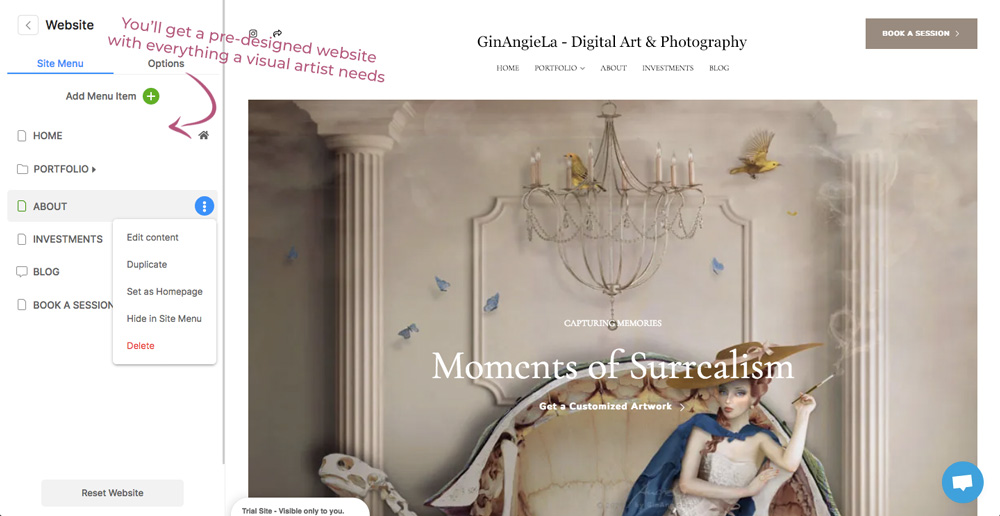
However, Pipxa’s website templates come with everything artists need out of the box. You’ll get a Home page to showcase your best works, an About page for your artist bio, and blog page. But there are also art-specific pages like portfolio, investments (for customer offers and pricing packages), and photo shoot booking pages, which is really great for working creatives!
Where Pixpa really stands out is the gallery features. You get more than 25 layout options and a whole lot of tools tailored to artists, such as client proofing, and the option to add meta data and watermarks to your images to protect your work online.
Pixpa is one of the most budget-friendly website hosts for artists. Their cheapest plan starts at $4 per month (billed biannually), but it has no ecommerce functionality and comes with limitations as to how many images you can upload (currently 200 images max).
The Professional plan gives you probably the best value for your money. You’ll get 25 GB of storage, unlimited image uploads and up to 100 products to sell.
⇒ Verdict
Pixpa is a budget-friendly website builder tailored to visual artists. Its portfolio features belong to the best in its class with lots of extras that artists will appreciate.
You’ll find everything you need to showcase your art, open an online shop and start a blog. However, the array of features is not as extensive as on other platforms.
While Pixpa doesn’t have a free plan, you can get started with a 15-day free trial to see if it suits your expectations!
2. WordPress.com
- Why To Buy
- Affordable plans
- Beautiful themes for creatives
- Beginner-friendly & highly scalable
- Why To Avoid
- You can't sell on the basic plans
- Pricing Plans
- Free plan available
- Personal Plan $2.75 / mth.
- Premium Plan $5.50 / mth.
- Business Plan $17.50 / mth.
WordPress.com is another contender for best website hosting for artists. Why? Because it’s super-easy to use (even for beginners), its paid plans are very affordable, and it even has a free plan!
WordPress guides you step-by-step through the entire process of building your own website—from start to finish. There’s a plethora of themes available on the platform. And even though WordPress isn’t specifically aimed at artists, it features lots of clean and beautifully themes for creative professions.
Just a quick note to avoid misunderstandings: WordPress calls them themes, other website builders call them templates. But it’s just two different names for the same thing. (ᴖᴥᴖ)
WordPress.com comes with a drag-and-drop editor, just like the other website builders on the list, but its customization options are incredibly flexible. If you want to have a lot of design control over your website, then WordPress is one of the best options.
One thing that’s super-convenient about the WordPress editor is that it features in-line text editing, meaning you can type in text directly on the website preview. That’s something you cannot do on Pixpa, for example.
Another great thing about WordPress is that you can preview your site on mobile directly in the editor. If there’s something that doesn’t look good, you can change it right away.
Also, if one of your primary goals is to start an art blog and make some money with blogging, WordPress.com is the perfect choice. It started out as a blogging platform and stands out with its search engine optimization (SEO) features. That helps you attract lots of organic traffic.
→ SEO Works For Artists — And Here’s How To Do It
What’s more, WordPress is also one of the few website builders with built-in ad-support. So, if you’re planning to monetize your blog through display ads, you’ll find an easy solution to do so on WordPress.com.
That said, WordPress offers some of the best website hosting for artists on a budget when it comes to flexibility and scalability.
Why? Because WordPress gives you much more freedom to expand your website as your art business grows. You can start with a simple portfolio site, add a blog, later on an online store, email marketing integrations, and even paid memberships and courses.
⇒ Verdict
WordPress.com is the best website hosting for artists who want a flexible and scalable website builder that doesn’t cost a ton of money. There’s a forever-free plan available (with the company’s own branding, though) that’s great to test the waters and get started. However, Weebly’s ecommerce features are not up to par with other website builders.
Originally designed as a dedicated blogging platform, WordPress is one of the best choices for artists who want to start an art blog due to its built-in SEO and ad support.
Wanna see if WordPress is the right fit for your needs? Get started on WordPress.com for free to see how it fares!
3. Shopify
- Why To Buy
- Top ecommerce platform
- Beautiful templates for art stores
- Lots of apps and plugins
- Why To Avoid
- Not the cheapest option
- Pricing Plans
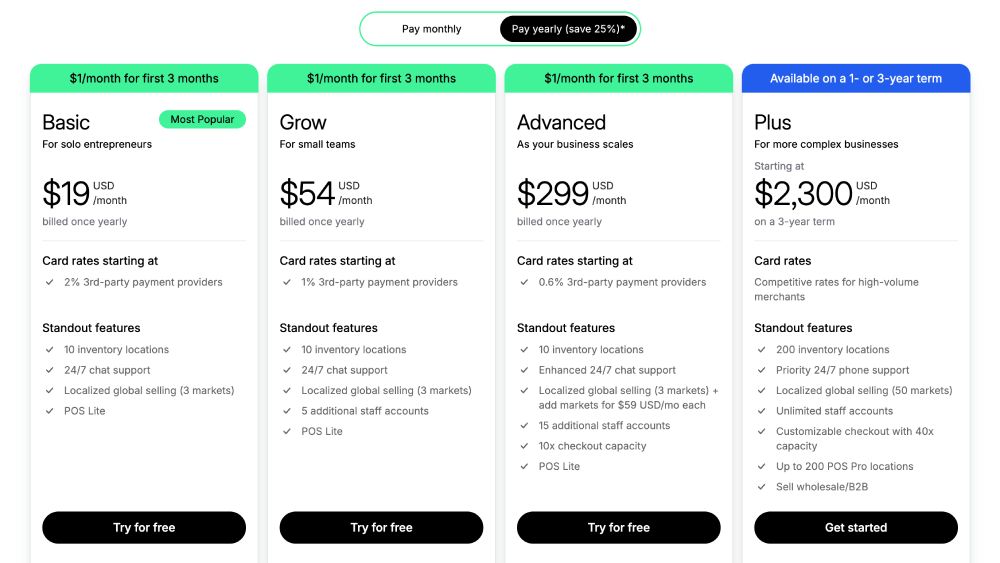
- Starter Plan $5 / mth.
- Basic Plan $19 / mth.
- Grow Plan $54 / mth.
- Advanced Plan $299 / mth.
Shopify is platform you’ve surely heard about if you’re into selling your art. Shopify is one of the most powerful ecommerce platforms in the market. You’ll find all the latest sales features you could possibly ask for—but Shopify has its price.
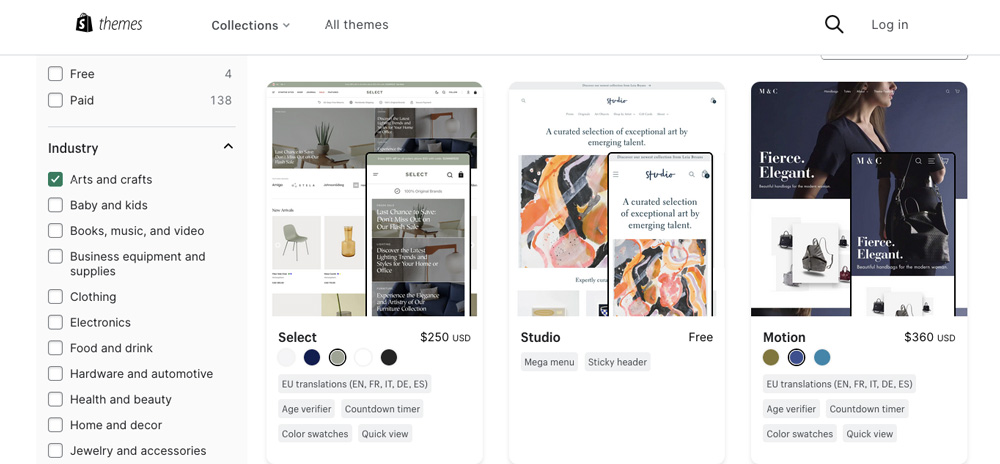
Since Shopify is aimed at anyone who wants to sell on a larger scale, there are over a hundred beautiful, streamlined themes for sellers from the arts and crafts as well.
Shopify is perfect for selling just about anything. You can sell physical products, virtual files, courses, memberships, etc.
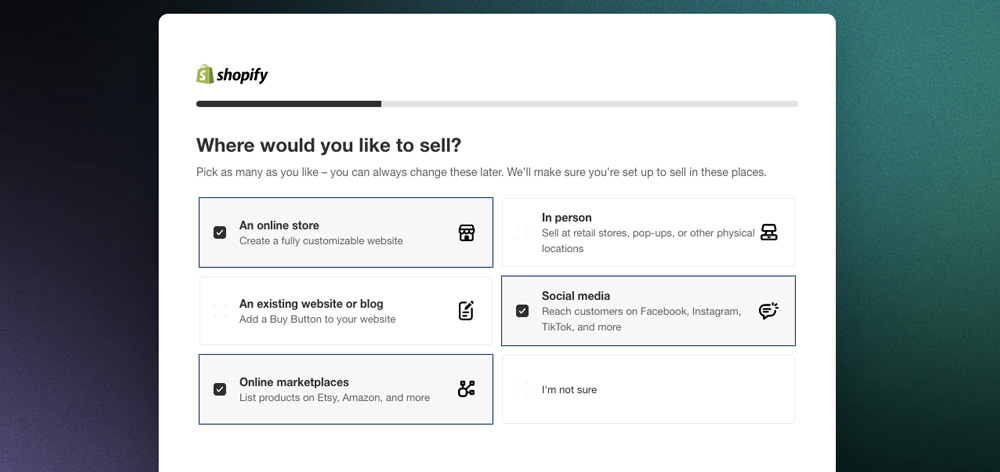
What’s more, Shopify allows you to sell through a variety of channels, from your own online store, to social media, to online marketplaces and even in person!
If you want to ship art prints to your customers, you’ll get discounted shipping rates with Shopify Shipping, one of Shopify’s partnership programs with various carrier services in different countries around the world.
But there are also great perks for delivering online orders. Shopify has integrations with many of the popular art online platforms and printing providers. For example, there’s an integration for Etsy that allows you to offer your products directly on the largest online art marketplace. Likewise, you’ll find integrations for the most common print-on-demand providers, such as Printify and Printful.
To help you get selling, I have some free resources for you that you might want to check out:
The downside to Shopify is its expensive prices. You do not only need to pay for the subscription, but also for about everything else (in addition to the plan).
There are some free themes available on Shopify, but most themes cost a one-time payment. Similarly, most of the integrations and add-ons come at a price. Additionally, transaction fees will occur for every transaction made.
If you have an established customer base you can sell to, then the Basic plan for $29 per month (billed annually) is probably the best option for you.
There’s also the Shopify Starter plan for $5 a month, but it only allows you to sell through social media and messaging apps. You’ll get a very stripped-down online store that can only be used with the Spotlight theme.
⇒ Verdict
Shopify is a top choice for artists who want to sell their art on a professional level and already have an established customer base. You will get the most powerful ecommerce tools available in the market. However, on Shopify, everything comes with a price tag.
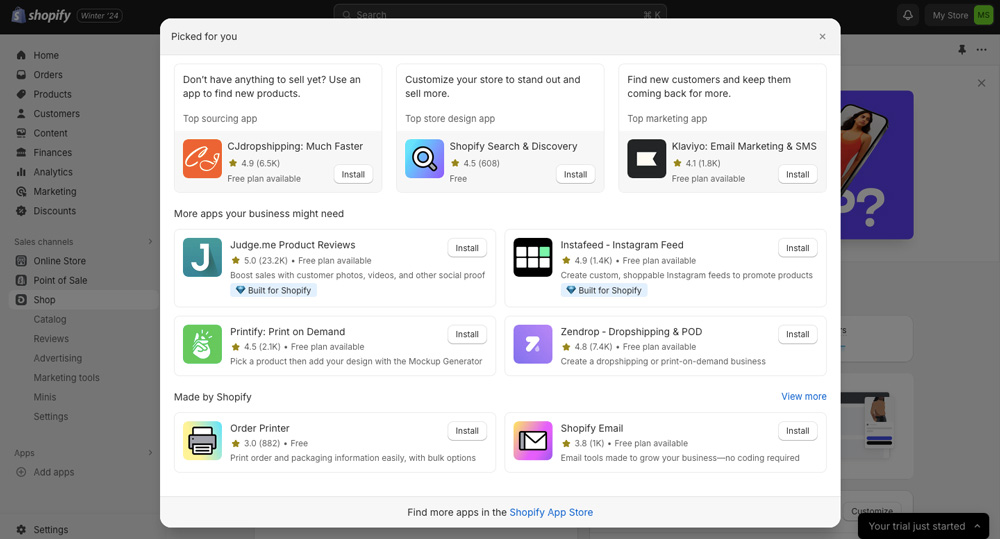
On the positive side, Shopify makes selling really easy. You can automate pretty much every process in your Shopify store. There are integrations for selling directly on social media platforms like Instagram and Pinterest, on Etsy, as well as PoD and shipping service integrations.
So, if you have a large art selling business and want to see if Shopify lives up to your needs, start a free Shopify trial here!

4. Squarespace
- Why To Buy
- Geared towards creatives
- Beautiful artist templates
- Good ecommerce features
- Why To Avoid
- No free plan
- Pricing Plans
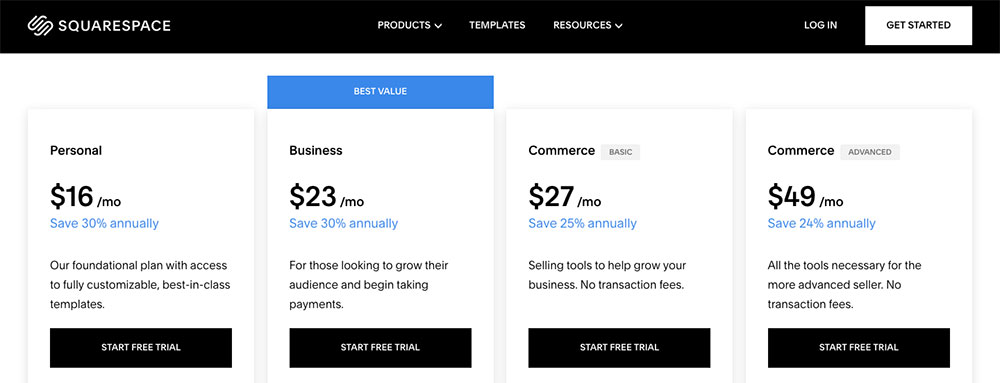
- Personal Plan $16 / mth.
- Business Plan $23 / mth.
- Commerce Basic $28 / mth.
- Commerce Advanced $52 / mth.
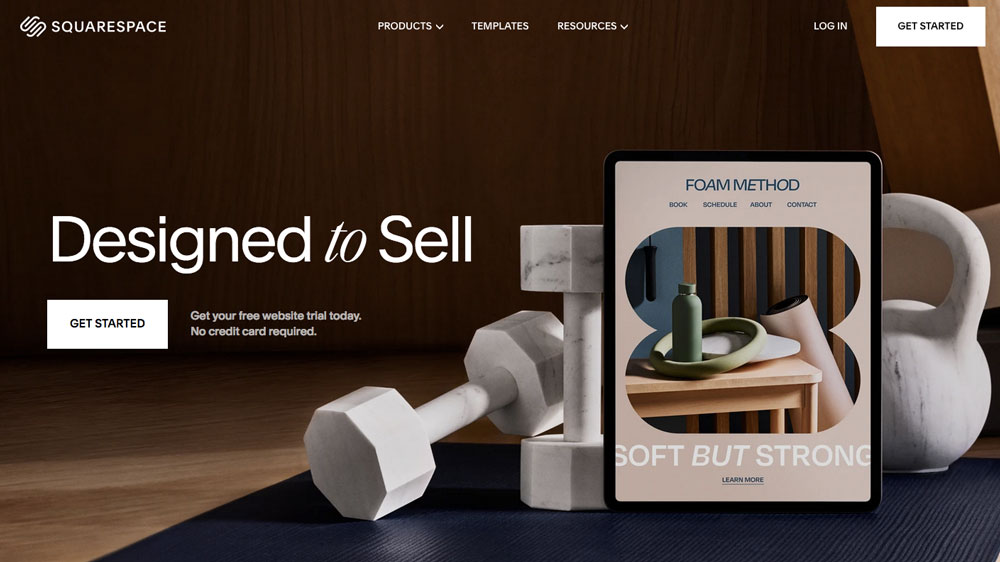
Squarespace offers the overall best website hosting for artists for a number of reasons. First of all, its website templates are beautifully designed and specifically geared towards visual creatives.
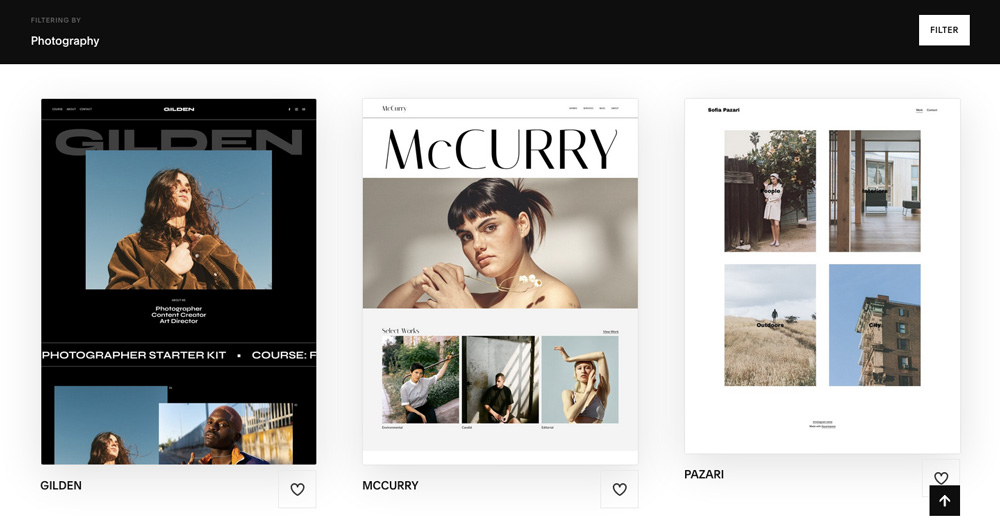
Currently, there are over 110 premade templates available, grouped into categories like art & design, photography, beauty, fashion, etc. All templates are modern, user-friendly, and fully responsive.
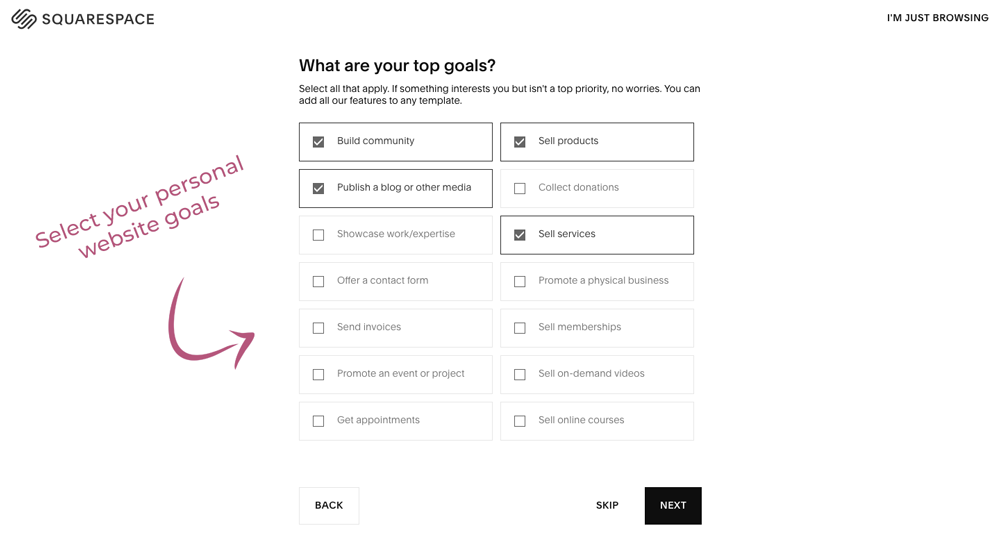
What I like about Squarespace is its guided approach to creating a website. Once you click on Get Started, you’ll be walked through a couple of steps that help you select the right template and features for your needs.
After choosing your niche, you can enter the primary goals you wish to pursue with your website: do you wish to sell products? Services? Memberships? Publish a blog? Build community?
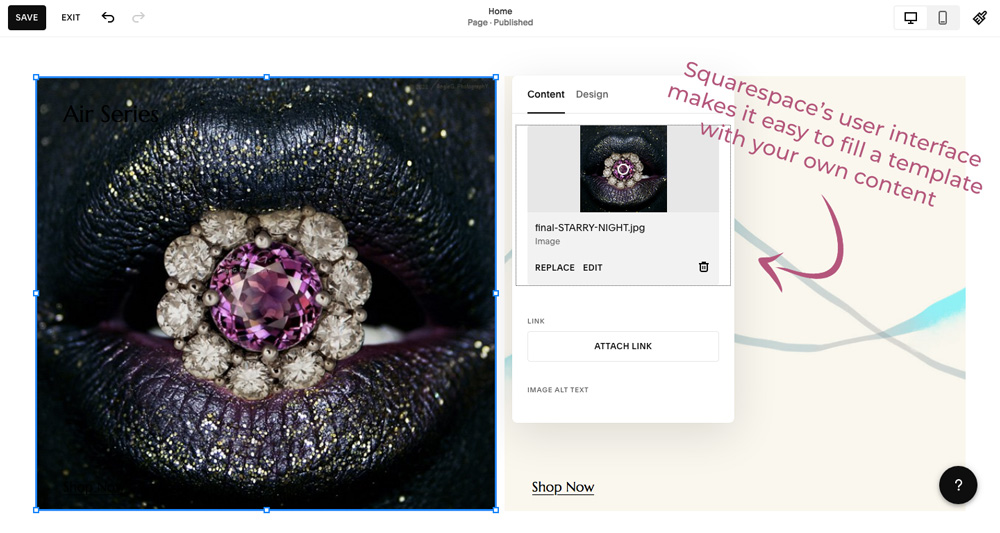
Based on your needs, you’ll be given a range of templates to choose from that have everything ready you selected during the initial process. All you need to do is pick your preferred template and fill it with your own content!

This brings us to the next point: how do you fill a template with your content?
Well, Squarespace comes with a drag-and-drop editor that allows you to pick a content block and simply drop it on the canvas where you want to place it. Content blocks can be text, images, image galleries, slideshows, videos, dividers, headings, and so on.
You don’t need any coding skills or previous experience in web design to build your artist site. That makes Squarespace a great fit for beginners and non-techy people, too!
All Squarespace plans provide you with SEO tools and analytics to help you optimize your website for search engines and track your website traffic.
While the Personal Plan is great for building a portfolio website, you’ll need to upgrade to the Business plan to get basic ecommerce functionality to sell your art.
Squarespace’s ecommerce features allow to you sell both physical products and digital files in the same store. You can also offer services like memberships and subscriptions.
Apart from that, you’ll get heaps of marketing tools to boost your online shop. You’ll get anything from email opt-ins, newsletter functionality, discount and coupon codes, upsells, cross-sells, and much more.
⇒ Verdict
Squarespace is a fantastic choice for visual artists of all genres because it is so easy to use and offers a huge array of pre-designed templates to choose from. All templates are highly customizable and visually appealing.
Squarespace’s cheapest plan, the Personal plan, allows you to create a beautiful portfolio website to showcase your art. Once you decide to start selling, you can upgrade to one of the higher plans with ecommerce functionality.
But before you commit, you can always try Squarespace for free!
6. WordPress.org
- Why To Get
- Most flexible website builder
- Largest choice of templates
- Unlimited plugins for all needs
- Why To Avoid
- Steepest learning curve
Last but not least, WordPress.org. WordPress is known as the blogging platform, but it can do much more than that. In fact, WordPress is the most flexible and scalable website builder available. On top of that, it’s completely free!
When it comes to premade templates, then WordPress has definitely the largest choice of beautifully designed themes for artists. No matter what type of art you make, there will be something that exactly fits your needs.
You’ll find beautiful and functional themes to showcase your portfolio, sell your art, offer courses and memberships, and much more.
Some of the best and most performing WordPress themes for artists, that also allow you to create a web shop, include:
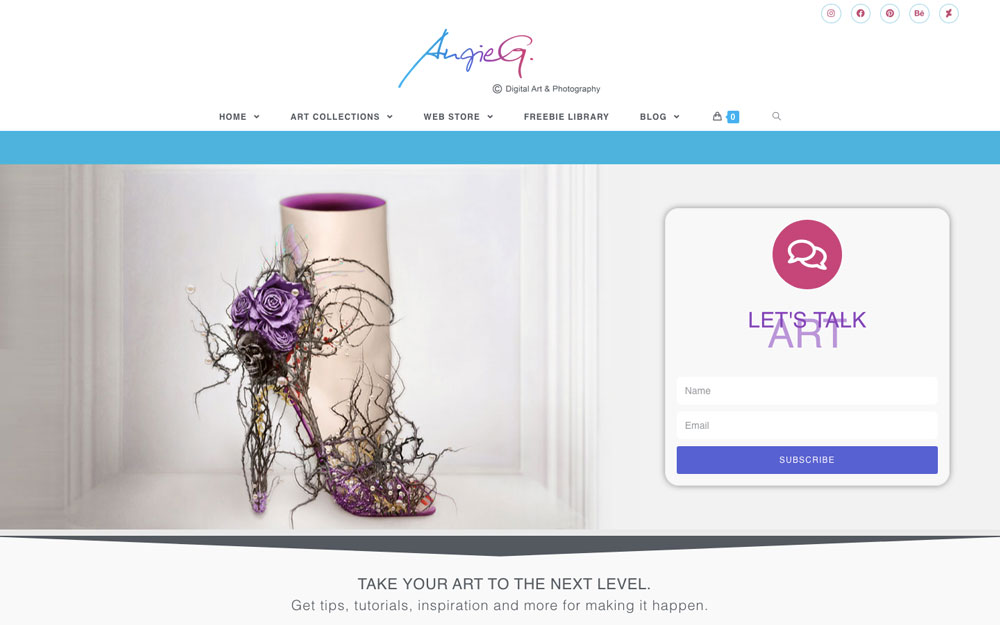
- OceanWP (I’m using it for this website)
- Divi
- Astra
- GeneratePress
Adding ecommerce functionality to your WordPress site is also completely free and super-easy. All you need to do is install the WooCommerce plugin and after that, you can start creating physical and digital products for sale right away!
You can integrate payment gateways like Stripe and Paypal using Woo Payments, and add many other services, such as shipping providers, newsletter opt-ins, wishlists, live chats, Trustpilot reviews, printing providers like Printful that will handle physical print sales for you. To see what’s availabe, check out the WooCommerce Marketplace.
I’m using WooCommerce for my web store as well, and I’ve created an easy-to-follow tutorial on how to start selling art with WooCommerce. If that’s something that interests you, feel free to check it out!
While WordPress itself and most of the plugins are free, the only thing you’ll need to pay for is web hosting and a domain name. However, that’s not nearly as expensive as a website builder.
You can get WordPress hosting for as little as $3 a month. Some of the best website hosting for artists can be found on Bluehost, A2 Hosting, and DreamHost. Bluehost, by the way, is endorsed by WordPress itself.
So, if you go for any of those three website hosts, you cannot go wrong!
Sounds too good to be true? Where’s the catch about WordPress? Well, the catch, if you will, is the steep learning curve. Due to its powerful features and high scalability, WordPress isn’t nearly as easy to use as the other website builders on the list.
You will need some time to get your head around how everything works. You’ll have to watch tutorials, read how-to’s, and take one step at a time. Because, if you just dive in and try to do everything on your own, you’ll probably just lose yourself and get frustrated.
I show you everything I did to create my website here.
⇒ Verdict
WordPress is best website hosting for artists who want the most out of everything: the greatest creative freedom, the best performance, the highest scalability. And while WordPress itself is completely free, you will have to invest time and effort into learning how it all works.
As opposed to the above website builders on the list, your WordPress site doesn’t come with 24/7 support that you can contact whenever you have a problem. You will be the only one responsible for your site. Of course, your hosting company will make automatic backups on a regular schedule. But if your WordPress site itself isn’t working the way you want, you‘ll have to figure it out—on your own.
This is something you need to know before going for WordPress. Nevertheless, it’s totally possible to make an artist website with WordPress—for everyone. If you’d like to know more, then start here: → Is WordPress Good For Artists?

Your content is always helpful and straight to the point.
Thank you!
I just like the helpful information you provide in your articles
That’s great to hear, Antonio. Glad it’s helpful (: